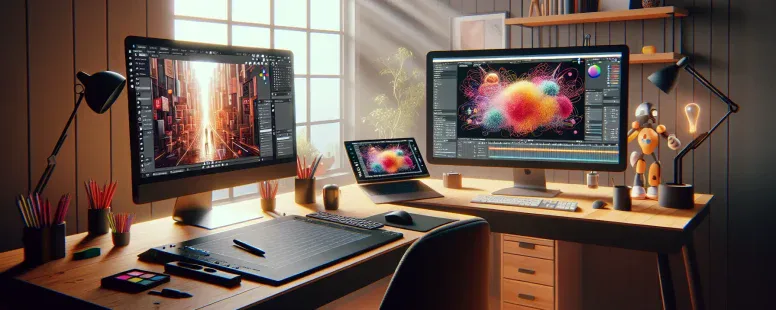
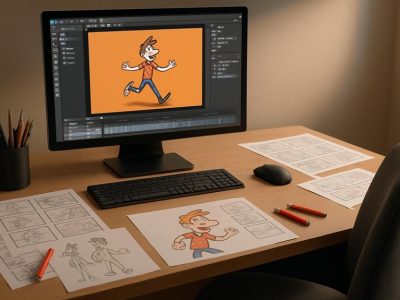
In a rapidly evolving digital world, choosing the ideal animation tool can be pivotal for professionals and enthusiasts alike. Two prominent tools, Blender’s Grease Pencil and Adobe Animate, offer powerful features tailored to different use cases. Understanding their differences can guide you in selecting the platform that aligns perfectly with your creative aspirations.
Overview of Blender Grease Pencil
Features of Blender Grease Pencil
Blender’s Grease Pencil revolutionizes 2D animation with its seamless integration into a 3D environment. This feature allows animators to create 2D illustrations and animations within Blender’s comprehensive toolkit, bridging both worlds creatively.
Types of Animations Suited for Blender Grease Pencil
This tool excels in projects requiring a blend of 2D and 3D animations, such as storyboarding or adding 2D special effects to a 3D scene.
Overview of Adobe Animate
Features of Adobe Animate
Adobe Animate is renowned for its versatile frame-by-frame animation capabilities and its user-friendly interface. It supports various formats, making it a preferred choice for web, mobile, and game animations.
Types of Animations Suited for Adobe Animate
This platform is ideal for creating vector-based animations for interactive content, moving artwork, and short films.
Key Differences Between Blender Grease Pencil and Adobe Animate
Usability and Interface
Blender’s interface prioritizes complex 3D workflows, which may seem intricate to new users, whereas Adobe Animate offers a more focused, beginner-friendly 2D animation environment.
Toolset and Capabilities
Blender Grease Pencil excels at combining 2D and 3D elements, promoting innovative storytelling. Adobe Animate specializes in delivering interactive and web-optimized content with precision tools.
Performance in Different Animation Scenarios
While Blender Grease Pencil thrives in hybrid projects integrating dimensions, Adobe Animate offers superlative control for straightforward, engaging 2D animations.
Choosing the Right Tool for Your Needs
Consider the nature of your project and your proficiency with animation tools. Blender may be ideal for advanced, hybrid projects, while Adobe Animate could be the better option for creating content for online platforms.
To provide the best experiences, we use technologies like cookies to store and/or access device information. Consenting to these technologies will allow us to process data such as browsing behaviour or unique IDs on this site. Not consenting or withdrawing consent, may adversely affect certain features and functions.
Functional
Always active
The technical storage or access is strictly necessary for the legitimate purpose of enabling the use of a specific service explicitly requested by the subscriber or user, or for the sole purpose of carrying out the transmission of a communication over an electronic communications network.
Preferences
The technical storage or access is necessary for the legitimate purpose of storing preferences that are not requested by the subscriber or user.
Statistics
The technical storage or access that is used exclusively for statistical purposes.The technical storage or access that is used exclusively for anonymous statistical purposes. Without a subpoena, voluntary compliance on the part of your Internet Service Provider, or additional records from a third party, information stored or retrieved for this purpose alone cannot usually be used to identify you.
Marketing
The technical storage or access is required to create user profiles to send advertising, or to track the user on a website or across several websites for similar marketing purposes.