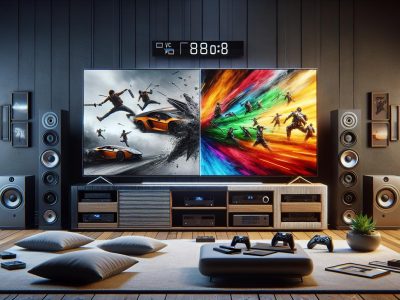
Picture gliding through a fast-paced video game or watching an action-packed movie—every frame crisp, every movement smooth as silk. But what if your screen could do more than just display images? What if it could transform the way you see and feel motion altogether? That’s where the battle between 60Hz and 120Hz comes alive, quietly shaping your visual experience in ways you might not expect.
You might think a few extra hertz are barely noticeable, yet the leap from 60Hz to 120Hz can unlock a world of difference. Picture scrolling through your favorite feed with buttery fluidity or catching subtle details in a high-speed chase that others might miss. There’s more to refresh rates than meets the eye—sometimes, it’s the unseen advantages that make all the difference.
Understanding Refresh Rates: 60Hz vs 120Hz
Refresh rates, measured in Hertz (Hz), tell you how many times per second your screen redraws its image. At 60Hz, your display updates 60 times a second. Jump up to 120Hz, and that number doubles. Have you ever felt that a video game action, like a sprint in Fortnite or a turn in Forza Horizon, seems buttery smooth? That’s what a 120Hz refresh rate does for you, compared to the more common 60Hz. Game developers and video editors both chase after higher Hertz because they care about motion accuracy and frame pacing.
You might recall watching a fast soccer match—the ball blurs as it rockets across a 60Hz TV. Switch to a 120Hz screen, and every kick stays crisp, trails disappear. Is this all marketing hype, tho? Not really. Researchers at DisplayMate Technologies found (2019, Display Technology Shoot-Out) that users perceive motion more at 120Hz, especially when scenes shift quickly.
Screens with 60Hz refresh rates dominate budget laptops, basic TVs, and most office monitors. For example, MacBook Air (M2, 2022), Dell XPS 13, and Samsung TU7000 TVs all refresh at 60Hz. In contrast, flagship phones like the Samsung Galaxy S23 Ultra and premium monitors such as LG UltraGear 27GN950 run natively at 120Hz, letting gamers and creators get more responsive and fluid visuals.
Skeptics argue: isn’t 60Hz enough, especially for movies, which are shot at 24 frames per second? Some say yes, others believe 120Hz adds value felt through smoother navigation, less input lag, and better motion interpolation. Ask yourself: do you scroll social feeds and notice stutter? Test a Galaxy S21 scrolling Instagram, then borrow a friend’s iPhone SE to compare.
Different refresh rates shape user experiences and expectations. At 60Hz, you get reliability and energy efficiency, making it ideal for static office work or light media. Go for 120Hz, and you immediately notice vivid motion, higher touch responsiveness, plus a competitive edge if you’re into esports or VR. Still, higher speeds tax battery life more, and you might only spot big gains with high-frame-rate content.
Manufacturers rely on extensive research. According to a 2023 Statista survey of US consumers, 47% noticed smoother scrolling on 120Hz devices, while 31% still preferred 60Hz for its battery longevity. You choose, depending on how you watch, work, or play. Refresh rate isn’t just a number—it shapes how you see and interact with every moment onscreen.
Key Differences Between 60Hz and 120Hz
Refresh rate defines how often your screen redraws its image each second. When comparing 60Hz and 120Hz, you’ll notice key distinctions that impact your viewing and interaction experience.
Motion Clarity and Smoothness
A 120Hz display delivers higher motion clarity and smoother transitions than a 60Hz panel. Movements in action scenes, fast-paced games like Apex Legends, and quick menu scrolls look more fluid on 120Hz screens. This clarity minimizes noticeable motion blur, which helps you track objects easily during rapid motion. On a 60Hz display, rapid changes can look choppy, especially during camera pans in live sports broadcasts or animated movie scenes.
Input Lag and Responsiveness
A 120Hz refresh rate lowers input lag, making device response times feel snappier. For gaming, every millisecond counts, and studies (Digital Foundry 2023) show input delay can drop from nearly 17ms at 60Hz to 8ms at 120Hz. This creates a tangible advantage in competitive titles like Fortnite, where quick reactions make a difference. Touchscreen tasks, such as scrolling or drawing on tablets, also feel more immediate and connected at 120Hz.
Visual Quality and Artifacts
Visual artifacts like screen tearing and stuttering are less prominent at 120Hz. Doubling the refresh rate lets screens better sync with higher frame rates, resulting in smoother visuals with fewer interruptions. You’ll see crisper text and clearer lines during motion sequences, enhancing readability and detail. On 60Hz panels, mismatches between frame output and refresh cycles can introduce judder, especially noticeable in scenes with horizontal pans or text crawling across the screen.
Distinction
60Hz Example
120Hz Example
Motion Clarity
Slight blur on fast scenes
Smooth transitions in action
Input Lag
16-17ms delay
~8ms delay
Visual Artifacts
Screen tearing occurs
Minimal artifacts
For work, play, or streaming, higher refresh rates provide measurable improvements in fluidity and control. If your workflow or playstyle prioritizes responsiveness or visual fidelity, the difference between 60Hz and 120Hz quickly becomes apparent.
Impact on Different Use Cases
60Hz and 120Hz refresh rates shape your experience across key scenarios. The distinction becomes clear when you interact with fast-paced visuals, multitask, or consume media.
Gaming Performance
A 120Hz display delivers smoother motion and lower input lag in gaming. Your screen draws images 120 times each second, halving the interval compared to 60Hz. This means when you flick the mouse quickly in first-person shooters like “Call of Duty” or “Valorant”, moving targets stay clearer with less motion blur. According to NVIDIA, professional esports players often choose 120Hz or higher monitors, citing a measured advantage in fast-twitch genres. If you’re gaming competitively, every millisecond counts—the reduced response time at 120Hz lets visual feedback match your keyboard input instantly.
Conversely, casual or story-driven games, like “The Sims 4” or typical console titles on legacy hardware, often cap frame rates at 30–60 fps. On these, 60Hz and 120Hz displays can look similar. Smoother animations at higher refresh rates matter most for genres demanding precision reactions, but not so much for slow-paced strategy or puzzle games.
Movie and Video Playback
60Hz screens suffice for much film and basic streaming content, since movies usually play at 24 or 30 fps. Modern TVs and services like Netflix or Disney+ use motion interpolation to convert 24 fps footage into 60Hz or 120Hz output. On a 120Hz screen, this process doubles each film frame five times, reducing motion judder and smoothing camera pans. In action scenes—think car chases in “Fast & Furious”—the difference shows: fast motion looks clearer and trailing is minimized. Some cinephiles dislike the “soap opera effect”, claiming it makes movies look overly smooth and unnatural, according to TechHive.
If you’re watching live sports or YouTube videos filmed at 60 fps, a 120Hz TV or monitor prevents ghosting and keeps movement lifelike. Sports fans enjoy clearer ball tracking and less stutter during quick camera transitions—a key benefit cited by reviewers from CNET and Rtings.com.
Everyday Computing
60Hz displays handle office tasks and web browsing, but switching to 120Hz devices makes scrolling and UI animations look instantly more fluid. Dragging windows, swiping down a timeline, or using touch gestures on a flagship smartphone feels snappier—Microsoft tested this in Windows 11 (2022), reporting higher user satisfaction with 120Hz touchscreens.
Multitasking improves as well: moving between spreadsheets, editing photos in Adobe Lightroom, or switching browser tabs involves less lag and more natural transitions. Those working with stylus inputs on tablets like the iPad Pro notice lower pen latency at 120Hz, with closer pen-to-pixel tracking. Battery drain increases at higher refresh rates, which explain why some laptops and smartphones offer variable refresh options for balancing smoothness and endurance.
These display differences impacts how you perceive, engage, and react to digital content—adjusting your device configuration lets you choose the right balance for your priorities.
Considerations Before Upgrading
Choosing between 60Hz and 120Hz display means weighing more than just numbers. Different devices and price tags shape what type of upgrade adds value for your needs.
Device Compatibility
Checking device compatibility matters since not all your hardware speaks the same refresh rate language. Laptops launched before 2020, for example, often cap out at 60Hz, while newer gaming monitors and phones support 120Hz natively. You might plug a 120Hz monitor into an older GPU, but don’t expect smooth sailing—compatibility mismatches create issues like frame skipping or screen flicker.
Game consoles (ex: PlayStation 5, Xbox Series X) natively output high refresh rates, so you’ll see clear motion in fast-action titles if you pair console and screen right. Many 2022+ tablets (like Samsung Galaxy Tab S9) unlock their full smoothness only when apps are built to harness 120Hz. Even with the latest displays, not every app, operating system, or port delivers. Double-check specs—your workflow may hit a roadblock if your productivity app or streaming service limits playback to 60Hz.
Cost and Value for Money
Analyzing cost and value for money reveals that not all 120Hz panels justify their price. The upgrade often means spending 15%–40% more for a comparable 120Hz device over 60Hz. High-end 120Hz monitors (ASUS ROG, LG UltraGear) bundle premium perks like adaptive sync or HDR, driving the cost up but delivering immersive gaming and color accuracy. Budget models claim 120Hz, but you’ll sometimes find washed-out colors, ghosting, or lower build quality, which might undercut the real benefit.
Ask yourself: How much of your day do you spend in fast-twitch gaming or scrolling endless feeds? If gaming is casual and work involves emails or spreadsheets, a 60Hz display may match your daily rhythm and leave more cash in your wallet. Someone who edits high-frame-rate 4K video or chases ranked Apex Legends matches on weekends probably finds the extra smoothness worth every dollar, especially when small delays mean all the difference.
Upgrade decisions work best when you check device specs, measure real usage habits, and compare the actual features—don’t pay for refresh rate alone if surrounding features or your habits don’t demand it.
Conclusion
Choosing between 60Hz and 120Hz comes down to how you use your devices and what matters most to you. If you crave smoother visuals and more responsive performance, especially for gaming or creative work, a 120Hz display can make a noticeable difference.
On the other hand, if battery life and budget are your top priorities, a 60Hz screen may still serve you well for everyday tasks. Weigh your needs and device compatibility to get the best experience for your setup.
To provide the best experiences, we use technologies like cookies to store and/or access device information. Consenting to these technologies will allow us to process data such as browsing behaviour or unique IDs on this site. Not consenting or withdrawing consent, may adversely affect certain features and functions.
Functional
Always active
The technical storage or access is strictly necessary for the legitimate purpose of enabling the use of a specific service explicitly requested by the subscriber or user, or for the sole purpose of carrying out the transmission of a communication over an electronic communications network.
Preferences
The technical storage or access is necessary for the legitimate purpose of storing preferences that are not requested by the subscriber or user.
Statistics
The technical storage or access that is used exclusively for statistical purposes.The technical storage or access that is used exclusively for anonymous statistical purposes. Without a subpoena, voluntary compliance on the part of your Internet Service Provider, or additional records from a third party, information stored or retrieved for this purpose alone cannot usually be used to identify you.
Marketing
The technical storage or access is required to create user profiles to send advertising, or to track the user on a website or across several websites for similar marketing purposes.