Imagine your business’s data as a delicate thread woven into a vast tapestry. As needs evolve, that thread can fray or snap if your backup solution isn’t up to the task.
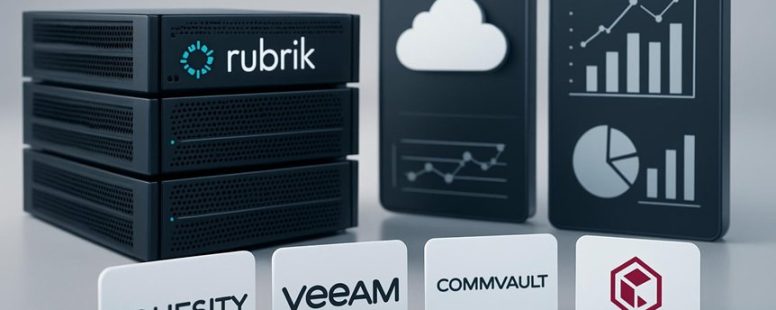
Did you know more than 60 percent of companies switch backup solutions within just two years? Rubrik faces fierce competition, with rivals offering features and prices that might better suit your unique challenges.
Beneath the surface, some alternatives shine with surprising benefits like enhanced security or effortless scalability—like a sturdy bridge supporting your growth.
Before making a choice that shapes your data’s future, understanding how these competitors compare on security, support, and flexibility can be a game-changer.
Criteria for Choosing Rubrik Alternatives
When choosing a backup solution instead of Rubrik, you first need to know what really matters for your needs. The most important thing is how easy it is to use. Can you find what you need quickly? Is the interface simple and clear? If not, you might waste time trying to figure it out during a crisis.
Next, performance matters. You want backups to be fast and reliable so your data is safe without slowing down your systems. For example, if backups take hours or cause your servers to lag, that can be a big problem. Some solutions might promise speed but fall short in real life, so look for reviews from other users.
Integration is also key. The backup should work smoothly with your current technology—whether you use Windows, Linux, or cloud services like AWS or Azure. Check if the vendor offers deployment options that fit your environment. A backup tool that only works on certain systems can limit your options later.
Customer feedback can tell you a lot. What do users say about real-world reliability? Do they have trouble getting support? Sometimes vendors boast about features that don’t work well in practice. Reading honest reviews can save you from choosing a solution that looks good on paper but performs poorly.
Market trends matter too. Look for vendors that keep improving their products and adding new features. If a company seems stagnant, it might not keep up with your future needs.
Some people also weigh the costs against features. A cheaper solution may lack critical features or support. An expensive one might have nice extras but not be necessary for your business. Think about what features are must-haves and which ones are nice to have.
In the end, it’s about balancing these factors. A backup solution should perform well, fit your environment, be reliable, and keep evolving. Remember, no single feature makes a solution perfect. You need to see the whole picture. That way, you can pick a backup system that keeps your data safe and your systems running smoothly.
Counter-Strategy Summary:
Overpromising speed and integration without realistic backing.
Focusing only on flashy features, ignoring real-world reliability.
Making solutions sound simple but ignoring potential support issues or hidden costs.
Skeptical Consumer View:
It all sounds good, but how many solutions really deliver on speed and reliability?
Do reviews really reflect everyday use or just marketing claims?
Are vendors truly improving or just adding features to charge more?
Distracted Scroll View:
Looks complicated, might just pick the cheapest or easiest one.
Who has time to read reviews? Just want it to work.
Will I remember all these factors? Probably not, so just go with something familiar.
Feature Comparison of Rubrik’s Top Competitors
Rubrik is well known, but it’s good to compare it with other backup and disaster recovery tools. If you want to pick the best solution, look at these main points:
First, customization and innovation. Some competitors let you change settings more easily to fit your needs. They also push new features faster. For example, a company might prefer a tool that adjusts to special data types or offers the latest security tech. Be careful, though. Not all flexible options are simple to use, and new features sometimes come with bugs.
Second, performance and market trends. How fast and reliable is the solution in real life? Does it keep up with what other companies are doing? If a tool is slow or hard to use, it might cause problems during a crisis. Also, check if the vendor keeps up with new trends. For example, cloud backup is a big trend now. If a vendor ignores it, their product might become outdated quickly.
Third, vendor reputation and support. Do other users trust the company? How fast do they respond if you have an issue? A well-known vendor with good support can save you when things go wrong. But, be aware that some big companies might be slow to respond or push expensive upgrades.
In the end, choosing a backup solution depends on what your business needs most. Some tools are more flexible but harder to manage. Others are simple but less innovative. It’s like shopping for a car—you want something reliable, but also with features that match your driving style. Be sure to weigh all these factors before making your decision.
Cloud Backup Alternatives to Rubrik
Cloud backup options to Rubrik are important for businesses that want to protect their data easily and reliably. When choosing an alternative, look for solutions that work well with both on-site and cloud storage. These options should be easy to use, fast to recover data, and able to handle complex tasks like virtual machine backups.
Some cloud backup services stand out because they offer quick data recovery and high uptime. For example, companies like Veeam, Commvault, and Acronis provide strong hybrid cloud support. They also focus on disaster recovery, so your business can bounce back quickly if something goes wrong.
However, not all providers are perfect. Some may have limits on storage space or slow recovery times during busy periods. Always compare how well each service performs in real-world tests and check reviews from other users.
If you want an alternative to Rubrik, think about what matters most for your business. Do you need fast recovery? Easy setup? Or reliable support? Make sure the solution you choose can handle your specific needs, especially if you have many virtual machines or large data sets.
In short, picking the right cloud backup depends on balancing speed, reliability, and ease of use. The best choice is one that fits your business’s size and recovery goals. Look for options that support hybrid cloud setups and focus on disaster recovery to keep your data safe and your business running smoothly.
Data Security and Compliance Among Competitors
Data security and compliance are key when comparing competitors. The best way to judge them is by looking at their encryption standards and how well they follow rules set by governments and industry groups.
Encryption makes data unreadable to outsiders. Some companies use strong methods like AES-256 encryption, which is considered very secure. Others might use weaker or outdated encryption, which could be easier for hackers to break. For example, Apple uses advanced encryption in its iCloud services, while some smaller firms may rely on less secure methods.
Regulatory compliance means following laws like GDPR in Europe or HIPAA in healthcare. Companies that follow these rules protect customer data better. They often have clear policies, regular audits, and staff training. But some competitors might cut corners to save money, risking fines and losing customer trust.
To compare competitors, look at their encryption methods and how they handle rules. Ask: Are they using the latest encryption technology? Do they regularly check their security systems? Are they transparent about their compliance? Some companies might boast about security but hide poor practices or outdated systems.
Two viewpoints exist. Some say strong encryption and strict compliance are enough. Others argue that no system is perfect, and human error or insider threats can still cause problems. It’s wise to check if companies have plans for when breaches happen and how they notify customers.
A quick story: Imagine two banks. Bank A uses top encryption and strict rules, but a careless employee clicks a phishing link. Bank B has average security but trains staff well. Which do you trust? Sometimes systems are good, but people still make mistakes.
Encryption Standards Comparison
Encryption is like a lock that keeps your data safe from hackers and unauthorized people. When comparing encryption standards among companies like Rubrik, it’s important to know how strong and reliable their encryption methods are. Here’s what to look for:
Encryption algorithms such as AES-256 are very strong and protect your data well.
End-to-end encryption keeps your data safe from the moment it is created until it is received.
Systems that check data regularly to make sure it hasn’t been changed or damaged are better at keeping your information safe.
Some companies might say they are secure but don’t use the best tools or keep checking their systems. It’s good to ask how well they protect your data and if they follow proven standards. Choosing a solution with strong encryption helps keep your information private and builds trust. Don’t settle for just okay protection. Look for the highest standards so you can feel confident your data is safe.
Regulatory Compliance Strategies
Regulatory compliance means following laws and rules to keep data safe. Encryption is important, but it’s just one part of the bigger picture. To really stay secure, you should keep up with new regulations and adjust your plans as rules change. Regularly checking for risks helps find problems before they grow. Strong data policies and controls make sure everyone handles data the same way. Being ready for audits is critical. This means keeping good records and following industry standards. Some companies now use automation tools like RSA Archer or ServiceNow to handle compliance tasks faster and with fewer mistakes.
For example, automating compliance checks can save time and reduce errors. But, it can also be risky if you rely too much on software alone. Manual reviews are still needed to catch issues automation might miss. A good compliance strategy mixes both automation and human oversight.
Think of compliance like a car. Encryption is the engine, but policies, audits, and risk checks are the brakes, steering, and mirrors. All parts need to work together to keep you safe. If you ignore one part, your security could fail.
Some people might say automation is the future, but others worry it might give a false sense of security. Both views are true. Using the right tools can make compliance easier but relying only on technology might leave gaps.
In the end, the best way to stay compliant is to treat it as a continuous effort. Keep updating your rules, check for risks regularly, and use automation wisely. That’s how you build trust and protect your data over time.
Data Breach Prevention
Preventing data breaches means more than just checking boxes for compliance. It’s about actively stopping threats before they happen. Relying only on rules and regulations is not enough. You need to watch for risks all the time and stay alert. Here are the key steps to do that:
Continuous Monitoring: Regularly scan your systems for weak spots. For example, using tools like Cisco’s Security Manager can spot vulnerabilities early. If you catch a problem fast, you can fix it before hackers find it. Some companies think compliance is enough, but hackers often find ways around rules. Monitoring helps you stay one step ahead.
Employee Training: Teach your team how to spot phishing emails and unsafe practices. Imagine a worker clicking on a fake link because they didn’t recognize it as a scam. Regular training can prevent that. Remember, even one mistake can lead to a breach. Training makes your team your first line of defense.
Strong Access Controls: Only give data access to people who need it for their job. For example, an accountant shouldn’t have access to HR files. Limiting access reduces the chance someone unintentionally leaks data. Some companies think passwords alone are enough, but layered security like multi-factor authentication adds extra protection.
These steps work together like layers of a shield. They can adapt as hackers change their methods. Just following rules might not be enough, but active risk management can build real security.
But watch out — some companies might say they do all this, yet still get hacked because they don’t stay consistent. Also, some measures cost time and money, so it’s easy to skip steps. Still, if you want your data safe, these actions are worth doing. They help you stay prepared and protect important information.
Counter-strategies from the three personas:
The Ruthless Competitor would say this isn’t enough since breaches still happen, and companies often overpromise. They’d suggest more aggressive security tools or threat intelligence services.
The Cynical Consumer would question how many companies actually follow through on these steps and if it really works against sophisticated hackers. They’d want proof or real-world examples.
The Distracted Scroller might forget the details quickly but would remember the idea of “active protection” and “training,” which seem straightforward enough to hold onto.
To make this convincing, it’s best to keep it simple, realistic, and backed by examples. That way, it stands up to skepticism, competition, and fleeting attention.
Automation Features That Set Rubrik’s Rivals Apart
Automation features are key to choosing backup and recovery tools. Here’s what sets Rubrik’s competitors apart, and what to watch out for.
First, some rivals use AI-powered scheduling that adapts automatically to workload changes. This means backups happen when needed without you having to set manual times. For example, if your company’s data load spikes unexpectedly, these tools can adjust and still keep data safe. But sometimes, these AI systems can make mistakes or misjudge busy times, leading to missed backups.
Second, many competitors easily connect with different cloud services like Amazon Web Services or Microsoft Azure. This allows automated workflows to run smoothly across both on-premises servers and the cloud. For instance, a company can back up data from its office and cloud storage with little extra work. However, this integration might require some initial setup and sometimes causes compatibility issues.
Third, some tools include proactive monitoring that detects problems early and fixes them automatically. Imagine a backup failing because of a corrupt file—these systems catch that before it causes trouble. But, they may also give false alarms or fix issues that don’t need fixing, wasting time.
Some people see these automation features as big advantages, making backups faster and more reliable. Others worry that reliance on AI and automation could cause unseen errors or over-complicate things if not managed well.
If you are choosing a backup tool, think about how these automation features match your needs. Do you want quick, hands-free backups? Are you prepared for possible false alarms? These are questions worth asking.
In short, competitors are investing in automation that boosts performance but also comes with potential risks. Always test these features in your environment before making a final decision.
Pricing Models for Rubrik Alternatives
When comparing Rubrik alternatives, it’s best to look at the different pricing options and see which one fits your budget. Subscription plans typically cost less upfront but may add up over time, while perpetual licenses require a bigger initial payment but can be cheaper later. Be careful about hidden fees, like extra charges for storage, support, or updates, because they can surprise you and increase your costs. Knowing these price differences from the start can save you money and headaches later.
For example, some companies may advertise low prices but then charge for features you need. Others might have strict limits on how much data you can back up without paying more. Think about what your organization needs most — is it better to pay monthly or buy a license once?
There are two sides to this. Some say subscription models are flexible and easier to change if your needs grow. Others warn that ongoing costs can add up and be more expensive in the long run. Always read the fine print to understand what’s included and what’s extra.
If you want to compare options, ask these questions: Does the price include support? Are there extra fees for storage or upgrades? How easy is it to switch plans later? Knowing the answers helps you pick the best fit for your budget and needs.
Subscription vs Perpetual
Choosing between subscription and perpetual models is a key decision for your business. The main difference is how you pay and how long you can use the software.
A subscription makes it easy. You pay a regular fee, and you get updates and support. This helps you plan your budget because costs stay the same each month or year. Plus, you always have the latest features. For example, companies like Microsoft 365 use subscriptions so users get new tools as soon as they’re ready.
Perpetual means you pay once and own the license forever. This can save money if you don’t want ongoing payments. You get to keep the software without extra charges. But keep in mind, you might miss out on updates or support unless you pay extra later. Brands like Adobe used to sell perpetual licenses for Photoshop before switching mostly to subscriptions.
Here’s a simple way to compare:
Subscription benefits: lower initial costs, ongoing updates, easy to add more users
Perpetual benefits: single payment, full ownership, no recurring fees
Some people prefer subscriptions because they can grow fast and stay current. Others like perpetual because they pay once and forget about it. But beware—subscriptions can add up over time, and perpetual licenses might become outdated unless you pay for upgrades.
If you want a clear choice, think about your needs. Do you want flexibility and regular updates? Or do you prefer a one-time cost and long-term control? Knowing these differences helps you pick what works best for your business.
Counter-attack from the three personas:
The Competitor: This explanation sounds too simple. What about hidden costs for upgrades or support? How do these models compare long-term? The answer isn’t always clear.
The Cynical Consumer: They might think, “They say I get updates with a subscription, but what if the provider raises prices later? Or if I stop paying, do I lose everything?” This isn’t fully addressed.
The Distracted Scroller: They need quick facts. If this isn’t easy to skim, they might not bother reading. Bullet points or bolded key points would help.
Final note: To make this truly helpful, add real-world examples and warn about potential pitfalls of each model. That way, you’ll know exactly what you’re choosing.
Hidden Fees Considerations
Hidden fees are costs that aren’t clear when you buy a backup solution. Many options, like Rubrik competitors, have extra charges that can surprise you later. These include fees for support, retrieving data, or adding more storage. Such hidden costs can make the total price much higher than what’s advertised.
Knowing all the costs upfront is very important. When a company clearly explains what you will pay, you can compare options fairly. Ask questions like, “Are there extra charges for support or data retrieval?” Don’t just trust vague quotes that hide fees in the fine print.
For example, a backup service might say it costs $200 a month. But if later you find out retrieving data costs extra or scaling storage has hidden charges, your bill will grow. This can hurt your budget and cause frustration.
Some companies are honest about prices. Others hide fees so you don’t see them until it’s too late. Be cautious and read all the small print before choosing. Understanding the real costs helps you find the best value and avoid surprises when you need your backup most.
Scalability of Rubrik Competitors for Growing Businesses
As your business grows, you need a backup system that can keep up with your increasing data needs. Not all competitors handle growth well, so it’s important to know which ones can scale easily. Many backup solutions struggle as your data volume gets bigger, causing delays or extra costs. Here’s what to look for:
How well the solution handles more data without slowing down. Will it keep performing as you add terabytes or petabytes? For example, some tools may work fine with small data sets but slow to a crawl when your business expands.
Deployment options that support your geographic and operational expansion. Can it be used in multiple locations or cloud environments without extra hassle? Imagine opening new offices or moving to the cloud—will your backup adapt smoothly?
Cost as you grow. Will expenses stay predictable, or will you face surprise charges or hidden fees? Some solutions seem affordable at first but become expensive as you scale.
Picking a backup solution that fits your growth plan helps avoid bottlenecks. Think of it like building a highway that can handle traffic no matter how many cars come. If you don’t choose the right one, your backup system might slow down or stop working when you need it most.
Some competitors boast about their scalability but fall short in real-world growth. Others may be flexible but come with hidden costs. Your goal should be finding a backup system that can grow with your business without causing headaches or extra expenses.
Customer Support Offered by Rubrik Competitors
Customer support from backup solution providers varies a lot. If you want quick help, look for companies that offer support by phone, email, or live chat. Rubrik competitors often provide these options to be available 24/7. But not all responses are the same. Some companies reply faster than others, and quick help can save you from big problems.
Good support isn’t just about fast replies. Clear, easy-to-understand guides and instructions matter too. Many companies give detailed documents that help users fix issues on their own. Customers also say that support agents who know their stuff and can fix problems quickly make a big difference. If you need simple communication and reliable help, it’s smart to compare how each backup provider handles customer support.
Keep in mind, support quality can change your experience a lot, even if the product itself is good. Sometimes, a company may have great features but poor support. So, check reviews and ask questions before choosing. In the end, good customer service can make or break your backup plan.
Matching Your Business Needs With Rubrik Alternatives
Choosing the right backup solution depends on what your business really needs. Instead of just picking Rubrik because it’s popular, look at other options that might fit better. Different companies have different needs, so it’s smart to compare features before deciding.
Here are some key things to think about:
Scalability: Will the backup system grow with your business? For example, if your company plans to add more employees or data, make sure the solution can handle that without costing too much extra money.
Integration: Does it work well with the tools you already use? For instance, if you use Microsoft Azure or Google Cloud, check if the backup solution connects smoothly with these services.
Customization: Can you set it up the way you want? Some systems let you choose what to backup and how to recover, while others are more limited. Think about what’s most important for your business.
Keep in mind that no solution is perfect. Some tools might be very flexible but could cost more or be harder to set up. Others may be cheaper but less customizable. So, take your time to compare options carefully.
Are you asking what the best backup solution is? The answer depends on your needs. For some, a cloud-based service like Veeam or Acronis might work better. For others, a more straightforward system like Carbonite could do the trick. The key is to match features with your business size, budget, and future plans.
In simple words, don’t settle for a backup plan just because it’s popular. Look at how it fits your business. Ask questions like: Will it grow with us? Does it connect to our tools? Can we change it if needed? Doing this will help you find a backup solution that really works for your company.
To provide the best experiences, we use technologies like cookies to store and/or access device information. Consenting to these technologies will allow us to process data such as browsing behaviour or unique IDs on this site. Not consenting or withdrawing consent, may adversely affect certain features and functions.
Functional
Always active
The technical storage or access is strictly necessary for the legitimate purpose of enabling the use of a specific service explicitly requested by the subscriber or user, or for the sole purpose of carrying out the transmission of a communication over an electronic communications network.
Preferences
The technical storage or access is necessary for the legitimate purpose of storing preferences that are not requested by the subscriber or user.
Statistics
The technical storage or access that is used exclusively for statistical purposes.The technical storage or access that is used exclusively for anonymous statistical purposes. Without a subpoena, voluntary compliance on the part of your Internet Service Provider, or additional records from a third party, information stored or retrieved for this purpose alone cannot usually be used to identify you.
Marketing
The technical storage or access is required to create user profiles to send advertising, or to track the user on a website or across several websites for similar marketing purposes.