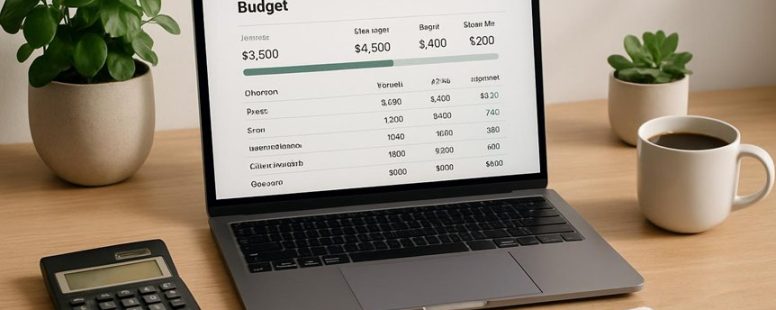
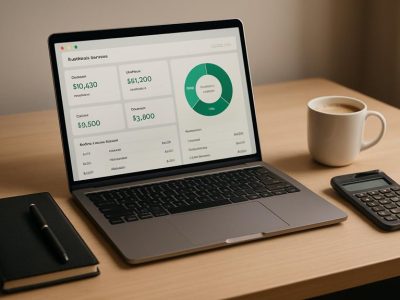
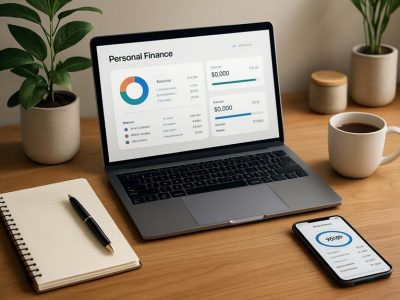
Imagine managing your finances with the ease of flipping through a well-worn journal, each entry clear and reassuring. When Mint doesn’t quite fit your rhythm, exploring alternatives becomes like searching for the perfect key—one that unlocks your financial peace of mind.
From stripped-down trackers that feel like a gentle breeze to robust apps like YNAB or PocketGuard that serve as your digital safety net, we’ll uncover what truly works in real life.
Surprisingly, some tools offer hidden perks—like automatic categorization that learns your habits—making your budgeting journey smoother than you ever imagined.
Ready to find the right fit that sticks, not just sounds good? Let’s dive in.
Start Here: Choosing a Budgeting System That Fits Your Money Habits
Choosing a budgeting system that fits your money habits means understanding how you really spend and save. The first step is to be honest about your daily money choices. This helps you create a plan that you can actually follow, not just one that sounds good on paper.
Start by clearly naming your goals. Do you want to save for a car, pay off debt, or just spend less each month? Once you know your goals, pick a simple method that matches how you handle money. For example, if you like using cash, an envelope system might work well. If you prefer digital tools, try a budgeting app like Mint or YNAB.
Choose a system like zero-based budgeting, the envelope method, or a rule-of-thumb approach. Zero-based means giving every dollar a job so you know exactly where it goes. The envelope system involves dividing cash into labeled envelopes for different expenses. Rule-of-thumb means setting limits based on percentages, like spending no more than 30 percent of your income on housing.
After you pick a method, test it for a month. See if it feels manageable and helps you stay on track. If something doesn’t work, don’t give up but try adjusting. Maybe you need more frequent check-ins or a different tool. The goal is a plan you can stick with that helps you avoid surprise bills and feel confident about your money.
Evaluation Criteria: Accuracy, Usability, Security, and Sync
Accuracy is key in budgeting apps because correct numbers help keep your finances honest. A good app should give you reliable data that you can trust. For example, apps like Mint or YNAB (You Need A Budget) are known for their accurate calculations. If the numbers are off, your budget could be way off too. So, always check how well each app keeps your data correct.
Security is also very important. You want your personal financial details to stay safe. Some apps use encryption to protect your info, like Personal Capital or Tiller. But no app is perfect. Be careful about sharing passwords or using weak ones. Remember, even trusted companies can have data breaches. So, look for apps that have strong security features.
Sync reliability is about how well your data stays updated across all your devices. Imagine you check your budget on your phone and then on your tablet. If the info doesn’t match, it can cause confusion. Apps like PocketGuard or Quicken sync data well most of the time, but sometimes there can be glitches. It’s good to read reviews and see if other users experience problems with syncing.
Accuracy and Data Integrity
Accuracy and data integrity are key when choosing a Mint alternative. Accuracy means that transactions are recorded correctly, categories match your intentions, and balances update in real time. Data integrity means your information stays safe through encryption and secure login methods.
Here is what to check:
1) Make sure transactions appear with the right date, amount, and payee. For example, if you buy coffee on Monday, it should show as a Monday expense, not a different day.
2) Confirm that categories fit what you bought. If you buy groceries, it should be labeled as food, not entertainment. This helps you see where your money goes.
3) Check that balances update immediately after transactions. If your bank says you have $500, your app should show the same amount right away.
4) Look at security options. Apps should ask for a password or fingerprint and only allow trusted devices to access your info. That way, your data stays safe.
If these things are right, the app will be easier to use and you’ll trust your numbers more. But keep in mind, some apps may have small delays or security limits. Always test them first to see if they meet your needs.
Security and Sync Reliability
Security and sync reliability are key to keeping your budgeting safe and trustworthy. If your app has good security, your financial details stay private and protected from hackers or snoops. To check this, look for encryption protocols that keep your data safe when it moves between your device and the cloud, and when it is stored on servers. Good apps use industry-standard methods like AES encryption and have clear rules for managing encryption keys. This way, you won’t need to figure out complicated setups.
Sync reliability means your transactions and data stay consistent across all your devices. When you manually enter a purchase on your phone, it should appear quickly on your tablet or computer without duplicates or errors. Some apps let you work offline and sync later, which is helpful if you don’t always have internet. It’s also important to see how updates are handled. If two devices change the same info at the same time, the app should resolve conflicts clearly so your data stays correct.
However, there are limits. Some apps might promise high security but still have small risks. For example, cloud services can be vulnerable if not properly managed. Also, syncing errors can happen, especially with unstable internet. So, choose apps from trusted companies and read reviews to see how they handle these issues.
In short, good security and reliable syncing help you trust your budgeting app. They give you confidence that your money info is safe and always up to date, making your financial planning smoother and less stressful.
Free vs Paid Budgeting Tools: What You Gain and Lose
Free budgeting tools are a good choice if you want to save money now. But paid options often give you more features and are more reliable. Here’s a simple comparison to help you decide what works best for you:
Bank account integration: Free tools may connect to some banks, but paid plans usually support more banks and update faster. For example, YNAB’s paid version can link with many banks and update your info quickly. This saves you time and keeps your budget accurate.
Expense categorization: Free tools handle basic categories like food or rent. Paid tools, like Quicken, offer smarter auto-categorization and keep a record of changes. This helps you see where your money really goes and catch mistakes.
Budgeting analytics: Free versions give you just the basics. Paid options, like Mint Premium, give deeper reports, trend analysis, and customizable dashboards. These help you spot patterns and plan better for the future.
Support and reliability: Free tools might have limited support and occasional glitches. Paid services, like Personal Capital, offer priority help and fewer outages. This makes your budgeting smoother, especially during busy months.
Mint Alternatives That Actually Work
The best alternatives to Mint are apps that help you keep track of your money without costing too much. These tools are good if they connect well with your digital bank accounts so you can see your balances and make transactions easily. Look for apps that automatically import your bank info and sort your expenses into categories, but also let you review and change things if needed.
If you invest money, pick a tool that shows your investment details like how much you paid for stocks, how well they are doing, and how diversified your holdings are. A good app has simple dashboards, lets you export data fast, and keeps your info synced reliably. This way, you know exactly where your money is going, not just where it is stored.
Some apps may sound fancy but don’t do much more than basic tracking. You want tools that give you clear info about your spending habits and money flow. Be cautious of free apps with hidden fees or limited features. Sometimes paid tools cost a little but save you time and help you understand your finances better.
Cash Management in Real Life: Tracking, Alerts, and Buffering
Cash management means keeping track of your money and making quick decisions to keep your finances steady. Here are some simple steps you can take today to improve how you handle your cash.
Know your daily spending. Use a basic method like writing down your purchases or using a smartphone app. For example, you might note every coffee or snack. This helps you see where your money goes and avoid surprises at the end of the month.
Set alerts for your bank account. Many banks let you get notifications when your balance is low or if a big transaction happens. This way, you can act fast to avoid overdraft fees or spending more than you have. Some banks, like Chase or Bank of America, offer free alerts you can customize.
Use digital wallets such as Apple Pay or Google Pay. These tools make quick, traceable payments from your phone. They help you keep receipts in one place and can prevent impulsive buys. But remember, if your phone gets lost or hacked, your money could be at risk, so always keep security in mind.
Use cash envelopes for certain categories. For example, put a set amount of cash for eating out or shopping into envelopes. Once the money runs out, you stop spending in that area. This simple method stops overspending and keeps your overall budget on track. Some people find it old-fashioned, but it works well for controlling impulsive spending.
These tips combine digital tools with simple physical controls. They can help you stay confident and in control of your money. But keep in mind that no method is perfect. Combining different strategies and adjusting them as you go can give you the best results.
Common Friction Points to Avoid in Budget Apps
Data sync reliability is key in budget apps. If your transaction updates lag or won’t sync at all, you might think your budget is off. For example, if your bank account links with an app like Mint or Personal Capital but updates take hours or days, you could overspend without realizing it. Some apps promise quick syncing but fall short, so check reviews before choosing.
Privacy and security are also big concerns. Budget apps handle sensitive info like bank details and spending habits. If permissions are unclear or the app’s privacy policy is hard to find, your data might be at risk. It’s smart to pick apps with strong encryption and transparent privacy policies, such as YNAB or Tiller. But remember, no app is 100 percent safe, so always use strong passwords and enable two-factor authentication.
Onboarding friction is another common problem. When signing up feels slow or confusing, users might give up. For example, clumsy sign-up screens or unclear permission requests can erode trust. Easy-to-understand instructions and simple sign-up steps help new users get started faster. Some apps, like EveryDollar, make onboarding quick by asking only essential questions.
Data Sync Reliability
Data sync reliability is a key part of trusting any budgeting app. If your data doesn’t sync well, it can cause confusion and mistakes. Here’s what you need to know to keep your budget accurate and how to spot problems early.
Data accuracy is the most important. You want your balances, transactions, and categories to be correct across all devices. For example, if your phone shows a $500 balance but your laptop shows $450, something is wrong. Reliable apps like YNAB or Mint aim to keep this data consistent.
Sync challenges happen often. Sometimes there are delays, conflicts, or duplicate entries. Imagine updating a transaction on your tablet but it doesn’t show up on your phone for hours. These issues can make you unsure what’s real. Some apps handle this better than others, so check reviews before choosing.
Offline handling is also key. When you lose internet, your app should save changes locally and sync them later. If not, you might miss transactions or see wrong data. For example, if you add a purchase offline, the app should update once you reconnect.
Troubleshooting involves checking where the problem is. Is it your device, the cloud service, or the app itself? Sometimes resetting or reinstalling helps. But if the issue is with the cloud service, it might take time to fix.
Having a service that syncs well makes tracking your money easier. You’ll trust your data more and spend less time fixing mistakes. But if an app struggles with sync, your frustration grows and tracking your budget becomes harder. Always test the app’s sync features before relying on it fully.
Privacy and Security
Privacy and security are the most important factors when choosing a budgeting app. If you want to keep your data safe, here are some key points to check.
First, look for apps that use data encryption. This means your information is scrambled so others cannot read it while it is sent or stored. Apps like Mint or YNAB say they encrypt your data, which is a good sign.
Next, read the privacy policy carefully. Find out what data the app collects, who can see it, and how it is used. Some apps only collect what they need, while others gather more information. Apps that let you control what data you share are better. For example, if you don’t want the app to access your contacts or location, make sure you can turn those off.
Authentication options are also important. Two-factor authentication adds an extra step to log in, making it harder for someone else to get into your account. If an app offers this, it’s a safer choice.
Finally, consider how the company handles data breaches. Do they tell you right away if something goes wrong? Do they offer help or compensation? Clear rules about privacy and security give you more trust in the app.
Some people worry about whether these privacy features are enough. While encryption and controls are strong protections, no system is perfect. Always use a strong password and keep your app updated. Two viewpoints are that some apps might share data with third parties, which could be risky, and others might not.
Choosing a budgeting app with good privacy and security means looking for encryption, clear policies, good login options, and how they handle problems. This way, you can feel confident your money and details are safe.
User Onboarding Friction
Getting started with a budgeting app should be easy. But often, users face problems right away, like long signup forms or confusing setup steps. Knowing what causes these issues can help you fix or avoid them. Here are some key tips to make onboarding smooth and reduce frustration.
Quick signup: Use simple options like social media login or one-click creation instead of long forms. Imagine trying to sign up for a new app and having to fill out ten pages — that can scare people away quickly. Offering quick ways in makes it more likely users will stay.
Clear goals: Explain the purpose of the budget early. Do you want to save for a trip or pay off debt? When users understand what they want to do, they can set things up faster and more confidently.
Easy account sync: When connecting bank accounts or credit cards, show permissions step by step. Don’t ask for everything at once. Think of it like opening a safe — do it in parts so users know what they are agreeing to.
Guided setup: Walk users through each step with simple hints and checkpoints. If someone skips a step or finds it confusing, they might give up. Clear instructions and progress bars help keep them moving forward.
Watch out for steps that seem optional or unclear. These are red flags that can cause users to leave early. Always focus on clarity, quick feedback, and showing how far they’ve come. This keeps users engaged and makes onboarding less frustrating.
Some people might prefer a detailed process, while others want it quick. You need to find a balance that works for most users. Remember, making onboarding smooth can turn new users into loyal customers.
Migrating Your Data: Smooth Transitions From Mint to Anywhere
Switching from Mint to another budgeting tool is easier than you might think. To do it well, you need to know how to move your data safely. Here are simple steps to help you transfer your information smoothly.
First, export your data from Mint. Usually, you can do this by clicking the export button and saving a file in a common format like CSV. Then, check what formats your new tool accepts. Some tools might need specific formats or have special import options.
Next, do a small test import. Try importing only a few transactions first. This helps you see if everything transfers correctly without risking your whole history. If some categories or payees are missing or wrong, make notes. You might have to fix those manually later. For example, if your rent payment shows up in the wrong category, you can correct it after import.
Expect that not everything will transfer perfectly on the first try. It’s normal to see some gaps or mismatched info. Keep receipts and notes handy so you can add back any missing pieces later. This way, your budget stays accurate and you won’t lose track of your spending.
Some people prefer to do a full import right away, but that can lead to mistakes if you don’t check carefully. Testing with a small batch first gives you confidence and saves you from correcting many errors later.
Moving your data from Mint to a new tool might seem tricky, but if you follow these steps, it becomes a simple process. Just take your time, double-check your info, and you’ll keep your budget on track without losing important details.
Budgeting Frameworks: Zero-Based, Envelope, and 50/30/20 Explained
Budgeting frameworks help you decide how to spend every dollar. Here are three popular options, focusing on cash flow and spending categories so you can find what works best for you.
Zero-based budgeting: This method means every dollar has a purpose. Your income minus your expenses equals zero. For example, if you earn $3,000 a month, you plan exactly where every dollar goes—rent, groceries, savings, or fun. It helps you control your spending and match it with your goals. But it can take time to plan every expense each month.
Envelope budgeting: This system uses physical envelopes or digital categories. You put cash or set amounts into each envelope for things like groceries or entertainment. When the money in an envelope runs out, you stop spending in that category. It makes you more aware of your spending habits and prevents overspending. But it can be less convenient if you prefer using credit cards or online shopping.
50/30/20 budgeting: This approach divides your after-tax income into three parts. 50 percent goes to needs like rent or bills, 30 percent to wants like dining out or hobbies, and 20 percent to savings or paying off debt. It’s flexible enough to adapt to different income levels, and it doesn’t require tracking every dollar closely. However, it may not fit everyone’s financial situation, especially if your needs cost more.
A practical tip: pick a budgeting method that helps you see where your money goes. It should make it easier to spot gaps or overspending and keep you on track with your financial goals. Some people like detailed plans, while others prefer simple rules. Try different options and see what feels right.
Quick-Start Playbook: Pick, Set Up, and Stick to Your Plan in 14 Days
Getting started with a plan in just 14 days is easy if you follow simple steps. Here’s a quick guide to help you turn your ideas into action.
First, on days 1 and 2, decide what you want to achieve. Do you want to save for a trip, pay off debt, or start investing? Pick a clear goal. Then, choose a simple plan to reach it, like creating a small budget or setting a target date to reach your goal. For example, if you want to save $1,000 in three months, break it into weekly savings.
Next, on days 3 to 5, set up easy ways to track your progress. You don’t need complicated spreadsheets. Use a notebook, a mobile app like Mint or EveryDollar, or even a calendar. The key is to check your progress often so you stay on track. For example, review your savings every Sunday night.
Then, on days 6 to 8, pick investment options that match your comfort level and how soon you want to reach your goal. If you’re new to investing, consider simple choices like index funds or robo-advisors. If you’re more experienced, you might choose individual stocks or bonds. Remember, overcomplicating your strategy can cause confusion and slow you down.
On days 9 to 11, if you have debt, make a plan to pay it off. Focus first on high-interest balances like credit cards, because they cost you the most over time. For example, pay extra on your credit card while making minimum payments on other debts. This can speed up your debt-free journey.
Finally, on days 12 to 14, build routines to keep your plan going. Schedule weekly check-ins to see how you’re doing. Make adjustments if needed. Celebrate small wins, like hitting a savings milestone or paying off a debt. Staying consistent is key, and these routines help you stick with your plan.
Following this simple 14-day plan will help you turn ideas into real actions. You’ll finish with a clear path, ready to keep moving forward. Just remember, it’s better to start small and stay steady than to overthink everything. So, are you ready to make your plan happen?
Real-Life Case Studies: Readers’ Budget Wins and Lessons
Understanding real-life budget wins can help you get better with money. These wins are more than just numbers on a page; they show what really works in everyday life. I’ve seen readers turn uncertain starts into steady progress by changing habits and mindset, not just using apps. Here are some lessons that really stick:
The first step is to control emotional spending. When you feel the urge to buy something, stop and ask why. Label your feelings, wait a moment, then decide if you really need it. For example, if you’re stressed and want to buy snacks, pause and think if there’s a better way to handle your stress.
Spend a few minutes each day learning about money. Read a short article, track your expenses, or think about your spending. This helps you understand your money better and make smarter choices over time.
Make a simple rule: spend less than you make each week. Write down your plan for extra expenses or surprises. For example, if you get a bonus, decide how much to save and how much to spend.
When you face setbacks, see them as lessons. If you overspend one week, figure out what caused it. Fix your plan quickly so you stay on track. Don’t get discouraged; mistakes are part of learning.
If you want to be more clear about your money, try these tips. See what changes for you. Remember, small steps can lead to big improvements.
To provide the best experiences, we use technologies like cookies to store and/or access device information. Consenting to these technologies will allow us to process data such as browsing behaviour or unique IDs on this site. Not consenting or withdrawing consent, may adversely affect certain features and functions.
Functional
Always active
The technical storage or access is strictly necessary for the legitimate purpose of enabling the use of a specific service explicitly requested by the subscriber or user, or for the sole purpose of carrying out the transmission of a communication over an electronic communications network.
Preferences
The technical storage or access is necessary for the legitimate purpose of storing preferences that are not requested by the subscriber or user.
Statistics
The technical storage or access that is used exclusively for statistical purposes.The technical storage or access that is used exclusively for anonymous statistical purposes. Without a subpoena, voluntary compliance on the part of your Internet Service Provider, or additional records from a third party, information stored or retrieved for this purpose alone cannot usually be used to identify you.
Marketing
The technical storage or access is required to create user profiles to send advertising, or to track the user on a website or across several websites for similar marketing purposes.