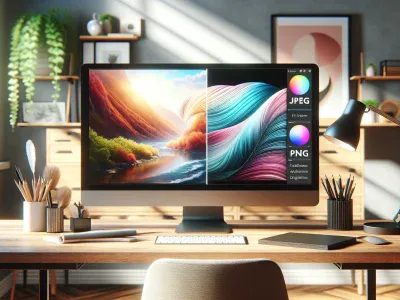
Picture capturing a stunning sunset on your phone and wondering which format will keep its colors alive—the smooth gradients of a JPEG or the crisp lines of a PNG? Choosing between these two image types can feel like picking the perfect brush for your digital masterpiece. Each format carries hidden strengths that could make or break your visual impact.
You might think it’s a simple choice, but the difference goes beyond just file size or quality. Whether you’re sharing photos online, designing graphics, or archiving memories, understanding these formats can transform how your images look and load. Ready to uncover which format truly suits your needs and why it matters more than you think?
Understanding JPEG and PNG Formats
Knowing the distinct traits of JPEG and PNG formats lets you pick the ideal option for your images. Each format serves different purposes, depending on your priorities like quality, file size, and transparency.
Key Features of JPEG
JPEG, short for Joint Photographic Experts Group, excels at compressing photographic images. It uses lossy compression, meaning it reduces file size by permanently removing some detail, which often isn’t noticed by the human eye. This makes JPEG perfect for photos with complex color blends, such as landscapes or portraits. For example, a travel blog displaying gallery images often benefits from JPEG’s smaller file sizes, speeding up page loads without a significant dip in visual quality. But, repeated editing and saving degrade JPEGs further, which is why archiving should avoid this format. Transparency isn’t supported, so it’s not suitable for graphics requiring see-through backgrounds.
Key Features of PNG
PNG stands for Portable Network Graphics and is a lossless format. It preserves every detail without sacrificing quality regardless of how many times you edit it. PNG shines with images containing sharp edges, like logos, text-heavy graphics, or screenshots. For instance, a web designer creating a company logo prefers PNG because it supports transparent backgrounds and crisp lines. PNGs tend to have larger file sizes due to this detail retention, which could slow down websites if overused. Its ability to handle transparency and alpha channel makes it indispensable for layered graphic work and interface elements.
Format
Compression Type
Ideal Use Cases
Transparency
File Size
JPEG
Lossy
Photographs, complex color images
No
Smaller, efficient
PNG
Lossless
Logos, sharp graphics, web design
Yes
Larger, detailed
Understanding these differences gives you the power to decide which format best fits your needs. Choosing JPEG means balancing quality with faster load times, perfect if you prioritize storage or bandwidth. Choosing PNG means valuing crisp detail and transparency, even if it comes with bigger files.
Ask yourself: Is the image going to be viewed on high-speed connections or slow networks? Does it need sharp outlines or transparent backgrounds? These questions guide your decision to optimize both appearance and functionality. Whichever you choose, mastering these formats will amplify your images’ impact across digital spaces.
Comparing Image Quality and Compression
Understanding the battle between JPEG and PNG boils down to how each handles image quality and compression. You’ll find that the way these formats compress images shapes the clarity, file size, and usefulness in different scenarios.
Lossy vs. Lossless Compression
JPEG uses lossy compression, which means it reduces file size by permanently eliminating some image data. You get smaller files perfect for sharing photos quickly online, as travel bloggers do to keep their pages snappy. But, every time you save a JPEG again, it loses more quality, causing artifacts—those annoying blurs or pixelated edges. PNG, on the other hand, uses lossless compression. It compresses images without sacrificing quality, preserving each pixel’s detail. Picture a logo with sharp text or a graphic with transparent backgrounds—PNG keeps these crisp. But, the tradeoff is much larger files, which may bog down your website loading speed or storage when used excessively.
Impact on Image Clarity and Detail
When quality matters, PNG shines. Your images keep their sharp edges and color accuracy, making it the preferred choice for graphics, screenshots, or images needing transparency. JPEG may produce softer details and slight color shifts after repeated edits, but it handles photographs with subtle color gradients better. For instance, a vacation photo with smooth sky tones looks more natural in JPEG, while the same image might appear overly heavy in PNG format.
Texts and objects with defined edges usually render poorly in JPEG due to compression artifacts. If clarity is critical, like for logos or interface elements, PNG’s fidelity to original details makes all the difference. Ask yourself: are you prioritizing flawless lines and text, or quick sharing of vivid photos?
Exploring these formats’ strengths guides you to the right choice. Use JPEG for vibrant, photo-rich content with manageable file sizes. Choose PNG when preserving quality, transparency, and sharpness; especially if you plan to edit the image multiple times. Balancing compression type and image clarity ensures your visuals engage your audience while performing efficiently across platforms.
Use Cases for JPEG
You find JPEG excels in situations that demand small file sizes without sacrificing too much visual quality, especially for photographs. Photographers sharing travel photos, event pictures, or portraits benefit from JPEG’s ability to compress complex color gradients smoothly. Since JPEG uses lossy compression, it trims data by simplifying color details, making images load faster on websites and social media platforms. This advantage becomes crucial if you want to optimize page speed or reduce bandwidth use.
For example, news websites and online magazines prefer JPEG images because they balance quality and file size, enabling quicker content delivery to millions of readers. But, if you edit JPEGs multiple times, be aware that the quality degrades progressively due to the lossy format. Hence, use JPEGs for final versions or images that require minimal post-processing. Content creators uploading photos to galleries, blogs, or e-commerce product pages also lean on JPEG to maintain high visual appeal with manageable storage demands.
JPEG isn’t ideal for images needing transparency or sharp edges, such as logos or graphics. Still, when color-rich, photographic realism’s the priority, JPEG stands out. You can think of JPEG images like a suitcase carefully packed to fit the essentials — some less noticeable items get left out to make room, but the overall impact stays strong. If your project involves photography, slideshows, or social media posts where subtle detail loss won’t harm viewer experience, JPEG suits you best.
In brief, JPEG thrives in scenarios where complex colors meet speed and size constraints, but repeated saves and transparency needs push you toward alternative formats. Using JPEG strategically enhances your image’s presence without bloating your file storage or slowing down your site.
Use Cases for PNG
You rely on PNG when image clarity and transparency are top priorities. Ideal for logos, icons, and interface elements, PNG maintains sharp edges and crisp lines without sacrificing detail. For example, a company logo placed against various backgrounds demands a transparent PNG to seamlessly blend, unlike JPEG which leaves an unwanted white box.
You use PNG for graphics that contain text or need precise color fidelity, since its lossless compression preserves every pixel. Designers often prefer PNG for mockups and wireframes, ensuring that fonts remain legible and colors exact, even after multiple edits. If your project includes screenshots or digital art, PNG captures fine details better than JPEG, avoiding blurriness around edges.
You count on PNG when layering images, because it retains transparency in every layer unlike JPEG, which cannot support this feature. Web designers use PNGs for buttons and overlays, where transparent backgrounds enhance user interface flexibility. When you combine several graphic elements, PNG ensures each retains its shape and color integrity.
You accept the larger file size of PNG over JPEG when quality cannot be compromised, especially in professional or archival contexts. For instance, photographers save high-resolution scans of artwork in PNG to avoid quality loss. Given the increased bandwidth and storage requirements, choosing PNG means prioritizing detail and transparency over compactness.
You question whether PNG or JPEG fits your needs based on use case: If you require small files for fast loading times, JPEG might fulfill the role; but if you want flawless detail with transparent backgrounds, PNG shines. This distinction plays a critical role in web design and digital publishing, influencing user experience and visual appeal. Remember, the choice between PNG and JPEG hinges on your priorities—visual integrity vs. file efficiency.
Use Case
Why PNG Fits Best
Example
Logos and Icons
Maintains sharp edges, supports transparency
Brand logos on websites
Text and Graphics
Preserves pixel-perfect text and colors
UI mockups, wireframes
Layered Images
Retains transparency across layers
Website buttons and overlays
High-Quality Archival
Lossless format, no quality degradation
Artwork scans and digital archives
Choose PNG if your work demands exactness and versatility in visuals, accepting larger files as a trade-off. Your images gain a professional finish that stands out in any digital environment.
File Size Considerations
Choosing between JPEG and PNG hinges largely on file size implications. JPEG uses lossy compression, which shrinks photographic images by discarding some data permanently, leading to smaller files ideal for web use. For example, a high-resolution travel photo saved as JPEG often becomes 10 to 20 times smaller than its PNG equivalent, speeding up your website load time significantly.
PNG employs lossless compression, retaining all image data and details, which means larger files. A logo or icon in PNG format typically occupies three to five times more storage space than a JPEG does, especially with transparency layers that add extra complexity. If your project demands flawless edges and transparent backgrounds, this larger file size is a worthwhile trade-off.
You may wonder, “If PNG files are larger, why not convert everything to JPEG for convenience?” JPEG compression introduces artifacts and degrades quality with each save—think of it as making a copy of a copy repeatedly. These artifacts become distracting in graphics requiring precision, such as text-heavy images or digital illustrations. On the other hand, PNG format preserves every pixel crisply, but if used indiscriminately on photographs, it balloons file sizes unnecessarily.
The decision also depends on distribution constraints. For instance, e-commerce platforms benefit from JPEG’s reduced file size to keep pages loading swiftly, enhancing user experience and SEO rankings. Conversely, designers creating app icons or UI elements prioritize PNG’s quality even though file heft, maintaining visual sharpness on high-res screens.
Understanding this trade-off enables smarter choices. You optimize for speed and bandwidth where image richness blends with smaller files, using JPEG. Alternatively, you preserve clarity and transparency at the cost of file size by opting for PNG. This awareness prevents frustrating compromises later—the classic tension between efficiency versus fidelity.
Summarized in a practical guideline:
Format
Compression Type
Typical Use Case
File Size Impact
Quality Impact
JPEG
Lossy
Photographs, travel blogs
10-20x smaller than PNG
Degrades with repeated saves
PNG
Lossless
Logos, icons, UI elements
3-5x larger than JPEG, supports transparency
Maintains detail and sharpness
Tuning your workflow according these metrics simplifies format selection, unlocking images that both look great and load fast. Choose wisely, considering how image size affects your users’ experience and your digital space’s performance.
Compatibility and Support
JPEG and PNG differ significantly in compatibility across platforms and applications. JPEG enjoys universal support on virtually all devices, browsers, and image viewers, making it the safest choice when broad accessibility counts most. PNG also boasts wide compatibility but excels particularly in environments where transparency or image clarity matters, such as web design tools and professional editing software.
You’ll find JPEG embedded easily in social media, email, and most content management systems due to its efficient compression and fast loading times. But, JPEG doesn’t support transparency, so it’s less suited for overlay images or icons with see-through backgrounds, where PNG shines. PNG’s support for alpha channel transparency enables images with complex backgrounds to layer seamlessly over varied content—a crucial feature if you design websites or create branded graphics.
Both formats work fine on mobile devices, but some older devices or software may not fully support PNG’s transparency features. Still, you rarely face issues opening either format on modern platforms. If compatibility with legacy systems matters, JPEG tends to be more reliable. Conversely, if you need images that retain crisp edges and color accuracy, PNG delivers quality that surpasses JPEG, especially when used in professional and archival contexts.
Your choice affects not only compatibility but also editing workflows. Since JPEG uses lossy compression, repeated edits and resaves can degrade quality, which complicates precise work—especially in fields like digital art or layout design. PNG’s lossless format supports multiple saves without quality loss, preserving your edits perfectly.
Here is a quick comparison of compatibility and support factors between JPEG and PNG:
Feature
JPEG
PNG
Universal device/browser support
Supported by nearly every device and browser
Supported broadly with occasional transparency limitations on legacy systems
Transparency support
No transparency support
Full alpha channel support
Best for
Photographs, web images needing small size
Logos, icons, graphics needing sharp edges and transparency
Editing tolerance
Quality loss on repeated edits
Lossless saves with no quality loss
File size efficiency
Smaller files, faster loading
Larger files, slower loading
Selecting the right format depends on your project’s technical needs and audience. If speed and compatibility dominate, JPEG’s wide support and compact files make it ideal. But for tasks demanding precision, high clarity, or transparency—PNG holds clear advantages.
Consider a website featuring a complex, semi-transparent logo over an intricate background. PNG’s transparency capabilities allow the logo to blend smoothly, while JPEG would force a solid background color, breaking the design’s cohesion. On the other hand, a travel blog with hundreds of photos benefits from JPEG’s compression to reduce load times without sacrificing much visible quality.
By weighing these compatibility and support differences, you can optimize user experience, maintain image integrity, and ensure your visuals perform seamlessly across platforms.
Which Is Better: JPEG or PNG?
Choosing between JPEG and PNG depends mostly on what your image needs to convey visually and technically. JPEG compresses images by discarding some data, which lets you store high-quality photographs easily but sacrifices detail with each save. PNG keeps every bit of original information intact, perfect for graphics that demand sharp edges and transparent backgrounds.
You might ask, “When should I pick JPEG over PNG?” Photographs with complex color layers—like landscapes or portraits—look better as JPEGs because the format blends colors smoothly while trimming file size by up to 90% compared to the same image saved as PNG. This smaller file size speeds up loading times on websites and saves bandwidth. For example, news websites optimizing hundreds of images daily almost always go with JPEG to balance quality and efficiency.
On the flip side, PNG shines in scenarios that JPEG cant handle well. Think logos with transparent backgrounds, interface button graphics, or images containing text. These need pixel-perfect clarity that PNG preserves. One case: web designers rely on PNG images to maintain the crispness of icons and overlays since JPEG’s compression can cause blurring and noticeable artifacts around sharp edges.
Besides, PNG’s lossless compression doesn’t degrade with editing, making it preferable when you require multiple rounds of tweaking or archival storage. For instance, a graphic designer creating layered mockups will save intermediate versions in PNG to avoid quality loss. But, beware the increased file sizes—PNG images typically occupy 3 to 5 times more storage than JPEGs, which could slow your site if overused.
Compatibility also plays a crucial role. JPEG enjoys universal support across browsers and devices, so you rarely face issues showing JPEG files. PNG support nearly matches JPEG but adds transparency which JPEG lacks completely. Picture social media posts where you want logos or watermarks to blend seamlessly with background content—that’s when PNG wins.
Critically evaluate your needs: If you value faster site speed with good photographic quality, JPEG suits you. If you demand transparency and exact color fidelity, PNG becomes a must. Both formats coexist because their strengths target distinct use cases, not because one is universally superior.
To balance image quality and efficiency perfectly, consider using JPEG for final photographic images on web pages and PNG for UI elements, logos, and graphics that depend on sharp details and transparency. Many professionals convert images between these formats cautiously since indiscriminate switching from PNG to JPEG often results in unwanted degradation.
Which file format you choose today impacts how others perceive your images tomorrow. Would you prefer a crisp logo that pops or a smooth scenic photo that loads quickly? Understanding these distinct strengths guides better digital image strategies for your projects, maximizing both visual impact and performance.
Conclusion
Choosing between JPEG and PNG comes down to what matters most for your images. If you need smaller files and smooth color gradients, JPEG is your go-to. But when sharpness, transparency, and quality preservation are key, PNG stands out.
By understanding each format’s strengths, you can make smarter choices that enhance your visuals and optimize performance. Whether you’re sharing photos or designing graphics, picking the right format ensures your images look their best without unnecessary compromises. Keep your project goals in focus, and let that guide your decision.
To provide the best experiences, we use technologies like cookies to store and/or access device information. Consenting to these technologies will allow us to process data such as browsing behaviour or unique IDs on this site. Not consenting or withdrawing consent, may adversely affect certain features and functions.
Functional
Always active
The technical storage or access is strictly necessary for the legitimate purpose of enabling the use of a specific service explicitly requested by the subscriber or user, or for the sole purpose of carrying out the transmission of a communication over an electronic communications network.
Preferences
The technical storage or access is necessary for the legitimate purpose of storing preferences that are not requested by the subscriber or user.
Statistics
The technical storage or access that is used exclusively for statistical purposes.The technical storage or access that is used exclusively for anonymous statistical purposes. Without a subpoena, voluntary compliance on the part of your Internet Service Provider, or additional records from a third party, information stored or retrieved for this purpose alone cannot usually be used to identify you.
Marketing
The technical storage or access is required to create user profiles to send advertising, or to track the user on a website or across several websites for similar marketing purposes.