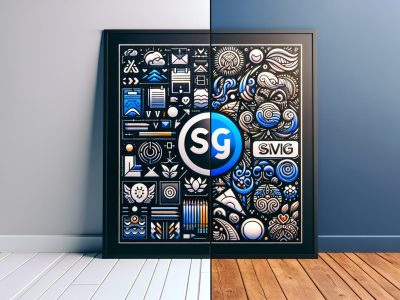
In modern digital era, understanding the components and differences of image file formats is essential for optimizing content presentation and preserving image quality across various platforms. Among the most common formats, JPEG and PNG files serve distinct purposes and deliver unique qualities. By closely examining these differences, you can effectively decide which format suits your needs.
Overview of Image File Formats
Image file formats are integral to how we share and display digital media. JPEG and PNG are two widely used formats, each offering distinct features tailored to specific applications and preferences.
Understanding JPEG: Features and Uses
JPEG (Joint Photographic Experts Group) is a commonly used lossy compression format ideal for photographs and images where file size reduction is crucial. It supports a wide range of colors and gradients, making it suitable for everyday use.
Understanding PNG: Features and Uses
PNG (Portable Network Graphics) provides a lossless compression format that ensures no loss in image quality. This format supports transparency and is tailored for graphics, web-based icons, and images requiring high levels of fidelity and detail.
Technical Comparison of JPEG and PNG
Performance and Quality Differences
JPEG employs lossy compression, reducing file size at the cost of some qualitative data. PNG utilizes lossless compression, maintaining high quality but resulting in larger file sizes.
Use Cases for Each Format
JPEG is favored for photographic content, while PNG is preferred for graphics requiring transparency or superior detail preservation.
Advantages and Disadvantages of JPEG
JPEG files benefit from smaller sizes and wide compatibility but have drawbacks like quality degradation during repeated editing and lack of transparency support.
Advantages and Disadvantages of PNG
PNG files boast lossless quality and transparency support but are often criticized for their larger file sizes and limited use cases for high-volume storage.
When to Choose JPEG Over PNG and Vice Versa
Choose JPEG for scenarios demanding smaller file sizes, such as photo albums or online images with limited bandwidth. Opt for PNG for high-resolution web elements, transparent backgrounds, or images needing meticulous detail.
To provide the best experiences, we use technologies like cookies to store and/or access device information. Consenting to these technologies will allow us to process data such as browsing behaviour or unique IDs on this site. Not consenting or withdrawing consent, may adversely affect certain features and functions.
Functional
Always active
The technical storage or access is strictly necessary for the legitimate purpose of enabling the use of a specific service explicitly requested by the subscriber or user, or for the sole purpose of carrying out the transmission of a communication over an electronic communications network.
Preferences
The technical storage or access is necessary for the legitimate purpose of storing preferences that are not requested by the subscriber or user.
Statistics
The technical storage or access that is used exclusively for statistical purposes.The technical storage or access that is used exclusively for anonymous statistical purposes. Without a subpoena, voluntary compliance on the part of your Internet Service Provider, or additional records from a third party, information stored or retrieved for this purpose alone cannot usually be used to identify you.
Marketing
The technical storage or access is required to create user profiles to send advertising, or to track the user on a website or across several websites for similar marketing purposes.