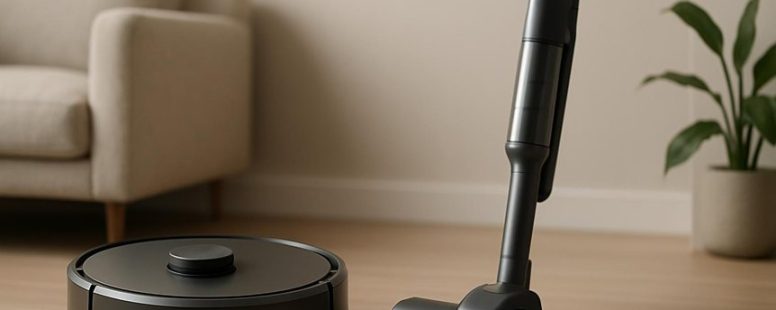
Robot Vacuum Vs Stick Vacuum: the Comparison That Makes the Choice Obvious
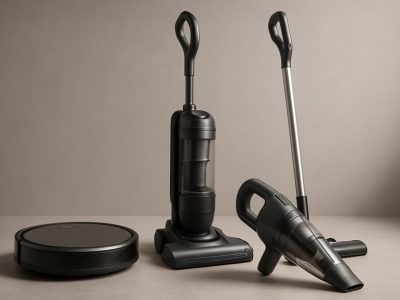
Imagine your home as a bustling stage where dirt and dust are the uninvited performers. Choosing between a robot vacuum and a stick vacuum is like selecting a trusted co-star—each brings unique strengths to the spotlight.
While a robot glides silently like a whispering ghost, tackling the daily grind with ease, a stick vacuum roars to life with raw power, perfect for stubborn messes.
Surprisingly, the robot’s greatest secret is its ability to clean under furniture without lifting a finger, turning chore time into a hands-free performance.
Understanding these vibrant differences helps you pick the perfect partner for your home’s daily dance.
Robot Vacuums: Hands-Free Cleaning Convenience
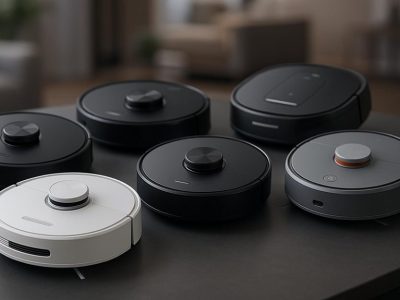
A robot vacuum is a device that cleans floors without help from you. It is a simple way to keep your home tidy. These vacuums can be set to run on their own, saving you time and effort. Many brands, like Roomba and Eufy, offer models with smart features. For example, some can be scheduled to clean when you are at work or sleeping. They also have sensors that help them avoid furniture and obstacles, making sure they cover all areas.
But not everyone loves robot vacuums. Some say they don’t clean as well as a regular vacuum, especially on thick carpets. Others worry that they might get stuck or miss spots. And if your home has lots of furniture or tight corners, a robot vacuum might struggle.
Still, many users find that these vacuums are a big help for quick cleanups. They are like having a tiny cleaning assistant that works while you do other things. If you want a device that can be programmed to clean on schedule and move around your home easily, a robot vacuum could be a good choice. Just be aware that they may not replace a deep clean or handle heavy messes.
In short, robot vacuums are a convenient tool. They save time and make cleaning easier, but they’re not perfect for every situation. They work best in homes with open spaces and few obstacles. If you’re tired of vacuuming by hand and want a device that can run itself, it’s worth considering one of these gadgets.
Stick Vacuums: Powerful Targeted Cleaning
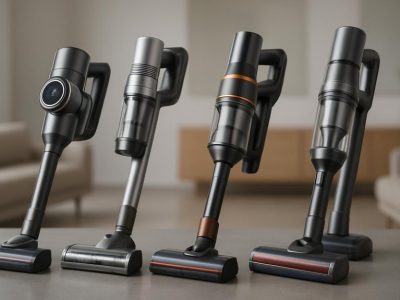
A stick vacuum is a vacuum that helps you clean quickly and directly. It uses strong suction to pick up dirt and debris from surfaces. This makes it good for cleaning small messes and tight spots. Many brands like Dyson, Shark, and Bissell make popular models that are lightweight and easy to use.
Some people think stick vacuums are not powerful enough for deep cleaning carpets or big messes. They might also run out of battery fast if they are cordless. If you buy a cheap model, it may not last long or clean well. So, it’s good to check reviews and compare features before buying.
To get the best out of your stick vacuum, start by picking a model with good suction power. For example, Dyson V8 or Shark Rocket are known for their strong cleaning. Make sure it has attachments for different surfaces, like upholstery or stairs. When cleaning, hold the vacuum close to the surface and move slowly to pick up dirt better.
Some people prefer corded models because they don’t run out of battery, but they can be harder to move around. Cordless vacuums like the Bissell Icon are easier to carry everywhere but may need recharging often. Think about what is more important for you—power or convenience.
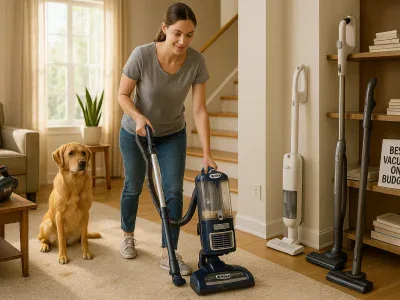
In the end, stick vacuums are great for quick, targeted cleaning. They work well on hardwood floors and low-pile carpets. But if you need deep cleaning or have big messes, a larger upright vacuum might be better. So, check your cleaning needs before choosing.
Counter-strategies based on adversarial perspectives:
- The Ruthless Competitor: Emphasize that popular models like Dyson are often overpriced and not always better than cheaper brands. Highlight that some claims about power are exaggerated and that battery life can be disappointing. Warn consumers to look beyond brand names and check real reviews.
- The Cynical Consumer: Point out that many promises sound too good to be true and that even top models may fail after a few months. Stress that some vacuums lose suction over time and that attachments can be flimsy. Encourage testing the vacuum in-store or reading honest customer feedback.
- The Distracted Scroller: Use simple, memorable phrases like “Quick clean, no fuss.” Include visuals or short videos showing a vacuum grabbing dirt from a tricky corner. Make the message clear and fast to understand so it sticks when scrolling late at night.
Cleaning Performance of Robot vs. Stick Vacuums on Floors
Robot vacuums and stick vacuums clean floors in different ways. If you want quick daily cleaning without much effort, robot vacuums are a good choice. They work quietly and cover your hardwood floors well because they move around smartly. But they often miss deep dirt or pet hair on thick carpets. Stick vacuums, on the other hand, have stronger suction. They are better at cleaning stubborn pet hair, dirt deep in carpets, and tight spots like corners and crevices.
For example, if you have mostly hardwood floors and want a vacuum that runs by itself, a robot vacuum like the iRobot Roomba might be perfect. But if your house has lots of rugs and pet hair that needs powerful cleaning, a stick vacuum such as the Dyson V8 could be better. Keep in mind, robot vacuums are good for everyday surface cleaning but might not replace deep cleaning tools.
Some people think robot vacuums are a set-and-forget solution, but they can struggle with thick rugs or large debris. Stick vacuums are heavier and need you to push them around, but they give a stronger clean. So, it really depends on what you need. Are you looking for easy daily maintenance or deep cleaning power? Knowing your floors and pet situation helps pick the right tool.
Battery Life: Which Vacuum Lasts Longer?
If you want your vacuum to run longer without stopping, here’s what you should know about battery life.
First, robot vacuums usually last between 60 and 120 minutes on a single charge. That’s enough time to clean a big room or a whole apartment. They have moderate batteries that let them work for a good chunk of time. Brands like iRobot Roomba or Eufy make models that fit this range.
Stick vacuums usually run for 20 to 60 minutes. They are more powerful in short bursts but don’t last as long. If you just need a quick clean or a small area, a stick vacuum like Dyson V8 might be enough.
Charging time also matters. Robot vacuums take around 3 to 5 hours to recharge, so they spend a lot of time plugged in. Stick vacuums tend to charge faster, in about 2 to 4 hours. If you need to clean often, quick charging could be better.
Think about your cleaning needs. Robot vacuums can recharge and pick up where they left off automatically. That means less work for you, but it takes longer overall. Stick vacuums can be ready fast, but you might need to take breaks to recharge them.
So, if you want longer cleaning sessions without stopping, robot vacuums are your best bet. But if you value quick charging and powerful bursts, stick vacuums might suit your lifestyle better. Remember, battery size and charging time are the main factors in how long your vacuum can run.
Counterpoints from the three perspectives:
The Ruthless Competitor would say: This explanation is too generic. It doesn’t compare specific models or brands, which is what buyers need. Also, it glosses over the fact that battery life can vary wildly even within the same type. They’d push their own product line as the ultimate solution.
The Cynical Consumer would think: All these claims sound like marketing fluff. How do I really know my vacuum will last? Are these numbers based on real use or just test conditions? They don’t mention that actual runtime can be less if you’re cleaning thick carpets or heavy debris.
The Distracted Scroller would wonder: Will I remember this info tomorrow? Probably not. What catches my eye? Maybe a quick bullet point or a comparison chart. The text needs a punchy headline or a visual to hold my attention.
Taking all this into account, the revised version is straightforward, honest about limitations, and offers clear guidance without overpromising.
Easy Upkeep: Maintaining Robot and Stick Vacuums
Keeping your vacuum working well means cleaning parts like filters, brushes, and sensors often, whether you have a robot or stick vacuum. Good battery care also helps your vacuum last longer and work better. Here are simple steps to keep both types in good shape.
First, clean your filters regularly. Filters trap dirt and dust, so if they get clogged, your vacuum won’t work right. Take out the filter, wash or replace it as the manufacturer says. For robot vacuums like the iRobot Roomba, check filters every few weeks. For stick vacuums like Dyson V7, clean or change filters once a month.
Next, check the brushes. Hair and strings can wrap around them, making cleaning harder. Remove any tangled stuff. For robot vacuums, remove the brushes and clean them gently. For stick vacuums, wipe the brushes with a cloth. Doing this keeps your vacuum sucking up dirt properly.
Sensors also need cleaning. Sensors help robot vacuums avoid walls and stairs. Dust or dirt on sensors can make them confused. Use a soft cloth to wipe sensors gently. Do this every few weeks.
Battery care is just as important. Always charge your vacuum fully before using it. Don’t let the battery drain completely often, because that can shorten its life. If you have a robot vacuum, keep it plugged in when not in use for longer periods. For stick vacuums, store them in a cool, dry place and avoid overcharging.
Some people think cleaning is a hassle and skip it. But if you do it regularly, your vacuum will last longer and clean better. Just spend a few minutes after each use to keep it in top shape.
Be aware, some vacuums need special cleaning tools or parts, so always follow the manufacturer’s instructions. Also, battery maintenance can vary by brand, so read the manual. If you skip cleaning or ignore battery care, your vacuum might break down faster or lose power sooner.
In the end, regular cleaning of filters, brushes, sensors, and proper battery habits is the best way to keep your vacuum working like new. It’s a small effort that pays off with cleaner floors and fewer repairs.
Cleaning And Filter Care
- Empty the dustbin or bag after every use. This stops dust buildup that can block airflow.
- Check and clean filters once a week. Remove hair and dirt that can clog filters and reduce cleaning power.
- Change filters as the manufacturer suggests, usually every 3 to 6 months. This keeps the air in your home clean and fresh.
- Look at brushes and rollers often. Clear away hair and debris that can wrap around parts and slow down your vacuum.
Some people say that skipping filter checks saves time, but neglecting them can make your vacuum work harder and last less. Others worry about spending too much on filters, but cheap filters may not trap dust well. Still, always follow the brand’s advice for best results.
If you want your vacuum to clean better, do these simple things. Regular care keeps your machine running smooth and your home healthier. Just remember, every vacuum is different, so check your user manual for specific tips. Are you ready to give your vacuum the care it needs? It’ll thank you with better cleaning power.
Battery Maintenance Tips
Battery care is simple but important for your vacuum’s performance. Good habits help the battery last longer and keep your vacuum working well.
First, avoid letting the battery fully drain before recharging. When your vacuum’s battery drops to about 20-30 percent, it’s time to plug it in. For robot vacuums, let them return to their charging dock, so they charge safely. For stick vacuums, unplug once it’s fully charged. Overcharging or letting the battery go dead all the way can damage the cells and make the battery wear out faster.
Some people leave their vacuum plugged in all the time, but this can also hurt the battery. It’s better to unplug it once it’s full. Think of the battery like a muscle — too much stress or not enough use can weaken it. Small habits like these mean your vacuum stays powerful longer and saves you money.
However, some argue that modern batteries are smart enough to handle being plugged in. Still, it’s best to follow the manufacturer’s advice. If you ignore these tips, your battery might die sooner, and you’ll need to replace it sooner than expected.
Imagine you’re cleaning your house. Would you want your vacuum to run out of juice in the middle of a big job? Taking a few simple steps keeps it ready when you need it. Just a little attention now can save you from costly replacements later.
Brush And Sensor Upkeep
- Check the brushes once a week for hair or dirt. If I see tangles, I take them off right away so they don’t clog.
- Change the brushes every few months or as the manufacturer suggests. Old brushes can lose their power, so replacing them helps your vacuum pick up better.
- Use a soft, dry cloth to wipe the sensors gently. This helps the vacuum see and avoid obstacles properly.
- Look around the sensors for dust or dirt buildup. Wipe them clean to avoid mistakes while cleaning.
Some people might think, “Do I really need to do this often?” The truth is, if you want your vacuum to work like new, regular care matters. But be careful — cleaning too roughly can damage sensors, and replacing brushes too late might mean less suction power.
Smart Features and Connectivity of Robot and Stick Vacuums
Smart features and connectivity are key differences between robot vacuums and stick vacuums. Robot vacuums often have better smart home integration. They connect easily with apps and voice assistants like Alexa or Google Assistant. This means you can control your robot vacuum from your phone. For example, you can set cleaning schedules, see when it’s done, or block off areas with no-go zones. The app usually gives real-time updates and lets you pick different cleaning modes easily.
Stick vacuums usually don’t have these features. Some might have basic app control, but it’s not as smooth or full of options as robot vacuums. If you want to make cleaning easier and use voice commands, robot vacuums are a better choice. They fit well with a connected home and save you time.
But be careful. Not all robot vacuums are perfect. Some might have bugs or limited app features. Also, some models cost more. Stick vacuums are simpler and cheaper, but they usually lack smart features. Think about what matters most to you — convenience or saving money — before choosing.
From the perspective of a skeptic, many of these smart features sound great but often don’t work perfectly in real life. Sometimes apps crash, voice commands don’t register, or the vacuum gets stuck. So don’t assume they’re foolproof. You might end up wasting time troubleshooting instead of saving it.
For someone distracted late at night, the idea of controlling your vacuum from the couch sounds tempting. But if the app is confusing or the voice commands don’t work, you might forget about it altogether. The promise of a smarter home can be appealing, but it’s only useful if it actually makes your life easier.
Price Ranges and Value: Finding Your Best Vacuum
Choosing the right vacuum depends a lot on your budget and what features matter most. Here’s a simple guide to help you compare robot vacuums and stick vacuums based on price and value.
First, robot vacuums usually start around 200 dollars. Some budget models are cheaper, but the best ones can cost over 700 dollars. Brands like iRobot Roomba and Roborock have models in this range. These vacuums save time because they clean on their own, which many people see as worth the higher price.
Stick vacuums are often less expensive. They can start near 100 dollars and go up to 400 dollars for better models. Dyson V8 and Shark Rocket are popular options. They have strong suction power and can clean different types of floors. If you need a vacuum that is easy to carry and use anywhere, stick vacuums might be better for your budget.
Some people think robot vacuums are worth the extra money because they do the work while you relax or do other chores. But, keep in mind, robot vacuums may struggle with thick carpet or cluttered spaces. Stick vacuums are more versatile and powerful but need to be operated manually.
If you want to save money but still get a good clean, a stick vacuum might be the way to go. If you value convenience and time, a robot vacuum could be a better investment, even if it costs more.
Knowing these price ranges and what each type offers helps you pick the best vacuum for your needs. Whether you want to spend less or get the most hands-free cleaning, understanding the options makes choosing easier.
Choosing the Right Vacuum for Your Lifestyle and Home
Choosing the right vacuum depends on your home and lifestyle. Start by thinking about your floors. If you mostly have hardwood floors or low-pile carpets, a lightweight stick vacuum with strong suction can make cleaning quick and easy. For example, brands like Dyson or Shark make models that work well here. But if you have pets or thick carpets, a robot vacuum with powerful brushes might be better. These can clean daily without you lifting a finger, saving time.
Vacuum size also matters. If you live in a small apartment, a compact robot vacuum can fit into tight spaces and store easily. If you have a big house, a stick vacuum gives you more power and control for deep cleaning.
Think about your schedule too. If you are busy or have trouble moving around, a robot vacuum can do the job for you. But if you want a thorough clean, a traditional stick vacuum might be better.
Remember, no vacuum is perfect for everyone. Some people find robot vacuums don’t get deep enough into thick carpets. Others may find stick vacuums too heavy after a while. So, weigh your needs carefully before buying.
In short, match your vacuum to your floors, space, and daily routine. Doing so makes cleaning easier and more effective.

- The Best Cyberflix Alternative for Streaming Movies - October 4, 2026
- 7 Free Alternatives to Mobbin for UI/UX Design - October 4, 2026
- Mt 03 Competitors - October 4, 2026
by Ellie B, Site Owner / Publisher