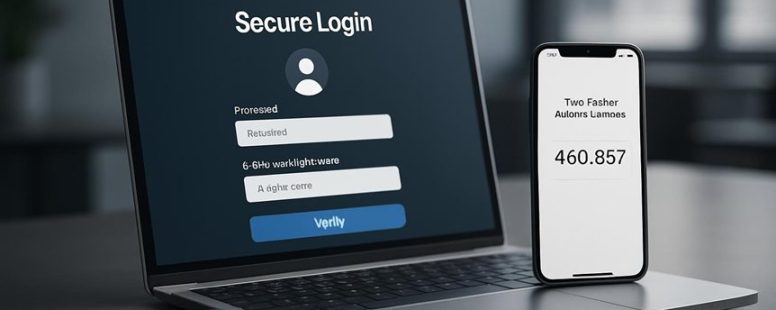
Imagine locking your digital doors with a key that not only fits perfectly but also senses when someone is trying to pick the lock. That’s the power of the right multi-factor authentication (MFA) solution.
While many tout similar security promises, the true difference lies in what’s beneath the surface—ease of use, cost, and how seamlessly it integrates into your daily workflow.
Selecting the ideal MFA is like finding a trusted guardian who not only shields your data but also makes security feel effortless.
Surprisingly, some solutions can even boost user productivity by reducing login friction.
Let’s uncover what sets the top MFA options apart and how to choose the perfect fit for your business fortress.
Key Criteria for Choosing MFA Solutions
Choosing the right MFA (Multi-Factor Authentication) solution is not just about picking the newest gadget or most popular brand. You need to know what really matters to avoid wasting time or risking security problems. First, consider the reputation of the vendor. Do they have a history of reliable service and good customer help? If a company like Duo Security or Okta has a bad track record, you might face unexpected outages or poor support when you need it most. On the other hand, a well-known, trusted brand saves you headaches.
Next, look at how long it takes to set up the system. If it takes months or needs complicated steps, your team might get tired or distracted. An MFA solution should fit your schedule and IT team’s skills. For example, some products like Microsoft Authenticator or Google Authenticator are quick to install and easy to use. If it takes forever, you might skip or delay using it, leaving your accounts vulnerable.
Some people focus on fancy features like biometric scans or hardware tokens. While cool, these can be less important than a vendor with a proven track record and a quick setup. Remember, a good MFA solution is like a reliable lock — it keeps your stuff safe without causing delays.
There are two sides to consider. Some say you should choose the most secure, feature-rich options, even if they take longer to set up. Others argue that simplicity and speed matter more, especially if your team is busy. Both views are right, but if security is your top priority, don’t overlook the importance of trusted vendors and easy deployment.
In the end, pick a provider like Duo or Okta that has a good reputation and offers a straightforward setup. That way, you can get protected quickly and stay secure without headaches. Avoid getting distracted by bells and whistles and focus on what really keeps your accounts safe and your team working smoothly.
Comparing Security and Usability Features of MFA Tools
Choosing the right MFA (Multi-Factor Authentication) tool depends on how secure it is and how easy it is for users to use. Security is about how well the tool protects your accounts from hackers. Usability means how simple and quick it is for people to get logged in without frustration. You also need to see if the MFA tool works well with your current systems, like your email or company software.
Some tools, like Google Authenticator or Microsoft Authenticator, are very secure because they generate codes on your phone. But they can be tricky for people who aren’t used to tech. Other options, like hardware tokens from YubiKey, offer high security but might be more expensive or harder to set up.
On the usability side, some tools send text messages with codes, which are easy to use but can be less safe if someone steals your phone number. Biometric tools like fingerprint or face recognition are quick but depend on your device’s hardware and can sometimes fail.
There are two sides to think about. Some say that a very secure MFA tool might be too complicated for everyday use. Others argue that sacrificing some security for convenience can leave you vulnerable. For example, a small business might want an easy system like SMS codes, but a bank should use stronger methods like hardware tokens.
Keep in mind that no MFA tool is perfect. It’s good to weigh the security features against how easy it is for all users to adopt. Check if the tool integrates easily with your email, cloud services, or other critical systems. Remember, the goal is to find a balance where your accounts stay safe without making login a hassle for users.
Security Protocols Comparison
Security protocols are methods used to protect your online accounts. The best ones depend on how well they keep your data safe and how easy they are to use. When comparing these protocols, you should look at how strong they are against hackers and the variety of ways they let you verify your identity.
For example, Time-based One-Time Passwords (TOTP) like Google Authenticator are simple and secure. They generate a code that changes every 30 seconds, making it hard for hackers to steal. On the other hand, push notifications from apps like Duo Security send alerts to your phone asking if you are trying to log in. These are more convenient but could be intercepted if someone hijacks your phone or email. Biometrics, like fingerprint or face scans, add a high security level but some people worry about privacy. They can also be tricky if your phone’s sensors don’t work well or if someone steals your fingerprint data.
The best security protocol combines strong encryption that protects your information, resists phishing attacks, and offers different ways to verify your identity. For example, using a combination of a password, a one-time code, and biometrics can keep hackers out while letting you choose what’s easiest for you. But no system is perfect. Some protocols might be more secure but harder to use, making people less likely to stick with them. Others are easy but might have vulnerabilities.
Knowing these differences can help you pick an MFA (multi-factor authentication) tool that keeps your data safe and is simple enough to use every day. Remember, even the best system can fail if you don’t stay cautious or if you don’t update your security settings regularly.
User Experience Design
Multi-factor authentication (MFA) is a way to make your online accounts safer by asking for more than just a password. But just making it secure isn’t enough. If the process is hard or confusing, people might give up or write down codes, which defeats the purpose. Good MFA design makes sure the experience feels easy and fair for everyone, no matter their abilities.
Here’s what makes a good MFA user experience:
Clear instructions that show users exactly what to do next. For example, a message that says “Enter the code sent to your email” helps avoid confusion.
Multiple options for verification. Some prefer text messages, others like fingerprint scans or authenticator apps like Google Authenticator. Giving choices helps more people use MFA comfortably.
Quick login process. People want to get in fast without sacrificing security. For instance, biometric scans can be faster than typing a code.
Accessibility features. For example, screen readers for visually impaired users or high-contrast modes for those who find it hard to see.
Some say security always comes first, but if MFA takes too long or is hard to use, people might skip it or get frustrated. The best MFA solutions balance safety and simplicity. They make strong security feel natural and easy, so users don’t see it as a hassle.
Counter-strategy from adversaries:
They might argue that focusing on usability can weaken security. Also, multiple verification options could confuse users or introduce new risks if not managed well. Be cautious of MFA tools that claim to be simple but hide complex steps or security flaws.
Skeptical consumer:
I’ve been promised easy security before, only to get locked out or overwhelmed. How do I know this won’t be another headache? What if the options are limited, or the process still feels clunky? I want clear, honest info about how safe and simple it really is.
Distracted scroller:
Why should I care? If it’s fast and easy, I’ll use it. But if it’s slow or confusing, I’ll ignore it. Maybe a quick example like “using your fingerprint to log in in seconds” would stick better. Also, I’ll forget this info by morning unless it’s really simple.
Final thought:
Good MFA design is about making security feel natural. It should be clear, quick, and accessible. Otherwise, people won’t bother, and your accounts could stay vulnerable.
Integration And Compatibility
The most important thing about Multi-Factor Authentication (MFA) is that it works well with your current systems. If it doesn’t, even the best security features won’t matter. Good MFA tools should connect easily with your cloud apps and have strong API support. This makes it simple to add into both modern software and older systems.
Mobile compatibility is also key. Users should be able to authenticate quickly on their phones or tablets without trouble. Different people have different security needs, so it helps if the MFA supports various methods. For example, some might prefer hardware tokens, while others want app-based codes from tools like Google Authenticator or Authy.
Getting users to start using MFA should be simple. If the setup process is hard or confusing, people might give up. The best MFA solutions find a balance between security and ease of use. They work smoothly across all your systems, so security doesn’t slow down your work.
Some MFA tools work better than others depending on your needs. For example, Microsoft Authenticator offers good integration with Windows systems, but might lack some flexibility for older software. Always check if the MFA tool can fit into your existing setup before buying.
In the end, a good MFA tool should protect you without stopping your team from working. It should be easy to set up, work on all your devices, and support different ways to verify identity. If it’s too complicated or doesn’t connect well, it might not be worth the trouble.
Counterpoints: Some experts warn that if MFA relies too much on cloud services, it could be vulnerable if those services have outages. Others argue that supporting many methods can make things confusing for users, leading to lower adoption. Both are valid — choose tools that strike the right balance for your organization.
Understanding MFA Pricing and Value
Choosing the right MFA (Multi-Factor Authentication) solution depends a lot on price, but it’s also about what you get for your money. Cheap options can seem appealing but might lack important features. Expensive ones often include more tools, but are they worth the extra cost? To find the best value, compare how different pricing plans match the features you really need.
For example, some MFA services charge per user. This can get costly if your team grows fast. Others charge a flat fee for unlimited users, which might save money long-term. Also, check if the solution offers features like biometric login or hardware tokens. These can add more security but might cost more upfront.
Some popular brands like Duo Security and Google Authenticator offer free or low-cost options that still protect your accounts well. But remember, cheaper options might not have 24/7 support or advanced reporting.
There are two sides to this. One says you shouldn’t overspend on MFA. Good enough security often costs less than you think, especially if you focus on the features that matter most. The other warns that choosing the cheapest solution might leave gaps in your security. For example, if it doesn’t support your existing systems, you could still be vulnerable.
Here’s a quick tip: start by listing your needs. Do you need just basic login protection or advanced features like device management? Then compare plans based on those needs, not just price. It’s like buying a car—you want good safety features without paying for extras you don’t need.
In the end, remember that the cheapest option isn’t always the best value. Sometimes spending a little more can save you headaches later. Do your research, test a few options if possible, and pick what fits your budget and security needs.
Are you still skeptical? That’s fair. Many companies waste money on flashy promises. But with a clear plan, you can find an MFA solution that keeps your data safe without breaking the bank.
Cost Structures Compared
Cost of MFA solutions mainly depends on three things: how they charge for licenses, the number of users, and the features included. If you want to compare options, here’s what to look for:
First, some MFA tools use subscription plans. You pay a set fee every month or year. This makes costs predictable. For example, Microsoft Azure Active Directory offers plans that charge a fixed amount per user each month.
Second, some providers use pay-as-you-go pricing. You only pay for what you use, like each authentication. This can save money if your usage is low but can get very expensive if you have many logins.
Third, user tiers matter. Some solutions charge less if you have many users. For example, a company with thousands of employees might get discounts. But if you only have a few users, the costs may be higher per person.
Fourth, extra features cost more. For instance, adding fingerprint biometrics or detailed analytics can increase the total price. Think about whether you really need these extras before paying for them.
Two viewpoints are worth mentioning. Some say predictable subscription plans are safer because you know your costs. Others worry that pay-as-you-go can become costly if your login volume spikes unexpectedly. Be cautious about hidden fees or charges for additional features too.
To find the best fit, compare how each option charges, what features are included, and how scalable they are for your organization. Remember, a cheap solution today might cost more later if it doesn’t meet your needs or if extra features are added unexpectedly.
This comparison helps you choose an MFA solution that matches your budget and security needs. But don’t forget—cost is just one part. Make sure the solution is reliable and easy for your team to use.
Feature Value Analysis
Knowing the cost of MFA solutions is helpful, but understanding their real value is more important. The value depends on features that improve security and make the system easy to use. When choosing MFA, focus on features that encourage users to adopt it. For example, biometric options like fingerprint or face scans are popular because they are quick and simple. Seamless integration with existing systems also matters because it reduces setup time and confusion. Adaptive authentication, which adjusts security based on risk, can help balance safety with convenience.
Some people might say that the cheapest MFA options are enough, but they often lack key features that make users comfortable. The best solution is not always the most expensive or flashy. It is the one users will actually use without frustration. For instance, a company that adds facial recognition might see higher login success because employees find it easier. However, these features can sometimes raise privacy concerns or increase costs.
There are two sides to this. One group argues that investing in advanced features is worth it because it boosts security and user satisfaction. Others warn that too many features can slow down login times or confuse users. It’s important to find the right balance. For example, if a solution is too complicated, employees might ignore it or turn it off, which defeats security.
In simple words, the best MFA solution is the one that users find easy and trustworthy. It needs to protect your data without making login a nightmare. Think of it like choosing a safety lock for your house — it should be strong but easy enough for you to use every day. Remember, a solution that users avoid is no good at all.
Sources: Gartner reports on MFA features, case studies from companies like Microsoft and Google.
Budget-Friendly MFA Options
Budget-Friendly MFA Options: What You Need to Know
When picking a multi-factor authentication (MFA) solution, the cost is usually the first thing people notice. But just choosing the cheapest option can be a mistake. You want to find a solution that balances price with good security. Cheaper options might save money now but could leave you exposed later.
Here are some tips to help you find affordable MFA tools that still work well:
Test Before You Buy. Look for plans that offer free trials or different pricing levels. Trying out features first can stop you from wasting money on something that doesn’t fit your needs. For example, Authy and Google Authenticator often give free versions you can test.
Open Source Can Save Money. Open source MFA options like FreeOTP or privacyIDEA can cut costs because they’re free. But remember, they might lack some advanced features or require more setup time. Think about what you really need before choosing open source.
Ask for Enterprise Discounts. If your company has many users, ask vendors for discounts. Companies like Duo Security or Okta sometimes give special prices for large groups. This can save you a lot if you have a big team.
Read User Reviews. Check reviews on sites like G2 or Trustpilot to see what real users say. Look for comments about hidden costs, ease of use, and customer support. Sometimes a cheap option costs more in frustration later.
Two Sides of the Coin
Some say you don’t need to spend a lot on MFA because free tools like Google Authenticator do a good job. Others warn that cheap or free options might lack features like backup or easy recovery. If security is critical, investing slightly more might be worth it. But if you’re just protecting a small personal account, a free tool could be enough.
Caution: Be careful not to pick an option that looks cheap but doesn’t protect your accounts well. Remember, a good MFA solution is like a sturdy lock on your door. It needs to be strong enough to block intruders but easy enough for you to use daily.
In the end, the best budget MFA is one that fits your needs without breaking the bank. Do your homework, read reviews, and test options when possible. That way, you get a good balance of cost and security, without surprises later.
Integration and Compatibility With Your Systems
Choosing the right MFA (Multi-Factor Authentication) system is about making sure it works well with your current setup. The best MFA tools connect easily with your existing systems, so your team can keep working without problems. Look for tools with good API support—this means they can talk smoothly with your other software. Not all MFA solutions work on every device or operating system. For example, if your team uses Windows and iPhones, check that the MFA tool supports both. This way, no one gets locked out or faces delays.
It’s also smart to pick an MFA that syncs data correctly. If user credentials or login events don’t update properly, security gaps can open. Regular updates from your MFA provider are a must. These updates fix security holes and keep your system safe without slowing down your work.
Some people say that more features mean better security, but extra features can sometimes cause compatibility issues. Be cautious if an MFA tool promises everything but doesn’t clearly support your devices. Also, think about future needs. Will the system grow with your company? If not, you might have to switch again soon.
How Good Is Customer Support for MFA Providers?
How good is customer support for MFA providers? That’s what many people want to know before choosing a system. Good support can save you time and frustration when things go wrong.
First, support channels matter. Do they offer chat, phone, and email help? Multiple ways to reach support mean you can get help fast, no matter your situation. For example, if your MFA app stops working right before an important meeting, quick chat or call can fix it.
Second, response times are key. How long does it take to get a reply? Fast replies mean less downtime and less stress. Some providers reply within minutes, while others take hours or days. If you are locked out, waiting too long can be a huge problem.
Third, troubleshooting resources help. Good MFA providers give detailed guides and FAQs. This lets you solve simple problems yourself. For instance, resetting your token or fixing login errors can often be done with clear instructions. If the help pages are confusing or missing, you might waste hours trying to fix things.
Fourth, proactive support and communication. Top providers don’t just wait for problems. They send updates about system issues and offer custom solutions if needed. This kind of support keeps users happy and confident in the system.
Some providers are better at these things than others. For example, Duo Security offers 24/7 support with quick response times and helpful guides. But even the best can have limits. Support might be slow during holidays or in less popular regions.
In the end, good customer support for MFA providers is more than just reacting when things go wrong. It’s about being ready to help quickly, clearly, and proactively. That’s what makes a big difference in your experience.
Evaluating MFA Provider Reliability and Trustworthiness
Choosing a good MFA (Multi-Factor Authentication) provider is really about making sure they are trustworthy and reliable. First, I look at their reputation. Do users say they work well? For example, if many users complain about slow login times or frequent outages, I stay away. Next, I want to see if they have security checks like audits or certifications. Good companies often get certifications like ISO 27001 or follow standards like GDPR and HIPAA. These tell me they meet high security rules.
I also check how they handle security problems. When something goes wrong, do they fix it fast? Do they have a clear plan for dealing with breaches? Their performance matters too. If their system is always up and running with little lag, that’s a good sign. But if they have a history of crashes or slow service, that’s a red flag.
Some providers might have great reviews but weak incident responses. Others might be fast but have poor uptime. So, I compare these points carefully. For example, Google Authenticator and Duo Security are popular, but Duo offers better support and more features. Still, no system is perfect, and some providers may have hidden issues, like slow customer service or expensive plans.
To pick the best provider, I ask myself what matters most for my needs. Do I need high security, good support, or low cost? Sometimes, trusting a new company is risky because they may not have a long track record. That’s why I prefer providers with proven reliability over time.
In the end, a good MFA provider should keep your data safe, be easy to use, and respond quickly when problems happen. Comparing their reputation, security standards, incident handling, and performance helps me make a smart choice. But remember, no provider is perfect, so always have a backup plan.
Which MFA Solution Fits Your Business Needs Best?
What Makes an MFA Solution Right for Your Business?
Choosing the best multi-factor authentication (MFA) solution depends on what your business needs most. Here’s what to look for:
User friendliness and mobile support – If employees find the app confusing or it doesn’t work well on phones, they will stop using it. A simple, mobile-compatible app increases chances that everyone will adopt it quickly. For example, companies like Microsoft Authenticator are popular because they work smoothly on smartphones.
Growth options and quick setup – Your MFA should be able to grow with your business. If it takes months to set up or scale up, it could slow down your work. Look for solutions like Duo Security that offer fast implementation and easy expansion.
Compliance and trustworthiness – Make sure the MFA meets industry rules like GDPR or HIPAA. Also, pick a vendor with a good reputation. For example, RSA SecurID is trusted by many large corporations for its security standards.
Real-world results and reviews – Check how the solution performs in actual use. Read user reviews and look at performance stats. Sometimes, a product sounds good but fails under heavy load or has poor customer support.
Some experts say that choosing MFA is like picking a lock. You want something that’s secure but also easy to open when needed. But be cautious—some solutions may claim to be the best but lack real-world proof or are hard to set up.
On the flip side, not all MFA tools are equal. Some may work great on paper but fall short in busy offices or on mobile devices. Also, rushing to implement the cheapest or fastest option might cause security gaps later.
In the end, pick an MFA solution that matches your team’s needs, scales easily, and is proven reliable. Don’t settle for hype—test the options and see what fits your business best.
To provide the best experiences, we use technologies like cookies to store and/or access device information. Consenting to these technologies will allow us to process data such as browsing behaviour or unique IDs on this site. Not consenting or withdrawing consent, may adversely affect certain features and functions.
Functional
Always active
The technical storage or access is strictly necessary for the legitimate purpose of enabling the use of a specific service explicitly requested by the subscriber or user, or for the sole purpose of carrying out the transmission of a communication over an electronic communications network.
Preferences
The technical storage or access is necessary for the legitimate purpose of storing preferences that are not requested by the subscriber or user.
Statistics
The technical storage or access that is used exclusively for statistical purposes.The technical storage or access that is used exclusively for anonymous statistical purposes. Without a subpoena, voluntary compliance on the part of your Internet Service Provider, or additional records from a third party, information stored or retrieved for this purpose alone cannot usually be used to identify you.
Marketing
The technical storage or access is required to create user profiles to send advertising, or to track the user on a website or across several websites for similar marketing purposes.