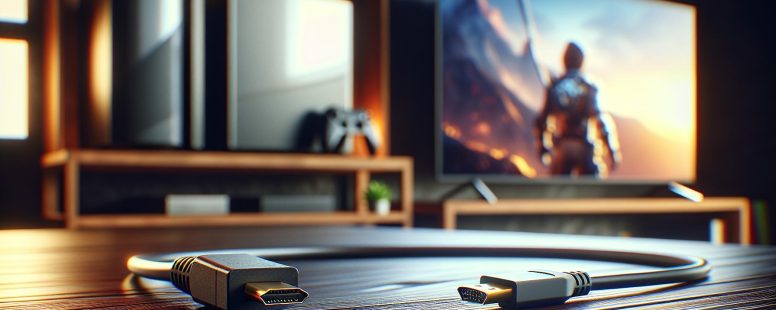
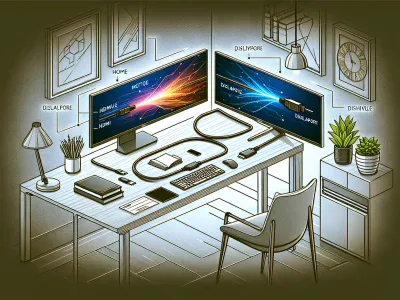
Imagine setting up your dream entertainment system or a high-performance gaming rig, only to be stopped in your tracks by a simple question: HDMI or DisplayPort? These two powerhouse connectors dominate the world of digital displays, but choosing the right one can feel like exploring a maze of technical jargon and endless specs. Each promises stunning visuals and seamless performance, yet their differences could make or break your setup.
What if the cable you choose could unlock sharper images, smoother gameplay, or even better multitasking? Whether you’re a movie buff chasing cinematic clarity or a gamer seeking that competitive edge, understanding how HDMI and DisplayPort stack up is crucial. Jump into the details, and you’ll discover how the right choice can elevate your experience beyond expectations.
Understanding HDMI And DisplayPort
HDMI and DisplayPort are two prominent connectors used for transmitting video and audio signals. Both have distinct capabilities, so knowing their specifications helps you choose the right option for your setup.
What Is HDMI?
HDMI stands for High-Definition Multimedia Interface and launched in 2002. It is widely used for TVs, gaming consoles like PlayStation 5, and streaming devices such as Roku. It supports video resolutions up to 10K with modern versions like HDMI 2.1 while enabling audio passthrough, including formats like Dolby Atmos.
HDMI cables are available in Standard, High Speed, Premium High Speed, and Ultra High Speed classifications based on bandwidth limits. For instance, an Ultra High Speed HDMI supports 48Gbps data transfer, ideal for 4K at 120Hz. Look for the version compatibility between the source and display device to ensure optimal performance.
What Is DisplayPort?
DisplayPort names a digital interface developed by VESA and designed for PCs, monitors, and professional displays. It supports higher bandwidths compared to HDMI, particularly with DisplayPort 2.0 reaching up to 80Gbps. This makes it suitable for multiple-monitor setups or achieving 8K resolution at 60Hz without compression.
DisplayPort offers unique features like support for Adaptive-Sync, which synchronizes refresh rates to reduce screen tearing, vital for gaming. The connector format varies between the standard DisplayPort and Mini DisplayPort, commonly seen in laptops like older MacBook models. Ensure your cable is certified to benefit from its full capabilities.
Specification
HDMI 2.1
DisplayPort 2.0
Maximum Bandwidth
48Gbps
80Gbps
Maximum Resolution
10K at 120Hz
16K at 60Hz
Special Features
eARC, Dolby Vision
Adaptive-Sync, MST
The differences in purpose make HDMI ideal for home entertainment and DisplayPort better suited to professional and gaming environments. Both are essential technologies, offering choices based on resolution, refresh rate, and device compatibility.
Key Differences Between HDMI And DisplayPort
Understanding the distinctions between HDMI and DisplayPort helps you choose the right option for your setup. Each connector excels in specific areas like resolution, refresh rate, and compatibility.
Resolution And Refresh Rate
HDMI 2.1 supports resolutions up to 10K at 120Hz, making it suitable for ultra-high-definition TVs and gaming consoles. For example, HDMI enhances experiences on devices like Xbox Series X and PlayStation 5. DisplayPort 2.0 offers up to 16K resolution at 60Hz or 8K at 120Hz, making it ideal for professional setups and gaming PCs with multiple monitors. Variable Refresh Rate (VRR), supported by both HDMI (e.g., HDMI 2.1) and DisplayPort (e.g., Adaptive-Sync), reduces screen tearing during gameplay.
Audio Capabilities
HDMI includes support for formats like Dolby Atmos and DTS:X, providing immersive audio for home theaters. Many surround sound systems rely on this connection for transmitting high-quality audio signals. DisplayPort supports multi-channel audio but lacks the widespread adoption of advanced audio formats. For instance, if audio quality is critical in a cinematic setup, HDMI offers broader compatibility with sound technology.
Connector Types And Compatibility
HDMI features standard, mini, and micro connectors, making it versatile for TVs, tablets, and cameras. Most consumer electronics include an HDMI port, ensuring compatibility across various devices. DisplayPort offers standard and mini connectors, often found in gaming monitors and professional workstations. Adapters allow you to connect DisplayPort to HDMI, though you’ll need to consider the direction of signal conversion. Keep in mind, HDMI’s ubiquity simplifies connections, while DisplayPort’s higher bandwidth suits niche applications.
Cable Length And Signal Quality
HDMI cables maintain signal quality up to 15 meters for standard connections, though performance decreases with longer lengths. Active HDMI cables can extend this range for larger setups. DisplayPort cables support signal transmission up to 3 meters without losing quality for high resolutions. For longer distances, active cables or fiber-optic DisplayPort cables solve signal degradation. If cable length impacts your configuration, HDMI provides greater flexibility for longer runs.
Use Cases For HDMI
HDMI is designed to serve a broad range of applications, making it a versatile option for various setups. Its widespread compatibility and support for high-quality video and audio make it a popular choice.
Home Entertainment Systems
You often rely on HDMI for TVs, streaming devices, and soundbars. HDMI ARC (Audio Return Channel) and eARC (Enhanced Audio Return Channel) allow seamless audio transmission between devices, eliminating extra cables. For instance, you can connect a 4K TV to a home theater system using a single HDMI cable while enjoying Dolby Atmos or DTS:X sound formats.
HDMI also supports Consumer Electronics Control (CEC), enabling you to control multiple devices like Blu-ray players or sound systems with one remote. Its ability to handle resolutions up to 10K with HDMI 2.1 ensures a future-proof connection for new TVs with cutting-edge features.
Gaming Consoles
Gaming consoles like the PlayStation 5 and Xbox Series X depend on HDMI to deliver high performance. HDMI 2.1 supports 4K gaming at 120Hz, ensuring smooth visuals and low latency crucial for rapid gameplay. Variable Refresh Rate (VRR) and Auto Low Latency Mode (ALLM) make HDMI advantageous for gaming, as they prevent screen tearing and minimize input lag.
Also, most gamers connect compatible gaming monitors or TVs to consoles via HDMI for access to HDR gaming and enhanced color depth, improving the immersive experience. HDMI’s broad adoption across monitors and televisions ensures seamless compatibility across devices.
Use Cases For DisplayPort
DisplayPort excels in professional environments and gaming setups due to its high bandwidth and advanced features. It’s specifically suited for scenarios requiring high-resolution displays and multiple-monitor configurations.
PC Gaming
DisplayPort’s advanced capabilities cater perfectly to PC gaming setups. With support for resolutions up to 16K and refresh rates of 120Hz or higher, it ensures smoother gameplay and eliminates visual artifacts like screen tearing. Features like Adaptive Sync, found in DisplayPort 1.2a and above, enhance compatibility with NVIDIA G-SYNC and AMD FreeSync technologies, delivering a seamless experience in games with fast action.
For example, using DisplayPort 1.4 on a high-end gaming rig, you can achieve 4K resolution at 144Hz, ideal for competitive gaming. Direct connections to gaming monitors further optimize latency and ensure clarity. But, proper GPU support is essential for fully leveraging these features.
Multi-Monitor Setups
DisplayPort is a benchmark for multi-monitor configurations. Its support for Daisy Chaining through Multi-Stream Transport (MST) allows users to connect up to four 1080p monitors or dual 4K displays in a single cable chain. This feature reduces cable clutter and enhances productivity, making it popular in tasks like video editing and stock trading.
A professional video editor might connect three 4K monitors using DisplayPort 1.2, enabling precise color grading and multitasking efficiently. Yet, this is dependent on having a graphics card capable of outputting sufficient bandwidth for all connected displays.
For businesses requiring scalable workstations, DisplayPort’s flexibility ensures reliable performance across various resolutions and panel types. It’s a practical choice for any high-intensity visual workload.
HDMI vs DisplayPort: Which One Should You Choose?
Choosing between HDMI and DisplayPort impacts your overall experience, depending on your devices and intended usage. Understanding crucial factors ensures an optimal setup for gaming, work, or entertainment.
Factors To Consider
Device Compatibility
HDMI connects widely-used consumer electronics like TVs, gaming consoles, and soundbars. For example, your PlayStation 5 or Xbox Series X relies on HDMI 2.1 for 4K gaming at 120Hz. DisplayPort, but, dominates professional monitors and gaming PCs, enabling multiple screens using Multi-Stream Transport (MST) or Daisy Chaining. Verify the ports on your devices before deciding.
Resolution and Refresh Rate
HDMI 2.1 handles up to 10K at 120Hz, perfect for cutting-edge TVs and consoles. DisplayPort 2.0 overshadows this with 16K at 60Hz or 8K at 120Hz, ideal for high-performance GPUs and multi-monitor setups. If you prioritize ultra-high resolution or dual monitors, DisplayPort meets those needs better than HDMI.
Audio Formats
HDMI excels with support for Dolby Atmos and DTS:X, ensuring immersive home theater audio. While DisplayPort supports high-quality audio, it’s less compatible with advanced audio technologies across consumer devices. For entertainment systems, HDMI holds an edge.
Cable Length and Signal Quality
HDMI cables retain signal up to 15 meters, while DisplayPort ensures top-quality data up to 3 meters. If you need lengthy cabling, particularly in larger entertainment setups, HDMI offers more flexibility.
Future-Proofing Your Setup
Emerging Technologies
HDMI 2.1 includes features like Enhanced Audio Return Channel (eARC), Variable Refresh Rate (VRR), and Quick Media Switching (QMS). These improvements cater to next-gen gaming consoles and 4K/8K displays. DisplayPort 2.0, with 80Gbps bandwidth, ensures readiness for future PC advancements and professional-grade visuals. Consider HDMI for home entertainment longevity and DisplayPort for intensive workloads.
Upgrading Path
If you’re planning incremental upgrades, HDMI adapators bridge compatibility between HDMI devices and older setups, ensuring less hassle. Conversely, DisplayPort’s MST Hub supports scaling multi-monitor configurations, a significant advantage if you upgrade workstations or gaming rigs gradually.
Choose HDMI for versatility, especially in entertainment systems. Opt for DisplayPort for high-performance computing or professional gaming configurations. Analyze your current setup and future goals carefully, aligning them with device compatibility and emerging standards.
Conclusion
Choosing between HDMI and DisplayPort eventually depends on your specific needs and the devices you’re connecting. Whether you’re setting up a home theater, a gaming rig, or a professional workstation, understanding the strengths of each connector ensures you get the best performance.
Consider factors like resolution, refresh rate, audio capabilities, and compatibility to determine the right fit for your setup. By aligning your choice with your current and future requirements, you’ll maximize your system’s potential and enjoy a seamless experience.
To provide the best experiences, we use technologies like cookies to store and/or access device information. Consenting to these technologies will allow us to process data such as browsing behaviour or unique IDs on this site. Not consenting or withdrawing consent, may adversely affect certain features and functions.
Functional
Always active
The technical storage or access is strictly necessary for the legitimate purpose of enabling the use of a specific service explicitly requested by the subscriber or user, or for the sole purpose of carrying out the transmission of a communication over an electronic communications network.
Preferences
The technical storage or access is necessary for the legitimate purpose of storing preferences that are not requested by the subscriber or user.
Statistics
The technical storage or access that is used exclusively for statistical purposes.The technical storage or access that is used exclusively for anonymous statistical purposes. Without a subpoena, voluntary compliance on the part of your Internet Service Provider, or additional records from a third party, information stored or retrieved for this purpose alone cannot usually be used to identify you.
Marketing
The technical storage or access is required to create user profiles to send advertising, or to track the user on a website or across several websites for similar marketing purposes.