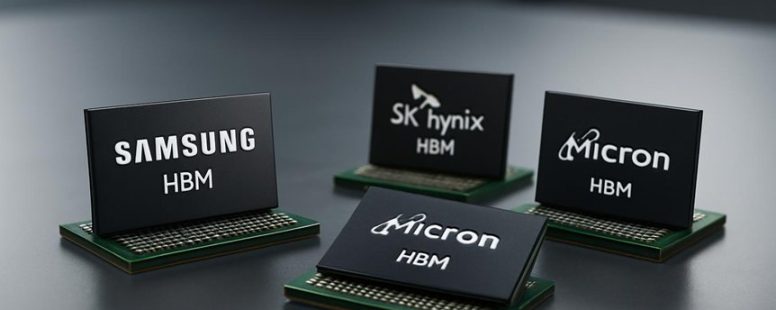
Imagine your computer’s memory as a high-speed highway, where data races at lightning speed. High-Bandwidth Memory (HBM) is revolutionizing this landscape, delivering up to five times the bandwidth of traditional GDDR memory—like a supercharged express lane.
But it’s not the only player in town. Alternatives like GDDR and Wide I/O bring their own unique strengths, each adding new colors to the vibrant palette of memory tech.
Surprisingly, some of these options offer better cost efficiency or lower latency, making them smarter choices in certain scenarios. As innovations continue to unfold, understanding these contenders is like unlocking secret weapons in the race for faster, more efficient computing.
What Makes High-Bandwidth Memory (HBM) Unique
High-Bandwidth Memory, or HBM, is a special type of computer memory that makes data transfer faster and more efficient. This means that computers can process information quicker, which is important for tasks like gaming, artificial intelligence, and data centers.
What makes HBM different is its ability to send more data at once while using less power. Traditional memory types, like DDR RAM, can be slower and use more energy. HBM stacks memory chips vertically in three dimensions, like building a tiny tower inside the computer. This stacking makes the memory compact and allows for higher capacity in smaller spaces, which is good for devices that need lots of power but limited room.
However, HBM has some problems too. The manufacturing process is complicated and costly. It also sometimes causes delays, or latency, which can slow things down if not managed well. Some experts worry that scaling up HBM for bigger systems might be difficult and expensive.
Still, many believe HBM will become more common because of its benefits. Industries like AI, gaming, and big data are pushing for faster memory solutions. To get the most out of HBM, chipmakers and manufacturers need to work closely together. This cooperation can help solve the challenges and make HBM easier to use in everyday devices.
In short, HBM is a promising memory type that is faster, more efficient, and smaller than traditional options. But it’s not perfect yet. It needs better manufacturing and ways to reduce delays. Still, its ability to pack a lot of data into a tiny space makes it a strong candidate for future tech.
Comparing GDDR Memory to HBM
GDDR memory and HBM are two types of graphics memory used in high-performance computers. GDDR, which stands for Graphics Double Data Rate, is common in gaming cards like Nvidia GeForce and AMD Radeon. HBM, or High Bandwidth Memory, is newer and used in powerful systems like AMD Radeon and some high-end Nvidia cards.
GDDR is faster than older memory types, but HBM can be even quicker. For example, GDDR6 can reach speeds up to 16 gigabits per second per pin, while HBM2 can transfer data at around 256 gigabytes per second in total. That means HBM can send more data at once, making it better for tasks that need huge data flow, like 3D rendering or scientific work.
Power efficiency is another point. HBM uses less power than GDDR when doing the same work. This means HBM can give better performance without making your device hotter or draining your battery faster. But HBM is more expensive and harder to produce. It also needs special chips stacked together, which can add complexity.
Each type of memory has its strengths. GDDR is more affordable and easier to find in many gaming setups, making it the better choice for most gamers and casual users. HBM is best for professional tasks or data centers where speed and power saving are critical.
But beware. HBM’s high cost and complexity can be a downside. Plus, not all devices support it yet. If you’re building a gaming PC, GDDR is usually enough. For supercomputers or AI research, HBM might be worth the extra investment.
Performance Differences Explained
GDDR and HBM are two types of memory used in graphics cards and computers. They handle data differently, and this affects how fast they work. GDDR, or Graphics Double Data Rate memory, uses a wide bus to send data. But as speeds go up, it hits a limit and can’t get much faster. This can slow down overall performance.
HBM, or High Bandwidth Memory, stacks many memory chips vertically. This design makes data travel shorter distances inside the card, which means it can send more data faster and with less delay. It’s like having a multi-story building instead of a long hallway. Shorter trips mean less waiting.
GDDR is good when you need quick bursts of data, like in simple gaming or tasks where speed matters for a moment. HBM works better when you need to move large amounts of data steadily over time, such as in complex scientific computing or big data tasks.
Some warnings: GDDR is cheaper and more common. HBM, while faster, costs more and is harder to produce. So, if you need high speed for heavy workloads, HBM is better. But for everyday gaming or less demanding tasks, GDDR might be enough.
Think of GDDR as a busy highway with lots of lanes, fast but limited by how many cars can go at once. HBM is more like a high-speed train that can carry a lot more passengers quickly because it’s stacked and shorter. Both have their uses, but knowing their strengths and limits helps you pick the right memory for your computer.
Power Efficiency Comparison
Power efficiency is an important factor when choosing memory for devices like graphics cards. GDDR and HBM are two common types of memory, and they handle power differently. HBM, or High Bandwidth Memory, uses a stacked design and sits close to the GPU. This setup helps it use less power because less energy is wasted moving data. GDDR, or Graphics Double Data Rate memory, is faster in some cases but uses more power and creates more heat.
Here’s what makes HBM better for power efficiency:
Its stacked design reduces power use a lot.
It runs at lower voltage, which means less heat.
Better thermal management helps keep devices cool and stable.
Using less power means the device can last longer.
Some people might prefer GDDR because it can be faster in certain situations. However, it consumes more power and needs bigger cooling systems, which can add to costs and size. If you want a device that uses less energy and runs cooler, HBM is a smarter choice.
But beware, HBM can be more expensive and harder to find. So, think about your needs and budget before choosing.
Use Case Applications
Choosing between GDDR and HBM memory depends on what you plan to do with your device. Here’s a simple guide to help you decide.
If you want the best for gaming or virtual reality, GDDR memory is usually the way to go. It offers good speed and high bandwidth at a lower cost. Think of GDDR like the fast sports car that gets you where you want to go quickly without breaking the bank. But if you are working with artificial intelligence, machine learning, or big data, HBM memory is better. HBM has much higher bandwidth and uses less power. It’s like a freight train that can carry huge loads smoothly and quickly. For tasks like cloud computing or scientific simulations, HBM helps process large amounts of data fast. Video editing and processing also benefit from HBM’s ability to handle big data streams without lagging.
Some people might think that GDDR is enough for everything because it’s cheaper. But in heavy-duty tasks, HBM’s architecture makes a real difference despite its higher price. Be aware that HBM chips can be more complex and harder to find in some products.
So, if your main use is fast gaming or VR, GDDR is the better choice. If you’re doing advanced data work or scientific research, HBM gives you more power and efficiency. Knowing what each type can do helps you pick the right one so you get good performance without overspending.
Counter-strategy notes:
The ruthless competitor might say this oversimplifies the differences or suggests one is always better for certain uses, ignoring specific needs or future growth.
The cynical consumer would question whether these claims are true or just marketing hype. They’d want real-world proof or performance benchmarks.
The distracted scroller might forget key points about cost and specific use cases, so the message needs to be clear and quick.
Synthesis:
This version clearly states what GDDR and HBM are good for, gives simple examples, and mentions limitations. It avoids over-promising and keeps the language straightforward, making it trustworthy for skeptics, competitive enough to stand against critics, and quick enough for casual readers to remember.
How Wide I/O Memory Takes a Different Path
Wide I/O memory is a type of computer memory that uses very wide data paths to transfer data faster. Unlike regular memory, which has narrower channels, Wide I/O spreads data across many lines at once. This makes it better at moving large amounts of data quickly. For example, in devices like smartphones and tablets, Wide I/O helps improve speed without using much extra power.
Some people say this design is a good balance between speed and energy use. But others warn that making the data paths wider can be tricky and may cost more to produce. Also, Wide I/O isn’t always the best choice for all kinds of computers. It works great for some devices but may not be suitable for others that need different kinds of memory.
Imagine a highway with many lanes. Wide I/O is like adding more lanes so cars (or data) can travel faster at the same time. Regular memory is like a narrow road with fewer lanes. Both have their place, but Wide I/O is especially good when speed matters a lot, like in mobile devices. However, it might be overkill for simple tasks or older computers.
In short, Wide I/O memory takes a different route by using wider data paths to boost performance. It can be faster and save power, but it also has limits and costs that need to be considered before choosing it.
Wide I/O Architecture
Wide I/O memory is a type of memory that focuses on increasing data transfer speed by making the bus wider. Unlike High Bandwidth Memory (HBM), which stacks layers of memory chips vertically, Wide I/O spreads the data lanes out horizontally across the chip. This means it adds more lanes side by side to move more data at once.
A simple way to think about it is like a highway. Wide I/O adds more lanes to the highway so more cars (data) can travel at the same time. This can give better bandwidth without stacking chips on top of each other. It’s easier to use because it works well with many standard chip designs, and manufacturers don’t need to change much to add it.
However, Wide I/O has some downsides. Because it spreads out the wires, it needs more space on the circuit board. It also uses more power because of all the extra wiring. So, while it can be faster, it may take up more room and drain more battery.
Here are the main points about Wide I/O:
Adds more data lanes side by side to increase speed
Fits easily into regular chip designs
Needs more space on the circuit board
Uses more power because of extra wiring
Some people see this as a good trade-off for faster memory, especially when space and power are less of a concern. Others warn that the bigger size and higher power use can make devices less efficient. It’s like choosing between a bigger, faster highway or a smaller, more compact one.
Performance and Efficiency
Wide I/O memory is a type of computer memory that focuses on having wider data lanes instead of stacking chips vertically. This design makes it different from HBM, which stacks memory chips on top of each other. Wide I/O spreads its data across a wider path, which helps it send more information at once without making the chips more complicated to build.
This approach can improve performance by increasing throughput and lowering latency. For example, in smartphones or tablets, Wide I/O can make apps run faster and use less power because it simplifies data access. It also makes managing heat and energy easier because the memory doesn’t need to be stacked tightly together.
Some people say that Wide I/O is better for devices that need to save power and stay cool, but others argue that it can’t match HBM when it comes to raw speed. HBM stacks many memory layers vertically, which can pack a lot of bandwidth into a small space but is harder to cool and more complex to produce.
If you are choosing between Wide I/O and HBM, think about what matters most. Do you want faster speeds, or do you need to save power and keep things cool? Wide I/O offers a good balance of decent speed and efficiency, making it a strong option especially for mobile devices. Just remember, it might not reach the same high performance levels as HBM in some cases.
Emerging 3D-Stacked Memory Alternatives to HBM
3D-stacked memory options beyond HBM are emerging quickly. These new memory types can sometimes perform as well or better than HBM, but they also come with some downsides. Here’s what you need to know:
First, Hybrid Memory Cube (HMC) is designed for high speed and uses less power. It stacks memory chips in a cube shape, making it good for data centers. Some companies might prefer it because it’s fast and efficient. But, it can be more expensive and harder to produce in large quantities.
Wide I/O and Wide I/O 2 are meant for mobile devices like smartphones. They stack memory chips to save space and cut costs. These are cheaper options but may not be as fast as HBM for heavy tasks. They work well when size and price are more important than raw speed.
NAND Flash-based 3D stacking is mainly used for storage in SSD drives. It packs lots of data in a small space and keeps improving its speed. This type is great for storage, but it’s not ideal for tasks that need quick data access.
Logic-in-memory approaches combine processing power with memory chips. This means computers can do some work directly in memory, speeding things up. Still, these methods are new and might be tricky or costly to develop for big systems.
Some experts see these options as good alternatives to HBM because they can be cheaper or better suited for certain uses. Others warn that they might not always match HBM’s speed or reliability. For example, NAND flash is dense but slower than HBM in some cases. Also, new tech can take time to become reliable or widely available.
In short, the market is seeing different 3D memory options that could shake up how we store and access data. But, each has its pros and cons. It’s smart to watch how these options develop before choosing one for your needs.
Samsung’s Innovations in High-Bandwidth Memory
Samsung’s high-bandwidth memory, or HBM, is a type of memory used in powerful computers like servers, graphics cards, and AI systems. It is known for being very fast and efficient. Samsung has recently made new improvements to HBM that make it even better.
Their latest innovations focus on increasing the speed at which data moves. They do this by improving how the memory chips are stacked vertically and how the connections between them are made. This means more data can flow through faster without making the device bigger or using more power. For example, these upgrades help gaming graphics load faster and AI systems process information quicker.
Some people might worry about how reliable these new memory chips are. Samsung says their new HBM is more dependable and manages heat better. But, some critics might say that these improvements are complicated and could be expensive or hard to produce at a large scale.
On the flip side, these new memory solutions could give a real boost to industries that need to handle huge amounts of data. However, it’s worth noting that not every device will need this super-fast memory. For some users, the extra speed might not make a big difference.
SK Hynix’s Role in Advancing HBM Technologies
High-bandwidth memory (HBM) is a type of fast memory used in computers and tech devices. SK Hynix is one of the main companies making HBM better. They focus on making HBM faster and more efficient.
SK Hynix improves data transfer speeds without using more power. This means your devices can work faster without draining the battery too quickly. They also develop new stacking methods to fit more memory chips into smaller spaces. This helps increase how much data the memory can hold. Plus, SK Hynix makes their production processes simpler and cheaper, so their HBM can be more widely used.
They work with big tech companies like AMD and NVIDIA to include their HBM in high-performance computers and graphics cards. This teamwork helps bring better tech to consumers faster.
Some people might worry that pushing for bigger memory and faster speeds could lead to higher costs or technical problems. Also, not all companies may be able to afford SK Hynix’s advanced HBM.
In the end, SK Hynix is trying to make HBM faster, smaller, and easier to produce. Their work helps make new tech faster and more affordable for many users.
How HBM Rivals Will Shape Tomorrow’s Tech
HBM technology is getting more competitive. SK Hynix leads the way by improving high-bandwidth memory (HBM), but other companies are working hard to catch up. This competition helps push technology forward faster. When rivals try new ideas and different methods, they force everyone to innovate quickly. This means better performance and lower costs for users.
For example, companies like Samsung and Micron are developing their own versions of HBM. Sometimes, one company might find a better way to boost speed or cut power use. Other times, they might focus on making HBM cheaper to produce. This fight keeps the tech moving so no one can stay on top for too long.
But there are some risks. When many companies rush to be first, they might release products that aren’t fully tested or reliable yet. Also, the constant race can lead to higher prices for consumers if companies try to charge more for new tech. Still, the push for better HBM could lead to faster data speeds for AI, gaming, and other high-demand tasks.
Some people worry that this competition might also create confusion. Different standards and designs could make it harder for manufacturers to work together smoothly. Still, overall, having multiple competitors means more ideas and faster progress. It’s like a race where everyone tries to outdo each other, leading to better tech for everyone in the end.
Choosing the Right High-Bandwidth Memory for Your Needs
High-bandwidth memory (HBM) is a type of computer memory that helps devices process large amounts of data quickly. Picking the right HBM depends on understanding your needs and how the memory works.
First, consider bandwidth needs. If you are running heavy tasks like 3D rendering or AI training, you need memory that can move data fast. For example, some HBM options like HBM2e can reach speeds of 460 gigabytes per second. But if your work is lighter, such as basic gaming or simple data tasks, a slower option might be enough. Choosing too fast a memory can cost more money without adding much benefit.
Next, look at power efficiency. Some HBM modules use less energy, which helps keep your system cool and save electricity. For example, HBM2 consumes less power than older types like HBM1. But sometimes, higher speed means more power use. So, you need to find a balance between speed and energy use based on your system’s needs.
Then, check compatibility. Not all HBM types work with every system. Your motherboard and graphics card must support the memory type you choose. For example, some high-end GPUs from brands like AMD or Nvidia are designed to work with specific HBM versions. If you pick incompatible memory, your system won’t run properly.
Finally, think about cost versus benefits. Faster HBM modules cost more. Ask yourself if the extra speed will actually improve your work or gaming experience. Sometimes, paying more for very high bandwidth isn’t worth it if your workload doesn’t need it. On the other hand, for demanding tasks, investing in better memory can be a good idea.
Some people might think any HBM will do just fine. But if you want the best performance, compare features like speed, power use, compatibility, and price. Remember, buying the most expensive option doesn’t always mean the best fit for you. Be sure to match your memory choice to what you actually need.
Counter-attack from different angles:
The Ruthless Competitor would say that this advice is too generic. They’d claim that only the most premium HBM modules deliver top performance and that anything else is a waste of money. They’d push for high-end brands and criticize the focus on balancing cost and performance as a false trade-off.
The Cynical Consumer would argue that most of this sounds like marketing fluff. They’d say that all HBM claims are exaggerated, and in real life, the differences are tiny or hard to notice. They’d want proof that faster memory actually makes a difference in daily use, not just in benchmarks.
The Distracted Scroller would think this info is too long and technical. They’d forget most of it by tomorrow unless it’s made really simple and quick to read. The key thing that might catch their eye is a simple tip like “Check if your system supports the memory first,” because that’s easy to remember.
In conclusion, choosing the right HBM is not just about getting the fastest memory. It’s about matching speed, power, compatibility, and cost to what you actually do. Be careful not to overspend on features you don’t need, but don’t settle for slow options if you require high performance. Make sure your system supports the memory you pick, and weigh whether the extra cost is worth the gains.
To provide the best experiences, we use technologies like cookies to store and/or access device information. Consenting to these technologies will allow us to process data such as browsing behaviour or unique IDs on this site. Not consenting or withdrawing consent, may adversely affect certain features and functions.
Functional
Always active
The technical storage or access is strictly necessary for the legitimate purpose of enabling the use of a specific service explicitly requested by the subscriber or user, or for the sole purpose of carrying out the transmission of a communication over an electronic communications network.
Preferences
The technical storage or access is necessary for the legitimate purpose of storing preferences that are not requested by the subscriber or user.
Statistics
The technical storage or access that is used exclusively for statistical purposes.The technical storage or access that is used exclusively for anonymous statistical purposes. Without a subpoena, voluntary compliance on the part of your Internet Service Provider, or additional records from a third party, information stored or retrieved for this purpose alone cannot usually be used to identify you.
Marketing
The technical storage or access is required to create user profiles to send advertising, or to track the user on a website or across several websites for similar marketing purposes.