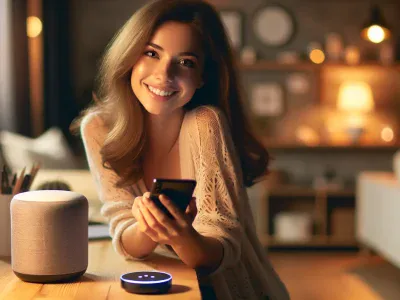
Picture walking into your home, and with just a simple voice command, the temperature adjusts to perfection. Sounds like something out of a sci-fi movie, right? Smart home devices are no longer futuristic—they’re here, making life more seamless than ever. But integrating different brands, things can get tricky.
If you’ve got a Nest thermostat and an Alexa device sitting in your home, you might be wondering if they can team up to create that effortless comfort you’re after. Can Google’s sleek Nest technology sync smoothly with Amazon’s powerful Alexa assistant? It’s a question many smart home enthusiasts ask as they strive for ultimate convenience and control.
Overview Of Nest And Alexa
Nest and Alexa are two prominent names in the smart home ecosystem. Their integration allows users to control compatible devices using voice commands, creating a more convenient home environment.
What Is Nest?
Nest is Google’s line of smart home products designed for energy efficiency and automation. Its flagship product, the Nest Thermostat, helps maintain optimal indoor temperatures by learning your habits. Other devices include cameras (e.g., Nest Cam) and smoke detectors (e.g., Nest Protect), focusing on security, comfort, and safety.
What Is Alexa?
Alexa is Amazon’s virtual assistant that powers Echo devices. It enables hands-free control of tasks like playing music, managing shopping lists, or setting reminders. Through Alexa Skills—third-party integrations—users can connect with various smart home gadgets such as lights (e.g., Philips Hue) or thermostats.
Key Features Of Both Platforms
Feature
Nest
Alexa
Voice Command Support
Yes (via Google Assistant & Alexa)
Yes
Energy Management
Intelligent scheduling
Indirect through integrations
Device Ecosystem
Cameras, doorbells, thermostats
Broad compatibility with brands
Automation
Learning-based programming
Routine customization
Nest emphasizes machine learning for personalized automation. In contrast, Alexa focuses on broader device compatibility and user-defined routines.
Compatibility Between Nest And Alexa
Nest devices, including the popular thermostat, are compatible with Alexa. This integration allows you to control your Nest products using voice commands via Amazon Echo or other Alexa-enabled devices.
Can They Work Together?
Yes, Nest and Alexa work together through seamless integration. By enabling the “Google Nest” Skill in the Alexa app, you can connect your devices. For example, you could say, “Alexa, set the living room temperature to 72 degrees,” to adjust your Nest Thermostat without physical interaction. This collaboration enhances convenience for smart home users.
Setting Up Nest With Alexa
To set up Nest with Alexa:
Open the Alexa App: Use your smartphone or tablet to launch the app.
Enable Google Nest Skill: Navigate to “Skills & Games”, search for “Google Nest”, and enable it.
Link Accounts: Sign in with your Google Account associated with your Nest device.
Discover Devices: Let Alexa scan and discover connected devices automatically.
Once linked properly, you’ll gain hands-free control over features like adjusting temperatures or checking statuses across multiple rooms in your home setup effortlessly.
Features Available When Using Nest With Alexa
Integrating Nest with Alexa enables hands-free control and expanded functionality for your smart home devices. This partnership enhances convenience, allowing you to manage tasks seamlessly.
Voice Commands
Using voice commands through Alexa, you can control Nest devices like thermostats and cameras. For example, say “Alexa, set the living room thermostat to 72 degrees,” or “Alexa, show me the front door camera.” These commands simplify daily routines and provide quick access to device functions.
Smart Home Integrations
Nest works with other compatible smart home gadgets via Alexa’s ecosystem. You can connect lighting systems (e.g., Philips Hue), security devices (e.g., Ring Doorbell), or entertainment systems alongside your Nest products. This creates a cohesive network where multiple devices work together efficiently.
Scheduling And Automations
Through Alexa Routines, combine scheduling capabilities with your Nest devices for automation. Set a routine such as lowering the thermostat at night or activating cameras when leaving home. Customizing these automations optimizes energy usage while enhancing security across different scenarios.
Limitations And Challenges
Understanding the limitations of Nest and Alexa integration helps you set realistic expectations while optimizing your smart home setup.
Restrictions on Features
Not all Nest features function seamlessly with Alexa. For example, advanced thermostat capabilities like energy history or HVAC monitoring are exclusive to the Google Home app. You can adjust temperatures through Alexa, but accessing detailed data or reports requires Google’s ecosystem.
Camera streaming also poses restrictions. While you can view live feeds from Nest cameras on Echo Show devices, some features, such as event history playback or two-way audio, might not work directly through Alexa.
Geofencing automations present another limitation. Nest relies heavily on location-based triggers for routines like “Home” and “Away,” which aren’t natively supported by Alexa Routines. This constraint limits certain automation possibilities when managing both systems together.
Troubleshooting Common Issues
Integration glitches between Nest and Alexa could arise during account linking or device discovery processes. If your Nest thermostat doesn’t appear in the Alexa app after enabling the Google Nest Skill, unlinking and relinking accounts often resolves this issue.
Voice command recognition discrepancies may occur if device names overlap across platforms. Renaming devices uniquely within each app ensures smoother interactions when issuing commands like “Set living room temperature to 72 degrees.”
Intermittent disconnections between platforms are usually network-related problems; ensuring stable Wi-Fi connectivity minimizes these disruptions. Clearing cache files in your mobile apps also improves performance when troubleshooting persistent issues.
Alternatives And Workarounds
When direct Nest and Alexa integration doesn’t meet your needs, exploring alternatives or using compatible devices can help maintain seamless smart home functionality.
Third-Party Integrations
Third-party platforms like IFTTT (If This Then That) provide automation solutions that bridge gaps between Nest and Alexa. For example, you can create applets to trigger specific actions, such as adjusting the Nest Thermostat when a particular Alexa Routine runs. SmartThings is another option where both ecosystems overlap, allowing centralized control of various devices.
Using apps like Yonomi ensures compatibility by linking multiple smart home gadgets under one interface. These integrations improve flexibility but may lack some advanced features compared to native capabilities.
Using Other Devices For Compatibility
Adding intermediary devices enhances interoperability between systems. Products like Hubitat Elevation or Logitech Harmony Hub can act as central controllers for Nest and Alexa devices. With these hubs, voice commands through Alexa can indirectly manage tasks involving Nest products.
Consider upgrading certain components if compatibility issues persist—for instance, replacing older Echo models with newer ones that better support third-party skills or adding additional sensors to expand automation possibilities across rooms in your home setup.
Conclusion
Nest and Alexa bring together the best of smart home technology, offering you enhanced convenience and control when integrated. While some limitations exist, their compatibility allows you to create a more connected and efficient living environment.
By leveraging features like Alexa Routines or exploring third-party tools, you can further customize your setup to suit your needs. With a little effort in configuring devices and addressing potential hiccups, you’ll unlock the full potential of these powerful platforms working together.
Published: July 25, 2025 at 9:25 am by Ellie B, Site owner & Publisher
To provide the best experiences, we use technologies like cookies to store and/or access device information. Consenting to these technologies will allow us to process data such as browsing behaviour or unique IDs on this site. Not consenting or withdrawing consent, may adversely affect certain features and functions.
Functional
Always active
The technical storage or access is strictly necessary for the legitimate purpose of enabling the use of a specific service explicitly requested by the subscriber or user, or for the sole purpose of carrying out the transmission of a communication over an electronic communications network.
Preferences
The technical storage or access is necessary for the legitimate purpose of storing preferences that are not requested by the subscriber or user.
Statistics
The technical storage or access that is used exclusively for statistical purposes.The technical storage or access that is used exclusively for anonymous statistical purposes. Without a subpoena, voluntary compliance on the part of your Internet Service Provider, or additional records from a third party, information stored or retrieved for this purpose alone cannot usually be used to identify you.
Marketing
The technical storage or access is required to create user profiles to send advertising, or to track the user on a website or across several websites for similar marketing purposes.