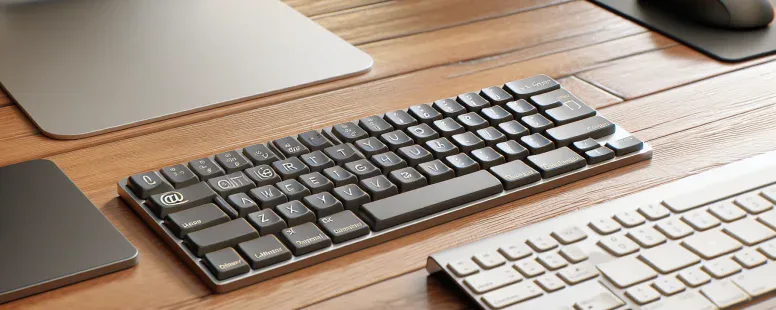
Picture this: you’re typing away on a computer in a new country, only to realize the familiar flow of your fingers feels… off. The keys look almost identical, yet something’s not quite right. Whether it’s a misplaced symbol or an unexpected layout, the subtle differences between UK and US keyboards can catch you by surprise.
From the position of the @ symbol to the shape of the Enter key, these variations aren’t just minor tweaks—they reflect deeper cultural and functional preferences. If you’ve ever switched between these keyboards or plan to, understanding their distinctions can save you time and frustration. So why do they differ, and how does it impact your typing experience? Let’s unravel this fascinating contrast that goes beyond mere aesthetics.
Overview Of Keyboard Layouts
Keyboard layouts in the UK and US differ mainly in key placements and design. These differences, though subtle, directly impact typing accuracy and efficiency.
Key Placement Variations
The placement of certain symbols varies significantly between the two layouts. For example, on a US keyboard, the @ symbol is located above the number 2 key, while on a UK keyboard, it’s placed near the Enter key. Similarly, the # symbol occupies a prominent position above 3 on US keyboards but requires using AltGr + 3 on UK versions.
Design Differences
The Enter key shape differs noticeably. A US keyboard uses a horizontal rectangular Enter key; in contrast, UK keyboards feature an L-shaped version. The left Shift key is also slightly smaller on some UK models to accommodate an additional backslash () or vertical bar (
|
) key.
Regional Adaptation
These changes reflect regional preferences and language requirements. The pound (£) currency sign appears directly above 3 on UK keyboards but isn’t present by default on standard US layouts. Also, double quotation marks (“”) are accessed differently due to varying punctuation norms.
Are you switching frequently between these two configurations? Understanding these distinctions helps reduce typing errors caused by muscle memory adjustments when transitioning from one layout to another.
Key Differences Between UK And US Keyboards
UK and US keyboards differ in layout, design, and symbol placement. These variations can affect your typing speed and accuracy when switching between them.
Placement Of The Enter Key
The Enter key on UK keyboards has an L-shape, while on US keyboards it’s rectangular. This change alters finger positioning during typing. If you’re used to the rectangular shape, the L-shaped key might feel awkward at first. For example, users transitioning from a US keyboard may accidentally press the backslash () key instead of Enter due to its proximity.
Location Of The @ And ” Symbols
The @ symbol is above the number 2 key on US keyboards but near the Enter key on UK layouts. Similarly, double quotation marks (“) are accessed using Shift + 2 in the US configuration but require Shift + ‘ in the UK version. This difference can confuse you if you’re entering email addresses or writing text with frequent quotations.
Additional Keys And Symbols
UK keyboards include a dedicated £ sign to accommodate currency usage in Britain. In contrast, this symbol is absent from standard US layouts. Also, accessing symbols like # often requires combinations like AltGr + 3 on UK configurations but is directly available above 3 on a US keyboard.
Shape And Size Of The Left Shift Key
On many UK models, the left Shift key is smaller than its counterpart on US versions because it makes room for an extra backslash () key or vertical bar (
|
). This alteration impacts touch typists who rely heavily on consistent spacing for modifier keys during shortcuts or text formatting tasks.
Typing Experience And Preferences
Typing on a UK or US keyboard provides distinct experiences due to layout differences and regional adaptations. These variations influence how efficiently you type and the level of comfort experienced during input.
Regional Language Adaptation
UK keyboards accommodate British English symbols, like the £ sign, reflecting local currency needs. The dedicated key for £ simplifies typing financial documents in the UK. In contrast, US keyboards prioritize symbols commonly used in American contexts, such as # for hashtags and @ for email addresses.
The position of quotation marks also differs. On a US keyboard, double quotes (“”) share a key with the number 2, while on UK layouts they align with an alternate position near Enter. This change can disrupt flow when you’re accustomed to one style but switch to another.
For multilingual users typing special characters like é or ü is easier on some layouts due to alternative key placements specific to each region’s linguistic patterns.
Impact On Typing Speed And Comfort
Switching between layouts impacts your muscle memory. An L-shaped Enter key (UK) might slow down typing if you’re used to the rectangular version (US). Accidental presses increase frustration when adjusting from one format too another.
Symbol accessibility also affects speed. For example: accessing # requires Shift+3 on UK keyboards but has its own dedicated location on US models. Such differences demand adjustment time and may lead two reduced efficiency during initial use periods.
Compatibility And Accessibility
Keyboard compatibility and accessibility depend on software, hardware, and user familiarity with the layout. Differences between UK and US keyboards can impact device setup, typing fluidity, and cross-regional usability.
Software And Device Support
Most modern operating systems support both UK and US keyboard layouts. You can toggle layouts through system settings, ensuring seamless functionality regardless of region. For example, Windows allows switching by adding input methods in the language settings menu; macOS offers similar options under System Preferences.
Hardware adaptability is also strong since most keyboards are plug-and-play devices. But, labeling mismatches may create confusion if a physical UK keyboard is paired with a US layout or vice versa. This misalignment affects symbol placements like @ or £ but doesn’t hinder basic alphanumeric inputs.
Custom key remapping tools like SharpKeys or Karabiner-Elements help mitigate these challenges by allowing you to redefine keys based on preference. These solutions optimize accessibility for users frequently alternating between layouts.
Challenges When Switching Between Layouts
Switching between UK and US keyboards disrupts muscle memory due to variations in key placement. Users accustomed to one layout might struggle with symbols requiring different combinations or positions on the other version.
For instance, locating “@” becomes challenging when transitioning from its position above 2 on a US keyboard to near Enter on a UK model. Similarly, adjusting to an L-shaped Enter key instead of a rectangular one might slow down typing speed initially.
Language-specific characters like £ pose additional hurdles for international users unfamiliar with their shortcuts on non-native layouts. The absence of direct access could lead you to rely more heavily on character maps or copy-pasting workflows temporarily affecting productivity.
Adapting involves practice over time as repeated exposure reinforces new patterns in your typographic habits while minimizing errors caused by regional discrepancies in design preferences or functional priorities across the two standards.
Conclusion
Understanding the differences between UK and US keyboards is essential if you frequently switch between layouts or work across regions. These variations, though subtle, can significantly impact your typing efficiency and comfort.
By familiarizing yourself with key placements and layout designs, you can reduce frustration and improve accuracy. Whether it’s getting used to symbol positions or adjusting to a different Enter key shape, practice will help you adapt seamlessly.
With tools like custom key remapping and operating system support for multiple layouts, transitioning becomes easier over time. Embracing these distinctions allows you to navigate both keyboard types with confidence.
To provide the best experiences, we use technologies like cookies to store and/or access device information. Consenting to these technologies will allow us to process data such as browsing behaviour or unique IDs on this site. Not consenting or withdrawing consent, may adversely affect certain features and functions.
Functional
Always active
The technical storage or access is strictly necessary for the legitimate purpose of enabling the use of a specific service explicitly requested by the subscriber or user, or for the sole purpose of carrying out the transmission of a communication over an electronic communications network.
Preferences
The technical storage or access is necessary for the legitimate purpose of storing preferences that are not requested by the subscriber or user.
Statistics
The technical storage or access that is used exclusively for statistical purposes.The technical storage or access that is used exclusively for anonymous statistical purposes. Without a subpoena, voluntary compliance on the part of your Internet Service Provider, or additional records from a third party, information stored or retrieved for this purpose alone cannot usually be used to identify you.
Marketing
The technical storage or access is required to create user profiles to send advertising, or to track the user on a website or across several websites for similar marketing purposes.