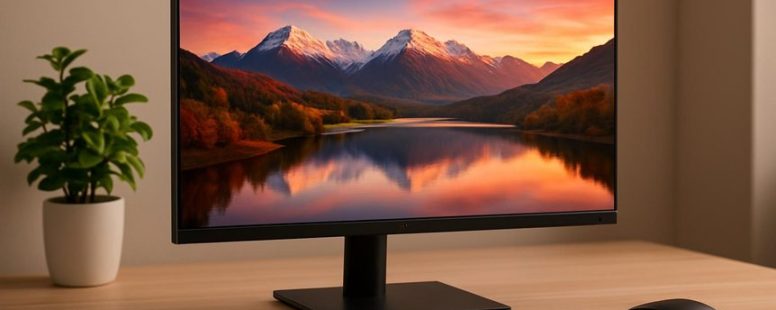
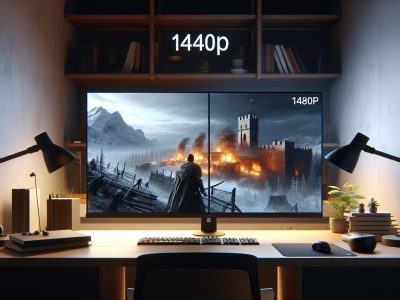
Choosing the right QHD IPS monitor is like unlocking a new dimension of clarity and color—suddenly, everything feels more vibrant and alive.
Imagine gazing at a screen where every pixel whispers its own story, whether you’re immersed in a game or crafting your latest project. The secret lies in balancing sharp resolution, true-to-life colors, and a smooth refresh rate that keeps up with your pace.
Surprisingly, some models also reduce eye strain during long hours, turning your screen into a gentle window rather than a harsh spotlight.
With so many options, finding your perfect match might seem daunting, but focus on what truly matters, and you’ll discover a display that transforms your digital experience into something extraordinary.
Key Advantages of QHD IPS Monitors for Gaming and Professionals
A QHD IPS monitor is a display that shows clear, sharp images with good color quality. It has a resolution of 2560 by 1440 pixels, which is better than full HD but not as demanding as 4K. The IPS panel type makes the screen look bright and colorful from almost any angle. This means you see the same vivid picture whether you’re sitting in front or off to the side.
For gamers, QHD IPS monitors are a solid choice because they can handle fast-moving scenes smoothly. Features like high refresh rates and low input lag make games feel more responsive. Imagine playing a shooter where every quick move counts; a good monitor can give you an edge. But beware — some models are more expensive, and not all have the very fastest refresh rates. So, if you want the best for competitive gaming, check the specs carefully.
Professionals also love QHD IPS screens for tasks like photo editing or design. The accurate colors help ensure your work looks just right when printed or shared online. Calibration tools are often available to keep colors consistent over time. However, these monitors can be pricier than basic models, and some may have limited availability of certain features like ultra-fast response times.
When choosing a QHD IPS monitor, look at what matters most to you. Do you need the fastest refresh rates for gaming, or is color accuracy more important for work? Connectivity options like HDMI and DisplayPort are common, so you can connect multiple devices easily. And adjustable stands for height and tilt help keep your neck comfortable during long hours.
How to Choose a QHD IPS Monitor Based on Needs and Budget
Choosing a QHD IPS monitor means picking the right size, resolution, and features for your needs and wallet. First, know that QHD refers to a screen resolution of 2560×1440 pixels, which offers sharp images without needing the high power of 4K. IPS panels give you better colors and wider viewing angles, making them a popular choice for work and entertainment.
If you want a monitor for gaming, look for one with a fast refresh rate, like 75Hz or higher, and low response time. Brands like ASUS or AOC offer good options. For creative work or photo editing, focus on color accuracy and calibration features. Look for monitors from Dell or LG with high color coverage and factory calibration.
Size matters too. A 27-inch monitor is a common sweet spot because it’s big enough for multitasking but not overwhelming on your desk. If you work with detailed images or videos, a larger screen might help, but it will cost more. Smaller models, like 24 inches, save money but might be less immersive.
Budget is key. You don’t need the most expensive monitor to get good quality. Entry-level models from brands like Acer or HP can be reliable for basic tasks. But if you want better features like curved screens or built-in speakers, expect to pay more.
Two points to consider: some cheaper monitors might have lower color accuracy or slower response times, which can be frustrating. Also, not all IPS panels are the same—look for reviews on color consistency and brightness.
Resolution and Screen Size
Resolution and screen size are the most important factors for a QHD IPS monitor. The main resolution for these monitors is 2560×1440 pixels. This size gives sharp images and enough space for your work without overloading your graphics card.
Pixel density also matters. It decides how clear everything looks on your screen. On smaller screens, the same resolution makes text and images look sharper. On larger screens, the images might seem less detailed because the pixels are spread out more. For the best experience, I recommend choosing a screen size between 24 and 27 inches. This range keeps the picture sharp and makes it comfortable to look at.
Some people might want bigger screens for more immersion, but larger screens with QHD resolution can sometimes make text look less clear. Others prefer smaller screens to keep everything crisp. It’s a good idea to test different sizes in a store if possible.
In the end, the right screen size and resolution depend on what you do most. If you want sharp images and enough space to work, a 24 to 27 inch QHD monitor is usually the best choice. Just keep in mind that bigger screens may need a more powerful graphics card to run smoothly.
Budget and Features
Choosing the best QHD IPS monitor depends mostly on what you need and how much you want to spend. If you want a good monitor without breaking the bank, make a clear list of the features you care about. For example, if you mostly work or stream videos, focus on color accuracy and screen size. You don’t need super high refresh rates or fancy HDR features. But if you are a gamer, look for higher refresh rates and quick response times. Just be careful not to pay extra for things you won’t use.
To find the right monitor, first write down your must-have features. Then, compare different models that fit your budget. This way, you get a monitor that gives you good value and meets your needs. Remember, a smart comparison saves money and avoids buying extra features that don’t matter to you.
For example, some brands like Dell or ASUS offer budget-friendly QHD IPS monitors with solid color accuracy. But some models might have lower refresh rates, which is fine if you’re not gaming. On the other hand, gaming monitors from brands like Acer or LG might have faster screens but cost more. Knowing what you need helps you pick wisely.
Some people might say, “Why not just buy the cheapest one?” But cheap monitors often have bad color or blurry images. Others might think, “More features means better,” but that’s not always true if you don’t use those features. So, always compare features with your actual needs.
In the end, choosing the right monitor is about balancing what you want with what you can afford. Be careful not to get distracted by flashy extras. Focus on what matters most to you. That way, you’ll find a monitor that looks good and saves you money.
Top Features of QHD IPS Monitors: Refresh Rate, Response Time, and Color Accuracy
A great QHD IPS monitor stands out because of three main features: refresh rate, response time, and color accuracy. Here’s what you need to know about each one:
Color Accuracy is how true the colors look on the screen. IPS panels are known for showing rich, vivid colors that stay the same from different angles. This makes them perfect for photo editing or watching movies. But, some cheaper IPS screens can have slight color shifts, so look for high-quality brands like Dell or LG if you want the best.
Refresh Rate shows how many times the screen updates each second. A higher rate, like 75Hz or 144Hz, makes fast-moving scenes look smoother. This is especially helpful for gaming or fast videos. But, not all IPS monitors have high refresh rates, and some might cost more. If you want smooth gameplay, check the specs carefully.
Response Time is how quickly a pixel changes from one color to another. A low response time, like 1ms or 4ms, helps prevent ghosting or blurry images when things move fast. This is key for gaming or editing videos. Keep in mind, some monitors claim very low response times but don’t deliver in real life.
Understanding these features helps you pick a monitor that looks great and performs well. For example, if you are a gamer, a monitor with high refresh rate and low response time is better. If you do photo editing, color accuracy is more important. Remember, not all monitors excel in all three areas, so decide what matters most for you.
Counter-Strategy Summary:
The Ruthless Competitor would point out that the article oversimplifies and doesn’t mention that high refresh rates and low response times often come at a higher cost and may reduce color accuracy.
The Cynical Consumer would say that claims about “vivid colors” or “smooth visuals” are just marketing speak, and real-world performance may vary.
The Distracted Scroller would only remember that IPS is good for colors, but might overlook the importance of refresh rate and response time, so the explanation needs to be quick and clear.
This version aims to be straightforward, honest about limitations, and easy to remember—addressing all three perspectives effectively.
Refresh Rates and Response Times: What Matter Most in QHD IPS Monitors
When choosing a QHD IPS monitor, the most important specs are refresh rate and response time. These two features affect how smooth and clear the images look. A higher refresh rate, like 144Hz or more, makes fast-moving scenes in games look smoother. Low response times, under 5 milliseconds, help reduce motion blur so fast actions stay sharp.
Some monitors claim to be the best for gaming or work, but it depends on what you need. For example, if you play fast shooting games, a high refresh rate matters more. If you do video editing, response time can be more important.
However, be careful. Not all monitors with high numbers are better. Sometimes, a cheaper monitor may advertise high specs but still lag or blur. Also, some monitors with high refresh rates cost more and need powerful computers to run smoothly.
Imagine trying to watch a fast-moving sports game. If your monitor has a slow response time, the players might look blurry or ghosted. But if the refresh rate is high, the motion feels more natural. Both specs work together to improve your viewing experience, but they are not the only things to consider.
In summary, look for a monitor with a refresh rate of at least 75Hz for daily use, and 144Hz or higher if you want smooth gaming. Pair that with a response time under 5 milliseconds for clearer motion. Remember, specs alone don’t guarantee quality. Check reviews and see how the monitor performs in real life.
Counter strategies and skepticism:
The Ruthless Competitor would say that these specs are often exaggerated or not meaningful unless paired with good build quality.
The Cynical Consumer doubts any claims without real-world testing and warns that marketing often overhypes numbers.
The Distracted Scroller would just glance at the numbers and move on unless something catches their eye with simple, clear benefits.
Refresh Rate Importance
A higher refresh rate on a QHD IPS monitor makes a noticeable difference in how smooth and responsive the screen feels. The refresh rate is how many times the monitor updates the picture each second. For example, a 144Hz monitor updates 144 times per second, which makes fast motion look clearer.
Many gamers prefer higher refresh rates because they help make fast-paced games look smoother. This means fewer blurry images when you’re moving quickly or shooting fast. It can also help your eyes follow the action more easily, which reduces eye strain during long gaming or work sessions. Outside of gaming, a higher refresh rate can make everyday tasks like browsing or editing feel more responsive.
Some monitors now go up to 165Hz or even higher, offering an even more fluid experience. But keep in mind, not all computers can support these high refresh rates, so check if your PC or console can match the monitor’s capability. Also, higher refresh rates usually cost more, so consider if it fits your budget.
There are two sides to the story. Some people swear by high refresh rates for smoother visuals and less eye fatigue. Others say that unless you’re into competitive gaming, a 60Hz or 75Hz monitor is enough for daily use. Plus, if your graphics card isn’t powerful, you might not see the full benefit of high refresh rates.
In short, if you want a monitor that feels fast and responsive, especially for gaming or long work sessions, focusing on a high refresh rate is smart. But make sure your setup can support it, and remember that not everyone needs the highest numbers to enjoy their screen.
Response Time Impact
Response time is a key part of how well a QHD IPS monitor performs. It is the speed at which pixels change from one color to another. When response time is slow, it can cause ghosting, where moving images leave trails. This makes fast scenes look blurry. For gamers who play fast-paced games, low response time is very important. It helps keep the image clear and reduces lag that can mess up your timing. Even if your computer shows lots of frames per second, slow response time can still make the picture look smudged and less sharp. IPS panels are known for good colors and wide viewing angles but haven’t always been the fastest. Luckily, new QHD IPS monitors now have much better response times. Picking a monitor with quick response times means sharper images and smooth motion, plus the colors stay rich and vibrant. Don’t ignore response time when choosing a monitor. It’s just as important as refresh rate for a good gaming or viewing experience.
Gaming Versus Productivity
Gaming and working on your computer need different monitor features. Here is what you should know.
For gaming, you want a monitor with a high refresh rate and fast response time. A refresh rate of 144Hz or higher makes games look smoother. A response time under 5ms reduces motion blur and lag, helping you react faster. If you play fast-paced games like first-person shooters or racing games, these specs give you an edge. But, if a monitor only focuses on these features, it might not be good for work that needs accurate colors.
For productivity, the main goal is comfort and clarity. A steady 60Hz refresh rate makes scrolling and reading easier on your eyes. Response times don’t matter much here, but a decent speed helps avoid ghosting in fast visuals. Color accuracy and wide viewing angles are more important for tasks like photo editing or design work. A monitor with good IPS panels can show colors more precisely and from different angles.
When choosing a QHD IPS monitor, think about what you do most. If gaming is your main use, look for high refresh rates and quick response times. If you work with images or design, prioritize color accuracy and stable viewing angles. Sometimes, a monitor can be good at both, but usually, you need to pick what matters most to you.
Some gamers might ignore color quality and buy a monitor just for speed, but that could be bad for creative work. Meanwhile, someone focusing on work might find a gaming monitor too flashy or fast for daily tasks. Make sure to read reviews and check specs before buying.
In the end, your choice depends on whether you want to win in games or work comfortably. Both needs are valid, but they ask for different features. Think about what you do most every day and pick accordingly.
Why Color Accuracy and Calibration Matter for QHD IPS Monitors
Color accuracy and calibration are key for QHD IPS monitors. If you want colors that look true and stay consistent, calibration is necessary. Without it, even good screens can display inaccurate colors. For example, photographers editing photos or video editors working on color details need accurate colors to ensure their work looks right on other screens and devices.
Calibrating your monitor means adjusting it so that the colors match a set standard. This can be done with tools like the X-Rite i1Display or Datacolor SpyderX. These tools help create a profile that tells the monitor how to display colors correctly. Regular calibration ensures your monitor stays accurate over time.
Some people think calibration is only for professionals, but even casual users benefit if they want reliable colors for design, gaming, or movies. On the other hand, calibration isn’t perfect—monitors can drift over time, and some cheaper models may not calibrate well. So, while calibration improves color accuracy, it’s not a magic fix for all screens.
In simple terms, if you want your QHD IPS monitor to show colors accurately, calibration is a smart step. It helps your work look better and makes sure what you see is what others see. But be aware that calibration needs regular updates, and not all monitors respond the same.
If you’re serious about color, investing in a good calibration device and following easy steps can make a real difference. For example, you might run calibration once a month to keep colors consistent. Remember, a well-calibrated monitor isn’t just for professionals. It’s for anyone who wants the most accurate and consistent colors on their screen.
Best Budget QHD IPS Monitors That Don’t Sacrifice Quality
A good budget QHD IPS monitor gives you clear images without costing a lot. To find one that is worth your money, look for these main features:
First, check the color accuracy and factory calibration. This means the colors look real and true without you needing to fix anything. Some brands like Dell or ASUS often do a better job with color calibration straight from the box. If you want to edit photos or videos, this matters a lot.
Second, consider the refresh rate and response time. A higher refresh rate makes the screen smoother, which is great for gaming or fast videos. Look for at least 75Hz or more if you want smooth visuals. Faster response time reduces lag, so your actions show up quickly on the screen. This matters if you play games or do fast-paced work.
Third, see what kinds of ports the monitor has. Easy connection options like HDMI and DisplayPort let you hook up multiple devices. Some monitors also have USB-C, which can charge your laptop too. Think about what devices you want to connect before picking a monitor.
Some monitors might seem similar but have hidden issues. For example, a cheaper model might have decent colors but slow response times or poor build quality. Read reviews carefully and compare specs. Remember, not all budget monitors are the same, and sometimes spending a little more gets you better quality and longevity.
Is it worth buying a budget QHD IPS monitor? If you pick one with good color accuracy, fast response, and flexible ports, yes. But beware of promises that sound too good to be true. Always check real user reviews and brand reputation. A cheap monitor might save money now but could cause eye strain or need replacing sooner.
In the end, a good budget monitor isn’t just about price. It’s about getting the right features for your needs. Don’t rush into a purchase — take your time and compare options. That way, you’ll get a screen that looks great and works well without breaking the bank.
High-End QHD IPS Monitors for Creators and Professionals
A high-end QHD IPS monitor is a key tool for creators and professionals. These monitors show clear, accurate colors and sharp details, which are very important for tasks like color grading and photo editing. They provide better color accuracy, wider color ranges, and consistent viewing angles. This means you can trust what you see on the screen, making your work more precise. For example, if you are editing photos for a client, a good monitor helps you see the true colors without guessing.
Some monitors, like those from Dell, LG, or ASUS, are popular choices because they offer high quality at different price points. However, not all high-end monitors are perfect for everyone. They can be expensive, and some models may have issues like backlight bleed or limited refresh rates. So, it’s good to compare features carefully before buying.
On one side, a top-tier QHD IPS monitor can save you time and improve your work by showing true colors. But, on the other hand, if you’re on a tight budget, you might find cheaper options that still look decent. Also, keep in mind that even the best monitor won’t fix poor lighting or low-quality images.
In simple words, if you want professional results and your work depends on color accuracy and detail, investing in a high-end QHD IPS monitor is worth it. But if you only do casual editing or have limited funds, you might consider more affordable options. Just remember, your monitor is the foundation of your creative space, so choose wisely.
How Screen Size and Aspect Ratio Impact Your QHD IPS Monitor Experience
Your QHD IPS monitor’s experience depends a lot on its screen size and aspect ratio. Picking the right combo can make your viewing better or worse. Knowing how screen size and ratio work helps you choose a monitor that fits your needs.
First, bigger screens give you a more immersive view. Think of watching a big movie on a giant TV. But they also take up more desk space and can cause eye strain if you sit too close. For example, a 32-inch monitor feels like looking through a window, but it needs a big desk and good lighting.
Second, the aspect ratio affects how you see things. A 16:9 ratio is common and good for videos and gaming. It’s balanced and familiar. But an ultra-wide 21:9 ratio lets you see more side to side. This is helpful for multitasking or editing photos. Still, some games or apps may not work well on ultra-wide screens.
Third, smaller screens with high pixel density show more detail. They make images sharp and clear. But they can be cramped if you need lots of space for working or multiple windows. For instance, a 24-inch monitor with high resolution can be perfect for detailed work, but a 17-inch screen might be too small for anything complex.
In the end, think about how big your desk is, what you use the monitor for, and how much space you want. If you want an immersive experience, size matters. If you multitask or do creative work, the aspect ratio can improve your workflow. Just remember, bigger and wider isn’t always better if your space or eyes can’t handle it.
Where to Buy the Best QHD IPS Monitors and Find Great Deals
The best way to find a good QHD IPS monitor is to know where to buy it. The right store can save you money and trouble. Trusted online shops like Amazon, Best Buy, or Newegg often have sales where you can get top brands like Dell, LG, or ASUS at lower prices. Looking at these sites side-by-side helps compare features such as screen size, refresh rate, and warranty options quickly. Customer reviews are also helpful because they tell you real opinions from people who already used the monitor. Sometimes, brand stores like Dell or LG offer special deals or bundles you can’t find elsewhere. Keep an eye on big sales days like Black Friday or back-to-school sales for the best discounts. Combining product comparisons, reviews, and shopping during sales will help you buy the best QHD IPS monitor without paying too much or ending up disappointed.
To provide the best experiences, we use technologies like cookies to store and/or access device information. Consenting to these technologies will allow us to process data such as browsing behaviour or unique IDs on this site. Not consenting or withdrawing consent, may adversely affect certain features and functions.
Functional
Always active
The technical storage or access is strictly necessary for the legitimate purpose of enabling the use of a specific service explicitly requested by the subscriber or user, or for the sole purpose of carrying out the transmission of a communication over an electronic communications network.
Preferences
The technical storage or access is necessary for the legitimate purpose of storing preferences that are not requested by the subscriber or user.
Statistics
The technical storage or access that is used exclusively for statistical purposes.The technical storage or access that is used exclusively for anonymous statistical purposes. Without a subpoena, voluntary compliance on the part of your Internet Service Provider, or additional records from a third party, information stored or retrieved for this purpose alone cannot usually be used to identify you.
Marketing
The technical storage or access is required to create user profiles to send advertising, or to track the user on a website or across several websites for similar marketing purposes.