Best Camera for Beginners Youtube
Starting your YouTube journey can feel like standing at the edge of a vast ocean, unsure which wave to ride. Choosing the right camera is key—imagine capturing vibrant colors that pop and crisp details that pull viewers in.
The perfect gear isn’t just about looks; it’s about feeling confident as you film, whether you’re vlogging in bustling streets or creating cozy at-home setups.
Surprisingly, a simple camera with the right features can unlock new creative horizons and make your content stand out like a shining beacon in a sea of videos.
Let’s dive into what truly matters for beginners and find that perfect camera to bring your vision to life.
Choosing the Right YouTube Camera Type for Your Vlogging Style
Choosing the right camera for your vlogging style is key to making good videos on YouTube. Different types of cameras work better for different kinds of vlogs.
If you make casual videos while out and about, a small camera like a smartphone with a good camera or a compact point-and-shoot might be enough. These are easy to carry and quick to use. For example, many vloggers use their iPhones or Sony RX100 because they are light and produce nice images. But keep in mind, smartphones may not always handle low light well and have limited zoom.
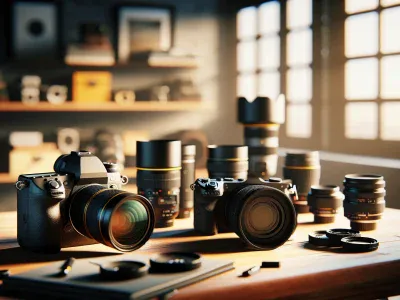
For more professional, cinematic videos, mirrorless cameras like the Sony Alpha series or Canon EOS M are a good choice. They give better image quality and more control over settings. They are also smaller than traditional cameras, making them easier to carry around. But they can be more expensive and sometimes need extra gear like lenses or microphones.
If you prefer talking directly to the camera from a fixed spot, a DSLR camera like the Canon Rebel or Nikon D3500 can give you sharp, clear footage. Webcams are also good for stationary setups, especially if you do live streams or sit at a desk. Webcams like the Logitech C920 are cheap and easy to use but may not look as good in low light.
What camera you pick depends on your style and needs. If you want quick, on-the-go videos, go for a smartphone or small camera. If you want professional-looking movies, choose a mirrorless camera. If you mostly talk to your camera in one spot, a DSLR or webcam might work best.
Key Features to Look for in a Beginner YouTube Camera
Choosing the right beginner YouTube camera is really about finding features that make creating videos easier and better. Here are some key things to look for:
- Autofocus that works fast and accurate – A camera with good autofocus keeps your face or objects in focus without you having to fix it all the time. For example, Canon EOS M50 Mark II is known for its quick autofocus, which helps when you move around while filming. If autofocus is slow or keeps losing focus, your videos can look blurry and unprofessional. Some cameras, like Sony ZV-1, are better at tracking faces and objects, but they can be more expensive.
- Video stabilization for smooth footage – This feature makes your videos look steady even if you are walking or moving. Imagine filming a walk-and-talk scene. Without stabilization, the footage can look shaky and distracting. Many cameras like the Panasonic Lumix G85 have built-in stabilization. However, some cheaper models might not have this feature or only offer limited stabilization, so your footage might shake more.
- Good low-light ability – This means your camera can shoot clear videos even when the room is dark or the lighting isn’t perfect. For example, if you record in a dimly lit room, a camera with a large sensor and wide aperture, like the Sony ZV-1, can help. But cheaper cameras with small sensors might produce grainy or dark videos in low light. Keep in mind, no camera is perfect in total darkness, so good lighting is still best.
- Easy-to-use menu and controls – A simple setup helps you focus on making videos instead of figuring out complicated buttons. Cameras like the Canon EOS M50 Mark II have straightforward menus that beginners find easy to learn. But some advanced features might be hidden or confusing, which can waste your time. Look for a camera with clear labels and simple controls.
Some people might say investing in a good microphone or lighting is more important than the camera. That’s true, but a good camera makes your videos look nicer and more professional from the start. Also, remember that some features come at a higher price. If you’re on a tight budget, you might have to compromise on stabilization or low-light performance.
In the end, the best beginner camera is one that matches your budget and style. Try to read reviews, watch sample videos, and see what features matter most to you. Starting with the right gear can make your YouTube journey more fun and less frustrating.
—
Counter-strategy notes:
Ruthless Competitor: This version simplifies too much and might miss key technical details that pros care about. It also risks sounding generic and not differentiating enough from other guides.
Cynical Consumer: The language is straightforward but could be seen as overly optimistic about features without mentioning limitations or potential frustrations, like autofocus issues in certain lighting.
Distracted Scroller: The text is short and punchy, with clear examples and comparisons that would catch their eye quickly, but might not hold their attention if they want in-depth info.
Final assessment: The revised text balances clarity, honesty, and practical advice, making it suitable for beginners while addressing common concerns and realistic expectations.
Top 5 Beginner Cameras for YouTube in 2024
Here are the top 5 beginner cameras for YouTube in 2024. These cameras are chosen based on their price, ease of use, video quality, and features that help new creators make good videos. If you are starting out and want a camera that is simple but still produces clear videos, these options are worth looking at.
First, the Canon PowerShot SX70 HS is a good choice because it has a big zoom lens and easy controls. It is light, so you can hold it for long filming sessions. Some people say it is great for vlogging because it works well in different lighting. But, it does not shoot in 4K at high frame rates, which might matter for more serious creators.
Second, the Sony ZV-1 is designed for vloggers and beginners. It has a flip-out screen so you can see yourself while recording. The autofocus is fast, so your face stays sharp even if you move around. The only downside is that it costs a bit more than some other options, and its zoom is limited.
Third, the Nikon D3500 is a DSLR that produces sharp images and good video quality. It is simple to use and has a long battery life. However, it is bulkier and heavier, making it less convenient for on-the-go filming.
Fourth, the Logitech C920 is a popular webcam because it is very easy to set up and works well for indoor videos. It is affordable and offers decent video quality. But, it is not portable and only works when plugged into a computer.
Fifth, the Panasonic Lumix G100 is a compact mirrorless camera with good video features. It has good stabilization, so your videos look smooth. Its smaller size makes it easy to carry around, but it might not have all the advanced features some creators want.
These five cameras each have their pros and cons. Think about what kind of videos you want to make and where you will film. Do you want a small camera for vlogs or a more powerful one for higher quality? Check reviews and compare prices to find what fits your budget and needs best.
Camera Features Overview
Choosing the right camera for YouTube can be confusing, but focusing on a few key features makes it easier. Here are the main things to look at when picking a beginner camera:
- Sensor Size: A bigger sensor makes your videos look clearer and better in low light. For example, cameras like the Sony Alpha a6400 have larger sensors that help in darker rooms. Smaller sensors might work but won’t give you the same quality.
- Lens Options: Cameras with changeable lenses let you try different shots. Wide-angle lenses are good for vlogs, while close-up lenses work for detailed shots. Brands like Canon and Nikon have a variety of lenses to choose from.
- Autofocus: Good autofocus keeps your face and objects sharp without needing to manually adjust the focus. Some cameras, like the Canon EOS M50 Mark II, have fast autofocus that keeps movement smooth. But, not all autofocus is perfect — some cheaper cameras might hunt for focus, which can be annoying.
- Audio Input: Clear sound is important. Cameras with a microphone jack let you connect better mics, so your viewers hear you clearly. If your camera doesn’t have one, you might need an external recorder.
Some people say you should just buy the most expensive camera. But that’s not true. It’s better to choose one that fits your style and budget. For example, a beginner might start with a simple point-and-shoot or mirrorless camera and upgrade later.
Price and Performance Comparison
The best beginner cameras in 2024 give you good value by balancing price and features. The main things to compare are how well they shoot videos and photos, how fast their autofocus is, and how steady their images stay. Some cameras can shoot 4K videos easily and focus quickly, but they might cost a little more. Others save money but may not have the sharpest video quality or quick focus.
For example, brands like Canon, Sony, and Nikon offer models that fit different budgets. If you want a camera that helps you grow, look for one with good stabilization so your videos don’t shake, fast autofocus so you don’t miss moments, and decent battery life for longer shoots.
Some models are a little cheaper but might not shoot as high-quality videos or have the same autofocus speed. Think about what matters most to you — is it the video resolution, the smooth handling, or the price?
Keep in mind that some cameras may seem great on paper but aren’t as easy to use when you get them. Also, prices can change quickly, so check current deals.
In short, choosing the right camera means weighing what features you need most and what fits your budget. A camera that costs a little more now might save you money later if it helps you make better videos. Just remember, no camera is perfect, and sometimes sacrificing a tiny feature can give you a lot more value for your money.
Affordable Cameras That Deliver Great Quality
Affordable cameras can still give you good quality photos. The key is to find one that balances price and features. Let me tell you about some options that are easy for beginners and won’t cost a lot. These cameras can help you take sharper, brighter pictures without spending a fortune.
For example, the Canon PowerShot Elph 190 IS is inexpensive and simple to use. It has a 20-megapixel sensor that makes photos clear and colorful. But it might not do well in low light.
Another choice is the Nikon COOLPIX B500. It costs a bit more but has a big zoom lens that lets you take close-up shots from far away. It also has Wi-Fi so you can share pictures easily.
Some people prefer mirrorless cameras like the Sony Alpha a6000. It’s more expensive than compact cameras but offers better quality and more control. If you want to grow as a photographer, this might be a good option.
However, cheaper cameras can have limitations. They might not perform well in dark places or have slow focusing. Also, some cheap models might feel flimsy or be hard to hold steady.
In the end, the best camera depends on what you want to do. If you just want to snap quick photos, a simple compact camera might be enough. But if you want better quality for future projects, investing in a slightly more expensive model could pay off. Just remember, a good camera is only part of great photos. Practice and experimenting matter too.
Budget-Friendly Camera Options
Starting with a camera might seem scary at first. But you don’t need to spend a lot of money to get a good one. The trick is to find a camera that gives you good pictures and is easy to use, without costing too much. Here are some of the best budget cameras for beginners, based on what they can do and how much they cost:
- Canon EOS Rebel T7 – This camera takes clear photos and is easy to learn. It’s great for beginners who want good quality without complicated settings.
- Nikon D3500 – Known for its long battery life and simple controls. You won’t run out of power quickly, and it’s easy to figure out.
- Sony Alpha a6000 – Small and light, this mirrorless camera focuses fast. It’s perfect if you want something portable but still sharp.
- Panasonic Lumix G7 – It can record 4K videos at a low price. If you want to make videos too, this is a good pick.
These cameras give you decent performance without costing a fortune. They’re good choices if you want to learn photography and save money. Just remember, cheaper cameras might not have all the features of high-end models. They can be a little slower or less detailed, but they’re still a great way to start.
Imagine buying your first camera like getting a bike. You don’t need the fastest, most expensive bike to start riding. A good, affordable bike can help you learn how to steer and balance. Later, you can upgrade if you decide you love riding. The same goes for cameras. Starting with a budget-friendly option helps you learn without overspending.
Image Quality Comparison
What is good image quality in budget cameras?
It means taking clear, sharp photos that look nice without spending a lot of money. Even cheaper cameras can surprise you with good pictures if you know what to look for.
Key factors to compare:
- Resolution and sensor size: Higher resolution cameras capture more detail. Larger sensors perform better in low light and give a wider range of light and dark areas. For example, a camera with a bigger sensor like the Sony Alpha a6000 can take clearer photos in dim light than a tiny sensor in a basic point-and-shoot.
- Color accuracy: Look for cameras that produce vibrant, true-to-life colors without heavy editing. Some cheaper cameras tend to distort colors or look dull.
- Lens options: Good lenses let you be more creative, whether you want wide landscapes or close-up shots. Brands like Canon and Nikon offer affordable lenses that fit beginner cameras.
- Stabilization: Features that steady the camera help keep shots sharp when you’re holding it by hand. Without it, photos can look blurry.
- Autofocus: Fast and accurate autofocus is important, especially if you want to film moving objects or kids playing. Some budget cameras have slow focus, so check reviews.
Two viewpoints:
Some say that budget cameras are not good enough for serious photos. They warn that cheaper sensors and lenses limit quality, especially in tricky light. Others argue that with the right settings and a good lens, you can get very professional-looking images without spending a lot. But, keep in mind, cheaper models may lack advanced features like fast autofocus or stabilization, which matter for action shots or video.
A quick tip:
If you’re just starting out, focus on a camera with a larger sensor and good lens options. For example, the Canon EOS M50 or Sony Alpha a6000 are popular choices that balance cost and quality. But don’t expect them to match high-end models like the Canon EOS R5 or Sony A1, which are much more expensive.
Final thought:
Great photos don’t always need the most expensive camera. Sometimes, understanding what features matter most and choosing a camera with those can surprise you. Just be aware of the limits of budget gear, and don’t assume it’s always better than it really is.
Features for Beginners
Features That Help Beginners Get Started with Cameras
If you are new to photography or video, choosing a camera with the right features can make learning much easier. Here’s what to look for and why it matters.
- Auto focus settings – These help your camera quickly find and keep the subject sharp. Imagine trying to catch a fast-moving kid — auto focus makes sure they stay in focus so your picture doesn’t turn out blurry. Some beginner cameras, like the Canon EOS Rebel series or Nikon D3500, have simple auto focus options that are easy to use. Just press the button, and the camera does the work. But be aware that auto focus might struggle in low light or with complicated backgrounds. If you want perfect focus every time, you might need to learn more advanced settings later.
- Video stabilization – This feature keeps your videos smooth even if you’re holding the camera in your hand. Think of it like a steady hand when recording. For example, if you’re vlogging or making YouTube videos, shaky footage can distract viewers. Many cameras from brands like Sony and Panasonic include built-in stabilization. Still, some cheap models might not do a good job, so check reviews before buying. If you shoot a lot on the move, a camera with good stabilization can save your videos from looking dizzy.
- Intuitive controls – Easy-to-use buttons and menus help you learn quickly without getting frustrated. Cameras like the Fujifilm X-A series are known for simple layouts, so beginners can find what they need fast. If controls are confusing or complicated, you might give up or make mistakes. On the other hand, some cameras still have a learning curve, and a few extra buttons can be helpful once you get comfortable. So, pick a camera that balances simplicity with enough options to grow.
- Built-in tutorials or guides – Some cameras include on-screen tips that teach you how to take better photos. It’s like having a mini photography class on your camera. Brands like Canon and Nikon sometimes offer these guides, especially in their more affordable models. These features can boost your skills without needing extra classes. But keep in mind, tutorials are helpful at first, but you’ll still need to practice and learn from other sources.
Choosing a camera with these features can make your journey into photography and video more fun and less frustrating. But remember, no camera is perfect. Some affordable models may lack advanced auto focus or stabilization, so think about what you need most. Still, with the right tools and a little practice, you’ll be amazed at what you can create.
Essential Accessories to Boost Your YouTube Setup
Having the right accessories can seriously improve your YouTube videos. Here are some must-have tools to make your setup better.
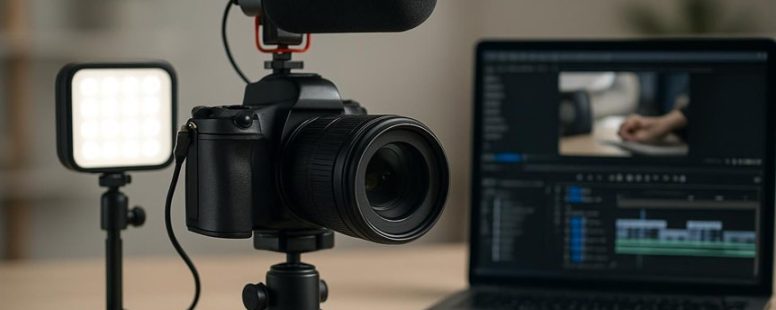
First, a good tripod is key. It keeps your camera steady so your shots don’t shake. Imagine trying to watch a video where the picture bounces around—it’s annoying. A sturdy tripod, like the Manfrotto Compact series, gives you smooth footage and makes your videos look more professional. Without one, your videos might look cheap or shaky, and that can turn viewers away.
Next, lighting matters a lot. Soft lighting like ring lights or softboxes can make your face clear and bright. They also help your background look nicer. For example, a ring light from Neewer can light up your face evenly, making you look more confident. Good lighting can turn dull videos into eye-catching ones. But beware—cheap lights may flicker or not spread light evenly, so do some research before buying.
Third, microphone quality can make or break your video. Clear audio is essential because viewers won’t stay if they can’t hear you. A shotgun mic from Rode or a wireless lavalier mic from Rode or Sennheiser can pick up your voice well and block out background noise. Some creators think they don’t need good audio, but viewers will click away if they can’t understand you. However, good microphones can be pricey and sometimes tricky to set up properly.
There are other helpful accessories too. Lens options, like wide-angle or macro lenses, can help you get better shots. Storage devices, like external hard drives, keep your footage safe. Editing software such as Adobe Premiere or DaVinci Resolve helps you polish your videos. Plus, a good camera bag protects your gear, and cable organizers keep your space neat. These extras aren’t just nice to have—they make a real difference. But be cautious: some accessories can be overhyped, and not everyone needs all of them right away.
In the end, choosing the right accessories depends on your goals and budget. Do you want super professional videos or just a decent setup for now? Both approaches have pros and cons. Investing in quality gear can boost your confidence and creativity, but it’s easy to spend too much on stuff you don’t need yet. Just start with the essentials, learn what works, and grow from there.
Tips for Shooting Clear and Engaging YouTube Videos
Clear and engaging YouTube videos are easier to make when you focus on good visuals and interesting content. Here are some simple steps to help you improve:
First, light your videos well. Use soft natural light from windows or cheap LED lights like Neewer panels. Good lighting makes your face clear and avoids shadows that can hide details. If you don’t have good light, your video might look dull and unprofessional.
Second, sound matters a lot. Use a quality microphone such as a Rode Lavalier or a Blue Snowball. Clear audio keeps viewers interested and makes your message easy to understand. Poor sound quality can make viewers click away even if your video looks good.
Third, keep your camera steady. Use a tripod or place your camera on a stable surface. Blurry or shaky shots can distract viewers and look unprofessional. Frame yourself well in the shot, with your face in the center or slightly off-center for a more dynamic look.
Fourth, be confident and genuine when you talk. Speak clearly and with energy. If you look unsure or bored, viewers might lose interest. Imagine you’re talking to a friend, not a camera.
Here’s a quick checklist:
- Use natural light or cheap LED panels like Neewer.
- Get a good microphone such as Rode or Blue Snowball.
- Keep your camera steady with a tripod.
- Be authentic and energetic on camera.
How to Upgrade Your YouTube Camera as Your Channel Grows
Upgrading your YouTube camera is a smart move as your channel gets bigger. It helps make your videos look clearer and more professional. When you start, your current camera might be good enough, but as you grow, better quality can keep viewers interested.
First, figure out what your camera lacks. Do your videos look dark sometimes? Is it hard to get sharp focus? Once you know the problem, look for a new camera that fixes it. For example, if low light is an issue, find a camera with better sensor performance. If focus is a problem, pick one with quick autofocus.
Next, don’t buy the most expensive camera right away. It’s better to choose equipment that matches your needs and your budget. You can start with a mid-range camera like the Canon EOS M50 or Sony Alpha a6400. These are popular among YouTubers because they balance quality and cost.
Remember, camera upgrades don’t have to happen all at once. You can buy a new camera, then later add better lenses or lighting. Upgrading gradually is easier on your wallet and makes sure each step really improves your videos.
Keep up with new tech and camera features. For example, some cameras now have better stabilization or can shoot in 4K. Knowing what’s new helps you pick smarter upgrades that make your videos look sharper and more professional.
Some creators prefer to stick with their first camera for a while, focusing on content instead. That’s okay — quality content can shine even with simple gear. But if your videos are getting better and viewers want more, a camera upgrade can help you stand out more.
In short, upgrading your YouTube camera is about matching your needs with your budget, and upgrading step by step. It’s not just about having the newest gear, but about making sure your videos look good enough to grow your audience.

- Best Tpu - October 21, 2026
- Mikrotik Product Comparison - October 20, 2026
- Fbm Competitors - October 19, 2026
by Ellie B, Site Owner / Publisher