Best Android On a Budget
You can get a phone in 2026 that handles everyday apps, shoots solid photos, and lasts a full day on a single charge without spending premium money. The phrase “budget phone” no longer means compromise at every turn, it means choices. From value-oriented powerhouses to clean-software models that run smooth for years, the best Android on a budget now offers surprising strengths: fast charging that gets you to 50% in 15 minutes, AI-assisted camera processing, and multi-year update promises on some models. This guide helps you sort what matters, compare the leading options, and buy smart so your next phone gives you the most for your money.
What ‘Budget’ Means In 2026: Price Tiers And Expectations
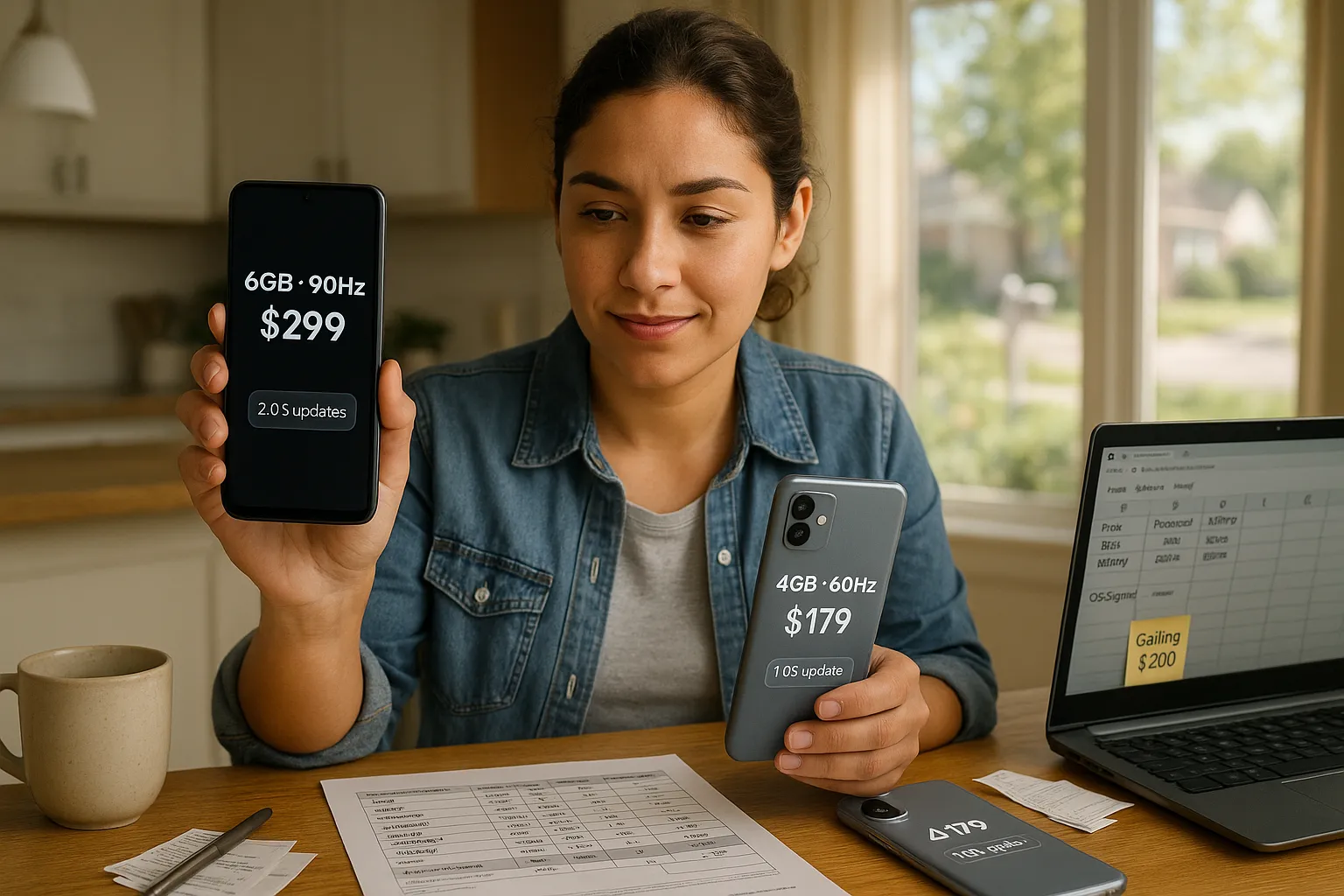
Fact: In 2026, “budget” commonly refers to phones priced between $150 and $350. Devices under $150 tend to be ultra-budget with significant compromises: phones $350–$500 sit in the lower-midrange. Expectation: at the $150–$350 band you should get a modern chipset, 6–8GB RAM options, 90–120Hz displays in many models, and at least two OS updates with security patches for a few years.
Context and nuance: Market data from firms like IDC and Canalys shows that component costs and AI features pushed prices down for some performance segments. You will find phones labeled “entry” and “value” that include vendor-specific AI features, and “lean” models that cut extras to keep software clean. That means your real decisions will be about trade-offs, camera flexibility vs raw processing speed, bloatware vs features, or battery capacity vs weight.
Practical takeaways: Set a firm price ceiling before you look. If you can stretch toward $300–$350 you often buy a noticeably better processor or extra year of OS support. If you must stay under $200, accept that some corners, like ultra-low-light camera performance or premium materials, will be weaker, but battery life and basic performance can still be strong.
Best Budget Android Phones To Consider
Fact: Four brands dominate the budget sweet spot in 2026: Xiaomi (Redmi line), Samsung (A series), Motorola (G series), and OnePlus (Nord/lean models). Each takes a distinct approach to value.
You should weigh your priorities and pick the brand that matches them. Below are concise key points so you can compare quickly.
Xiaomi Redmi Note (Value Flagship Alternative), Key Points
Fact: Redmi Note models aim to offer flagship-class specs at midrange prices. You get powerful SoCs from MediaTek or Qualcomm, large AMOLED panels, and high-megapixel sensors. Xiaomi often includes fast wired and sometimes wireless charging, plus aggressive pricing.
Why choose it: You want raw performance and screen quality for gaming or media. A Redmi Note often gives the best chipset-per-dollar ratio. Be aware: MIUI can include extra apps you may not want: you can disable most but they show up initially.
Real example: recent Redmi Note releases offered 120Hz AMOLED and 67W fast charge at sub-$300 price points, rare in earlier years.
Samsung Galaxy A Series (Balanced Choice), Key Points
Fact: Samsung focuses on balanced hardware, reliable cameras, and better software policies for the A series. You get a refined interface, solid warranty support, and decent after-sales service.
Why choose it: You want consistency, good color accuracy, and timely security patches. Samsung often promises multi-year update windows even on budget A models, this matters if you plan to keep the phone long.
Practical note: Samsung trades off raw power for software polish, so gaming benchmarks might lag behind Redmi models at the same price.
Motorola G Series (Clean Android, Long Battery), Key Points
Fact: Motorola G phones prioritize near-stock Android, battery endurance, and durable builds. They ship with minimal bloat and add small, useful gestures from Motorola.
Why choose it: You want a clean UI, long-lasting battery, and predictable performance. Motorola often tweaks the OS less, which can mean smoother long-term experience and fewer background apps draining battery.
Vulnerability: Camera systems are adequate but not class-leading: you sacrifice photographic versatility for battery and software simplicity.
OnePlus Nord CE/Lean Models (Performance-Focused), Key Points
Fact: OnePlus Nord CE and lean variants aim to provide snappy performance with optimized OxygenOS (or lean Oxygen) and solid charging speeds.
Why choose it: You prefer smooth UI, consistent refresh rates, and quick charging. OnePlus often balances performance and software updates well in the sub-$400 band.
Consideration: Storage and camera modules may be less ambitious than Redmi at the same price. But you’ll get a refined user experience and often better community support for tweaks.
How To Choose The Right Budget Android For You
Fact: Start with your primary use case and rank features. Are you a heavy gamer? Prioritize processor and cooling. A camera-first person? Prioritize sensor size and image processing.
Performance And Processor: What Matters Most
Fact: Processor choice defines day-to-day speed. Look for recent Snapdragon 6-series or MediaTek Dimensity chips in this price band. These chips balance battery and speed.
Advice: Compare real-world benchmarks like web browsing, app launch times, and sustained gaming tests. Don’t be distracted by single-core scores alone. Thermal throttling matters: a phone that slows after 10 minutes of gaming is worse than a slightly slower phone that keeps speed.
Battery Life And Charging: Real-World Considerations
Fact: Battery capacity and system efficiency determine real endurance. Phones with 5,000mAh plus efficient chips commonly deliver a full two-day use for moderate users.
Tip: Fast charging is useful but damages battery health faster at extreme speeds. Prefer 30–67W charging for balance. Check for battery replacement policies if you plan to keep the phone long.
Camera Quality Versus Features: What To Prioritize
Fact: Sensor size and processing matter more than megapixels. A 50–64MP sensor with good image processing usually beats a 108MP sensor with weak optics.
Advice: Look for sample shots in low light and at high dynamic range. If you care about ultrawide shots, verify field of view and distortion correction. Optical stabilization is rare in low-cost phones, so expect software stabilization.
Software, Updates, And Long-Term Support
Fact: Software support impacts security and longevity. Samsung and some OnePlus models now promise 3+ years of Android updates at budget price points.
Advice: Favor manufacturers that publish update policies. A clean Android experience (Motorola, Pixel alternatives) can feel faster and age better due to less bloat. If updates matter, spend a bit more, it’s worth it.
Build Quality, Display, And Ergonomics
Fact: Glass and metal are rarer: many budget phones use plastic frames with glass or plastic backs. That doesn’t always mean fragility, design choices and internal reinforcement matter.
Tip: Hold the phone if possible. Check weight distribution and one-handed reach. A slightly heavier phone with a 5,000mAh battery may suit you better than a lighter phone that forces frequent charges.
Buying And Saving Strategies To Stretch Your Budget
Fact: Timing and channel matter more than a few dollars in list price. You can save substantially with timing and sensible trade-ins.
When To Buy: New Releases, Seasonal Sales, And Carrier Deals
Fact: Major sales windows, Black Friday, Prime Day, back-to-school, often drop prices by 10–30%. New model launches usually push previous generation prices down.
Strategy: If you want the newest features, buy at launch: if price matters more, wait 6–12 weeks after launch or watch sales. Carrier deals can be attractive but read the fine print: they may require multi-month contracts.
Refurbished And Certified Pre-Owned Options: Risks And Rewards
Fact: Certified refurbished phones often carry a warranty and can be 20–40% cheaper than new. Risks include shorter lifespan and possible battery wear.
Advice: Buy from reputable sellers that provide a 90-day+ warranty and clear battery health info. Check for refurbished-by-manufacturer options when possible.
Trade-Ins, Financing, And Warranties To Consider
Fact: Trade-ins reduce upfront cost but can lower resale value if the price is poor. Financing spreads payments but adds risk if you change plans.
Advice: Compare trade-in offers against private sale value. Read warranty terms: accidental-damage coverage matters if you’re clumsy. Extended warranties sometimes cost more than a replacement in this price band, so weigh carefully.
Common Trade-Offs With Budget Android Phones (And How To Mitigate Them)
Fact: Every budget phone makes trade-offs, usually in camera, display quality, materials, or long-term support. Recognizing them early helps you avoid regrets.
Display compromises: Many budget phones use LCD instead of OLED, or lower peak brightness. Mitigation: Buy models with at least 90Hz and decent color accuracy. Use auto-brightness and a matte screen protector to cut glare.
Camera compromises: Low-light performance and zoom are often weak. Mitigation: Use night mode, shoot RAW when available, and rely on software like Google Photos or Lightroom Mobile for post-processing.
Performance compromises: Slower storage or throttling under load. Mitigation: Pick higher RAM and UFS storage variants when possible. Close background apps and disable animations to keep the UI snappy.
Software compromises: Short update windows or bloatware. Mitigation: Choose brands with clearer update policies (Samsung, OnePlus) or buy near-stock Android devices (Motorola, Pixel alternatives). Use minimal app setup and avoid carrier-branded firmware where possible.
Warranty and repairability: Cheap parts and limited service networks increase repair costs. Mitigation: Invest in a case and screen protector, and consider an extended warranty if you are accident-prone.
Honest warning: You will not get flagship camera quality or the absolute top processor in this price range. But if you prioritize one or two features and accept reasonable trade-offs, you can buy a phone that serves you well for years. Make a list of must-haves before shopping and you won’t get swayed by flashy specs that don’t match your daily needs.

- Top Free Alternatives to VTube Studio for Streamers - October 24, 2026
- Software Development Models Comparison: SDLC Frameworks - October 23, 2026
- WxWidgets Alternatives for Cross-Platform GUI Development - October 22, 2026
by Ellie B, Site Owner / Publisher