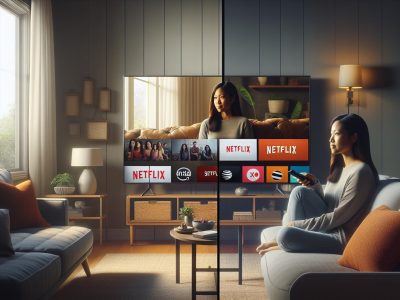
Picture this: your living room bathed in the soft glow of evening, popcorn crackling, remote in hand as you scroll through endless choices. The world of streaming has turned your TV into a portal, but which gateway offers the richer adventure—Hulu or YouTube TV? Each promises a buffet of shows, live sports, and exclusive perks, yet the differences run deeper than channel lists or price tags.
Maybe you crave the thrill of binge-worthy originals or the comfort of live news as it happens. Perhaps you’re hunting for features that fit your wild schedule or tech that feels like magic. The decision isn’t just about what’s on—it’s about how seamlessly entertainment blends into your life. Immerse and discover which streaming giant truly deserves a place at the heart of your home.
Comparing Hulu and YouTube TV: An Overview
You get a streaming war on your livingroom TV. Hulu and YouTube TV both toss their hats in the ring each fighting for your attention—one offers sprawling libraries of on-demand films and series, and the other jumps in with a robust lineup of live TV channels. If live sports draw your eye, both platforms highlight popular leagues like NFL, NBA, and MLB, which is a win for fans. Hulu’s original shows like The Handmaid’s Tale or Only Murders in the Building have built a reputation for buzzworthy storytelling, yet YouTube TV answers with unlimited cloud DVR space and multi-device viewing that let you catch up on games or news wherever you want.
Think back to when you missed the Super Bowl and scrambled for highlights the next morning. With YouTube TV’s rewind feature, you’d replay every touchdown—no spoilers needed. Hulu counters with entire seasons dropping at once, perfect for those weekends when you’re diving deep into sequels or discovering docuseries; which, doesn’t everyone binge something new after a busy week?
Pricing shapes the decision, too. As of March 2024, Hulu + Live TV asks $76.99 monthly and has Disney+ and ESPN+ bundled in, so you get major sports events and kids’ content in one go [Hulu Offerings, 2024]. YouTube TV, priced at $72.99, focuses on a simpler interface and a quick setup that some users find less overwhelming [YouTube TV FAQ, 2024]. Which do you want: bundled extras or streamlined access?
Both platforms clash in interface design. Hulu drops you into a carousel of personalized picks, sometimes so tailored you’ll wonder if they know your secret sitcom habits. YouTube TV goes for function—clean menus, rapid switching, and a search feature that rarely leaves you guessing what’s trending.
It’s not about which service reigns supreme universally; rather, it’s about which streaming contender fits your household choreography. Ask yourself: does your family want curated experiences with originals, or do you value seamless surfing through countless live channels, no time wasted?
Content Offerings and Channel Lineup
Content depth and channel variety shape your streaming experience. Hulu and YouTube TV aim to anchor your living room as the all-in-one hub, but their lineups diverge.
Live TV Channels
Live TV access remains pivotal for sports, news, and event fans. YouTube TV, with over 100 channels, covers national networks like ABC, NBC, Fox, and CBS. It includes specialized sports entities such as NFL Network, NBA TV, and MLB Network—drawing you into the heart of gameday action. Hulu + Live TV provides 90+ channels, matching the big networks but swaps some regional sports networks for unique picks like ACC Network and Disney channels. For instance, you’ll catch “Sunday Night Football” on YouTube TV, but Hulu might pull you toward “Monday Night Football” on ESPN. Which lineup feels like home? If you’re seeking the most regional sports coverage, check each service’s local availability using your ZIP code, as market blackouts might limit what streams in your area. According to CNET’s 2024 channel comparison, YouTube TV’s lineup edges ahead for sheer comprehensiveness; still, Hulu wins for bundled perks like Disney+.
On-Demand Libraries
On-demand libraries influence your binge-watching nights and lazy weekends. Hulu grants you access to an extensive catalog, from Hulu Originals like “The Bear,” to network series such as “Grey’s Anatomy.” With Disney+ and ESPN+ bundled, you unlock Star Wars, Pixar, Marvel, plus exclusive sports documentaries—a rich multiverse swirling at your command. YouTube TV’s on-demand catalog looks more limited, centered around catch-up episodes from aired channels, but you’re armed with unlimited cloud DVR so you rarely miss a moment. Do you desire streaming originals, or just want yesterday’s late-night monologue on demand? Hulu shines if you crave a mix of mainstream hits, edgy originals, and family content; YouTube TV keeps your focus on live TV, with recordings filling in the on-demand gap. If you want to balance on-demand variety with live feeds, Hulu with its bundled streaming access is unmatched.
Channel variety and library breadth—these are your twin compasses in the streaming wilderness. If you weigh sports and local news heavily, YouTube TV’s robust live lineup speak loudly. If you value original storytelling and bundled content, Hulu’s library quietly draws you into its world. Review each service’s channel guide and on-demand sections before you commit, as programming contracts can shift—sometimes with little warning.
User Experience and Interface
User experience shapes every moment spent streaming—every click, scroll, and pause. Hulu and YouTube TV both aim for intuitive design, but the way you interact with each sets the tone for your entire viewing journey.
Navigation and Ease of Use
Navigation defines how quickly you find live sports, news, or your favorite sitcom. YouTube TV’s interface goes for minimalism—bold graphics, large thumbnail previews, and straightforward menus channel guide. Icons sit tidy in a left-hand rail, so you jump between sections or recordings with hardly slowing down. You’ll often hear from users that their parents picked it up in five minutes, no manual needed. Hulu wraps its menus in layered cards, presenting curated recommendations and trending categories as if you’ve walked into a boutique movie store with personalized shelves. That level of curation helps if you like surprises but sometimes hides what you’re looking for deeper behind suggestions. There’s even a “keep watching” row that mixes unfinished on-demand episodes and live TV. If you’re devoted to live TV channel surfing, Hulu’s guide sometimes feels cluttered compared to YouTube TV’s simplicity. Some users notice that, in Hulu, finding that live NBA playoff game can sometimes require two or three extra clicks.
Streaming Quality and Reliability
Streaming quality influences enjoyment—from crisp replays to seamless binging. YouTube TV supports up to 1080p streaming for most live channels (source: YouTube TV help), with optional 4K upgrades for supported networks. Streams start quickly, and reliability rates high even during crowded sporting events. There’s hardly any lag when switching channels. Hulu Live TV streams in 720p or 1080p, depending on the network, and also allows 60fps for sports, which means fast motion look sharper. Buffering is rare, though some viewers have reported in larger households occasional stutters if too many devices run at once. Hulu’s built-in adaptive bitrate adjusts in seconds to bandwidth dips—ensuring the stream won’t simply freeze, but maybe drops the video clarity just a tad. It isn’t flawless, but it tries. Both services allow for up to three simultaneous streams, but Hulu bundles Disney+ and ESPN+, which adds extra content but could complicates who’s watching what at the same time.
Platform
Live TV Max Resolution
FPS (Sports)
DVR Capacity
Simultaneous Streams
Hulu + Live TV
720p/1080p
Up to 60fps
Unlimited (9 mo.)
3 (w/ Disney+/ESPN+)
YouTube TV
1080p (base), 4K (add-on)
Up to 60fps
Unlimited (9 mo.)
3
Which interface feels like home? You might love YouTube TV’s streamlined channel guide, or maybe Hulu’s personalized homepage pulls you in with serendipity. Tech experts at CNET and Tom’s Guide agree: It comes down to whether you want the shortest path from couch to content, or a detour full of curated discovery.
Pricing and Subscription Plans
Both Hulu + Live TV and YouTube TV compete closely on price, but your total monthly cost could change fast depending on add-ons and package choices. Subscribers who value content flexibility or crave bundled networks might find differences here that sway their decision.
Plan Options and Add-Ons
Hulu + Live TV bundles Disney+ and ESPN+ by default, giving you access to originals like “The Mandalorian” and exclusive sports from UFC Fight Night, changing the entertainment landscape for families with varied interests. In June 2024, the base price for Hulu + Live TV sits at $76.99 per month. For viewers who want more, you can stack premium add-ons like Max or Showtime, and boost cloud DVR with an “Enhanced Cloud DVR” upgrade.
YouTube TV takes a simpler route, starting at $72.99 per month for over 100 live channels. Sports fans looking for extra adrenaline might add the 4K Plus add-on, which brings 4K streams and offline downloads for select content. Some question if that add-on, at $9.99, brings enough value for households mainly watching news and sitcoms. There’s also optional access to channels such as NBA League Pass and Starz, but not always bundled—are you willing to hunt and peck to build your perfect lineup?
Plan
Monthly Price
Included Add-Ons
Premium Add-Ons
Channel Count
Hulu + Live TV
$76.99
Disney+, ESPN+
Max, Showtime, Starz, Spanish Pack
90+
YouTube TV
$72.99
None
4K Plus, NBA League Pass, Starz
100+
Free Trials and Promotions
Streaming services often lure you in with a trial—like a carnival barker inviting you to try a game of chance—but the length and rules change often, sometimes vanishing right while you’re deciding. In May 2024, YouTube TV offered a 7-day free trial for new users. Hulu + Live TV reduced its test drive window to 3 days (source: Hulu help center), making it harder to binge-watch and fully explore the libraries before committing.
Occasionally, both services dangle discounts or extra trial days during special events, such as Super Bowl Sunday or Black Friday. Subscribers who time sign-ups wisely could see $10-20 in first-month savings. Are you the type to wait for those deals, or do you dive straight in, eager for a new binge? The trial period might expose hidden interface quirks or content match issues—did a bad surprise from a short free trial ever leave you second-guessing your choice?
Services sometimes forget to promo new add-ons or perks, so check official sites like hulu.com or tv.youtube.com for current offers. Trial availability may also vary by region, reminding you that not every welcome mat rolls out the same for every doorstep.
Choosing between Hulu + Live TV and YouTube TV means more than just a number on your credit card statement. Does bundled streaming or an epic free trial make one service stand tall over the other, or do the fine-print limitations and shifting prices tilt the scales? The answer might depend on how your household watches, shares, and splurges.
Device Compatibility and Features
Both Hulu + Live TV and YouTube TV design platforms to suit wide living room setups, late-night binge sessions, and unexpected game-day parties. Comparing device compatibility and unique features gives you insight into which service could blend into your home lifestyle like a perfectly-cast actor in a hit show.
Supported Devices
You use dozens of streaming gadgets—smart TVs, gaming consoles, streaming sticks, and phones—to transform any room into a private cinema or sports bar. Hulu + Live TV supports a range of devices, including Roku, Apple TV, Amazon Fire TV, iOS, Android, PlayStation 4, and select smart TVs from Samsung and LG. YouTube TV matches this versatility, supporting Roku, Chromecast, Apple TV, Fire TV, Android TV, Xbox Series X/S, and Vizio SmartCast. For those who shuffle screens throughout the day, both platforms let you switch from your living room Roku to your mobile device in seconds, so you never miss a dramatic twist or buzzer-beater.
Yet, device availability sometimes becomes the deciding factor. If you own a PlayStation 5, YouTube TV won’t run natively, but Hulu app supports it. Some users might discover their smart TV’s outdated software can’t handle the latest Hulu app, leaving that living room screen gathering dust unless you update or sideload. What device do you use most—smartphone, console, or tablet? That answer might tip the scale here.
DVR and Additional Features
DVR space becomes your invisible best friend when schedules collide or curiosity strikes during midnight hours. YouTube TV gives you unlimited cloud DVR for up to nine months, letting you stash entire seasons of “Saturday Night Live” or follow every football game from preseason to playoffs without worrying about storage. Hulu + Live TV includes cloud DVR with 50 hours, upgradeable to 200—more than enough for casual viewers, but heavy users might find the cap restrictive if they’re saving entire runs of “This Is Us” or multiple sports events.
Features shape the character of each service. YouTube TV permits up to 6 user profiles per household, so every roommate, cousin, or friend gets tailored recommendations and separate DVR libraries, making it less likely for you to lose your favorite stand-up special behind someone else’s anime queue. Hulu + Live TV — with its partnership packs like Disney+ and ESPN+ — expands your content kingdom, offering Marvel movies for family nights and ESPN+ exclusives for sports obsessives, all bundled under one subscription (source: Hulu Help Center[2024]; YouTube TV Support[2024]).
Consider picture-in-picture on mobile devices: YouTube TV natively supports this on iOS and Android, while Hulu limits the feature to the web and select platforms. If you’re juggling chores while watching news, YouTube TV slips the screen into your multitasking workflow.
When device compatibility and features are critical to your streaming adventure, details like unlimited DVR, supported devices, and exclusive bundles carve the difference between a smooth marathon and a show-stopping roadblock. How often do you switch screens, record shows, or share subscriptions—has a feature ever changed your mind?
Pros and Cons of Hulu and YouTube TV
Testing preferences for Hulu and YouTube TV takes you on a journey through content libraries, live sports, feature sets, and pricing. Consider these distinct strengths when choosing which platform elevates your home entertainment universe.
Strengths of Hulu
Streaming Hulu, you access a vibrant collection of original series—think “The Handmaid’s Tale”, “Only Murders in the Building”, and “Ramy”—blending exclusivity with mainstream network shows. Hulu’s on-demand library spans genres, from psychological thrillers to comedies, letting you revisit the 1990s with “Seinfeld” or keep pace with ongoing ABC and Fox hits. Besides, Hulu’s robust bundle grants entry to Disney+ and ESPN+, integrating family movies, Marvel titles, Star Wars, and live sports under one subscription. Picture switching from a college football showdown direct to the latest Pixar release, all in two clicks.
Subscribers often ask, “How does Hulu fit busy routines?” For time-crunched schedules, the personalized recommendations—guided by Disney’s content algorithms—help you discover what to watch quickly, while Kids Mode filters age-appropriate content, keeping your household’s viewing safe. But, some users report the multi-layered interface feels like searching for buried treasure; navigation can get tangled, especially when you’re eager to jump into a live game or a trending show.
Upgrading Hulu’s 50-hour DVR to 200 hours sounds tempting for serial bingers, but unlimited capacity on competitors raises questions about storage limits. Device support proves expansive, covering PlayStation 5, Xbox, Roku, and nearly any smart screen in your living room.
Strengths of YouTube TV
Exploring YouTube TV, you encounter over 100 live channels—from ABC, CBS, FOX, and NBC to specialized picks like NFL Network, NBA TV, and regional sports. Sports fans relish jumping from Sunday NFL games straight to Premier League soccer. With unlimited cloud DVR, you queue whole seasons of “Grey’s Anatomy” or stack every playoff game for months, knowing your queue clears out only after nine months.
The platform’s uncluttered interface, inspired by Google’s user-experience philosophy, appeals to those craving simplicity—channels list neatly, filters surface local news, and finding live streams becomes so quick even tech-averse relatives won’t call for help. Up to six user profiles encourage each person in the household to carve their own space, complete with custom recommendations and personalized libraries.
YouTube TV’s consistent streaming quality, supporting 1080p and optional 4K add-ons, conjures sharp visuals, so you feel every detail from formula one racing to Oscar-winning dramas. But, the lack of PlayStation 5 app support frustrates certain households, so check your main devices first. Bundling seems less ambitious—extra costs for 4K or League Pass stack up quickly, so consider your true viewing priorities.
Question remains: Is unrestrictive DVR key, or does a wider on-demand library matter more than live stream simplicity? Your answer can depend on whose smile you value when movie night rolls around.
Which Is Better Hulu or YouTube TV: Final Verdict
You crave late-night comedy but also want the adrenaline rush of live NBA playoffs. Hulu and YouTube TV both seem to promise this streaming utopia, so which way do you swerve? Ask yourself—do you want to dive deep into Hulu’s ocean of exclusive originals and familiar hit series, or ride the fast river of YouTube TV’s extensive, always-live channel guide?
Hulu immerses you in its library, letting you binge entire seasons of “The Handmaid’s Tale,” “Only Murders in the Building,” and FX’s rich catalog, all while Disney+ and ESPN+ content flows right into your package. For families, that bundled access means Pixar films like “Soul” and the magic of live UFC events sit together on your app. When you zoom in on Hulu’s world, its multi-layered interface sometimes act as a maze, though some users find pleasure in the tailored recommendations pulsing through its menus. If you stream through a PlayStation 5 or want to bundle platforms, Hulu pivots to meet you there.
If you ever hosted a Sunday sports gathering, YouTube TV’s unlimited DVR wasn’t just useful, it was a game-changer. You catch every touchdown, the whole crew can rewind epic plays, and nothing’s lost in the ether. Here’s the kicker—YouTube TV keeps it simple: a neat UI, over 100 live channels (think CBS, FOX, AMC, NBA TV, NFL Network), and functionality loved by people from teens to tech-wary grandparents. Credible sources like PCMag repeatedly highlight YouTube TV’s edge in reliability and live access. Still, if you want originals like “The Dropout” or the latest Disney+ blockbuster, you’ll have to look outside the YouTube ecosystem.
Consider—has YouTube TV’s lack of PlayStation 5 support ever interrupted your binge, or did Hulu’s bundled sports fail to air your local MLB team’s game? These pain points matter. The difference often lives in the day-to-day friction: the seconds lost finding your show, how seamlessly content switches, and the joy (or annoyance) of discovering something new.
Households fused together by sports, live news, and DVR flexibility lean strongly toward YouTube TV. It’s as if you step into a bustling digital stadium, always bright, never buffering. But for those entranced by cinematic universes, prestige drama, and diverse on-demand options, Hulu opens secret passageways to streaming delight—some winding and complex, some direct as a backdoor.
There’s no universal “better” here. The optimal choice intertwines with which content pulses at your home’s heart and which platform’s quirks sync best with your daily routine. Ask your friends, “when did you last use Hulu’s ESPN+ add-on?” or “how many times has YouTube TV’s DVR saved family movie night?” Often, the answer’s not in the marketing copy but what makes your viewing experience memorable—or just plain easy.
The best streaming journey anchors itself in what lights up your screen—right now and tomorrow.
Conclusion
Choosing between Hulu and YouTube TV comes down to what matters most for your household. Take a moment to think about your favorite shows sports preferences and how you like to discover new content.
Both platforms bring strong features and unique benefits to the table so your decision should reflect your viewing habits and the experience you want. No matter which service you pick you’ll unlock a world of entertainment tailored to your lifestyle.
To provide the best experiences, we use technologies like cookies to store and/or access device information. Consenting to these technologies will allow us to process data such as browsing behaviour or unique IDs on this site. Not consenting or withdrawing consent, may adversely affect certain features and functions.
Functional
Always active
The technical storage or access is strictly necessary for the legitimate purpose of enabling the use of a specific service explicitly requested by the subscriber or user, or for the sole purpose of carrying out the transmission of a communication over an electronic communications network.
Preferences
The technical storage or access is necessary for the legitimate purpose of storing preferences that are not requested by the subscriber or user.
Statistics
The technical storage or access that is used exclusively for statistical purposes.The technical storage or access that is used exclusively for anonymous statistical purposes. Without a subpoena, voluntary compliance on the part of your Internet Service Provider, or additional records from a third party, information stored or retrieved for this purpose alone cannot usually be used to identify you.
Marketing
The technical storage or access is required to create user profiles to send advertising, or to track the user on a website or across several websites for similar marketing purposes.