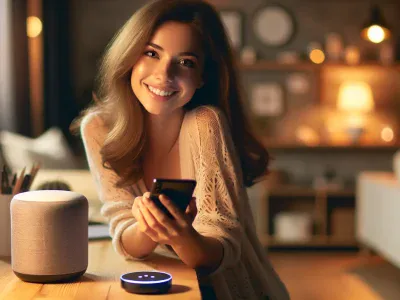
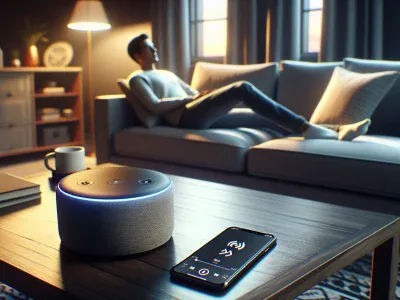
Picture controlling your music, lights, and even your daily reminders with just your voice. Now picture blending that convenience with Sonos’ rich, room-filling sound. If you’re wondering whether these two tech powerhouses—Sonos and Alexa—can team up to transform your smart home experience, you’re not alone. The idea of seamlessly merging premium audio with hands-free control is enough to spark anyone’s curiosity.
But does it work? Can Alexa effortlessly sync with Sonos to deliver both stunning sound quality and the ultimate in voice-activated convenience? Understanding how these systems interact could unlock a whole new level of functionality for your home setup. Let’s jump into what makes this pairing so exciting—and what you need to know before getting started.
Understanding Sonos And Alexa
Sonos and Alexa represent a seamless merge of premium audio quality and advanced voice control. Combining these systems enhances your smart home setup with both immersive sound and hands-free convenience.
Overview Of Sonos Devices
Sonos devices are wireless speakers known for exceptional sound quality. They include models like the portable Sonos Move, multi-room capable Sonos One, and cinematic Sonos Arc soundbar. These devices connect over Wi-Fi to stream music, podcasts, or audiobooks from platforms like Spotify, Apple Music, or Audible.
The system supports multi-room synchronization. For example, you can play the same track in every room or choose different audio sources for each space. Integration is straightforward via the Sonos app, which also allows sound adjustments such as bass and treble levels.
What Is Alexa And Its Capabilities?
Alexa is Amazon’s virtual assistant designed to perform tasks through voice commands. It controls smart devices (e.g., lights or thermostats), answers questions, sets reminders, provides news updates, streams music on platforms like Amazon Music Unlimited, and more.
With skills support—third-party features that expand functionality—Alexa connects with thousands of services including Uber ridesharing or Domino’s pizza ordering. When paired with compatible speakers such as those by Sonos featuring built-in Alexa capabilities (like the Sonos One), it enables direct voice interaction without additional hardware required.
Compatibility Between Sonos And Alexa
Sonos works seamlessly with Amazon Alexa, enabling voice control for smart audio experiences. This integration combines high-quality sound with hands-free convenience.
Sonos Models That Work With Alexa
Several Sonos models include built-in Alexa functionality. These options provide both audio excellence and direct voice interaction:
Sonos Move: Delivers portability with weather resistance and built-in Alexa capabilities.
Sonos Arc: Enhances home theaters with cinematic sound while supporting Alexa commands.
Other models like the Sonos Beam (Gen 2) also integrate well when linked to an Alexa-enabled device.
Requirements For Integrating Sonos With Alexa
To connect Sonos speakers to Alexa, ensure you meet these prerequisites:
Compatible Devices: Use a supported Sonos model or a separate Echo device for non-Alexa-enabled speakers.
Wi-Fi Network: Both devices require stable Wi-Fi access; Bluetooth isn’t compatible.
Amazon Account: An active Amazon account is essential for linking through the app.
Updated Software: Ensure the latest firmware versions on both your Sonos speakers and the app.
Using the Amazon Alexa app simplifies setup by guiding you through linking accounts via Skills settings.
Setting Up Alexa On Sonos
Integrating Alexa with your Sonos devices allows hands-free control over music, smart home functions, and more. Follow the steps below to ensure a seamless setup experience.
Step-By-Step Guide To Enable Alexa
Download Required Apps: Install both the Sonos and Amazon Alexa apps on your smartphone or tablet from Google Play Store or Apple App Store. Ensure they’re updated to the latest versions for compatibility.
Set Up Your Sonos Device: Open the Sonos app, sign in or create an account, then add your device by following the in-app instructions. Connect it to your Wi-Fi network for proper functionality.
Enable Amazon Alexa Skill: In the Alexa app, go to “Skills & Games,” search for “Sonos,” and enable it by signing into your Sonos account when prompted.
Link Services: Link streaming services like Spotify or Amazon Music in both apps to control playback through voice commands seamlessly.
Assign Rooms: Use the Sonos app’s room settings feature to assign specific names (e.g., “Living Room” or “Bedroom”) that correspond with voice commands.
Test Commands: Say phrases like “Alexa, play jazz on Spotify” or “Alexa, turn up volume in Living Room” after completing setup to confirm successful integration.
Tips For A Smooth Setup Process
Check Wi-Fi Strength: Place devices within range of a stable signal; weak networks may cause delays.
Avoid Duplicate Names: Assign unique names for each speaker during configuration so commands don’t confuse them—e.g., avoid naming two speakers as “Kitchen.”
Update Software Regularly: Keep firmware on both apps and devices updated because outdated software often leads too connectivity issues.
Verify Compatibility: Not all models support built-in Alexa; some require Echo devices nearby for functionality (e.g., older Play models).
Features And Functionality
Sonos devices integrated with Alexa combine premium sound performance with advanced voice control, creating a seamless smart home experience. This collaboration brings unique features that enhance usability and adaptability in various settings.
Voice Commands For Sonos Through Alexa
Alexa enables voice-activated controls for Sonos speakers, simplifying tasks like adjusting volume or playing specific tracks. You can use commands such as “Alexa, play jazz on the living room speaker” to stream music directly to a chosen device. Alexa also supports multi-room audio; saying “Alexa, play my playlist everywhere” syncs playback across all connected Sonos devices.
Additional functionalities include controlling third-party services like Spotify or Pandora through linked accounts. For example, you could ask Alexa to “play today’s top hits from Spotify,” and it handles the request seamlessly via your Sonos system. Smart home integration adds further convenience by managing other compatible devices alongside your speaker setup.
Limitations To Be Aware Of
While the integration offers many benefits, some limitations exist when using Sonos with Alexa. Not all streaming services support direct control through voice commands; certain platforms may require manual operation within the app instead of relying solely on Alexa’s interface.
Another limitation involves regional availability since some features are restricted based on geographic location or language compatibility. Also, if multiple users issue conflicting commands simultaneously in different rooms, resolving these inputs might cause minor delays or errors in task execution.
User Experience And Performance
Sonos devices with Alexa integration aim to deliver seamless audio control through voice commands. This combination enhances usability for smart home systems, offering convenience and functionality.
Audio Quality And Responsiveness
Sonos speakers prioritize premium sound quality, even when integrated with Alexa. Models like the Sonos Arc use Dolby Atmos technology to create immersive experiences, while the Sonos One delivers rich audio suitable for smaller spaces. Voice recognition works efficiently when positioned within Alexa’s range; but, background noise or music played at high volumes might occasionally hinder responsiveness.
For example, you can adjust volume or skip tracks on Spotify simply by saying “Alexa, lower the volume,” without needing manual input. The system processes commands quickly if Wi-Fi connectivity is stable. A delay of 1-2 seconds may occur in multi-room setups due to data synchronization between multiple devices but doesn’t impact overall performance noticeably.
Common Challenges And Solutions
Certain challenges arise during usage that might affect your experience. For instance, conflicting voice commands from different users could confuse Alexa, leading to unintended actions. To prevent this issue in shared environments, ensure distinct names are assigned to each speaker using the Sonos app.
Another challenge involves regional restrictions on Alexa features like language-specific skills or unavailable streaming services in certain locations. Verify compatibility before linking accounts to avoid limitations.
Connectivity issues sometimes cause disrupted communication between Sonos and Alexa-enabled devices. Restarting routers or repositioning speakers closer to access points often resolves these problems effectively.
By addressing these challenges proactively—such as updating firmware regularly and maintaining device placements strategically—you’ll optimize both user experience and system reliability across your setup.
Conclusion
Integrating Sonos with Alexa offers a powerful combination of premium audio and hands-free convenience, making your smart home experience more seamless and enjoyable. With the right setup and attention to compatibility details, you can unlock a range of features that elevate both sound quality and usability.
While some challenges like connectivity issues or command conflicts may arise, simple adjustments can help you overcome them. By staying proactive with updates and optimizing your system’s settings, you’ll ensure reliable performance that meets your needs.
If you’re seeking an efficient way to merge superior sound with voice control, pairing Alexa with Sonos is undoubtedly worth considering.
To provide the best experiences, we use technologies like cookies to store and/or access device information. Consenting to these technologies will allow us to process data such as browsing behaviour or unique IDs on this site. Not consenting or withdrawing consent, may adversely affect certain features and functions.
Functional
Always active
The technical storage or access is strictly necessary for the legitimate purpose of enabling the use of a specific service explicitly requested by the subscriber or user, or for the sole purpose of carrying out the transmission of a communication over an electronic communications network.
Preferences
The technical storage or access is necessary for the legitimate purpose of storing preferences that are not requested by the subscriber or user.
Statistics
The technical storage or access that is used exclusively for statistical purposes.The technical storage or access that is used exclusively for anonymous statistical purposes. Without a subpoena, voluntary compliance on the part of your Internet Service Provider, or additional records from a third party, information stored or retrieved for this purpose alone cannot usually be used to identify you.
Marketing
The technical storage or access is required to create user profiles to send advertising, or to track the user on a website or across several websites for similar marketing purposes.