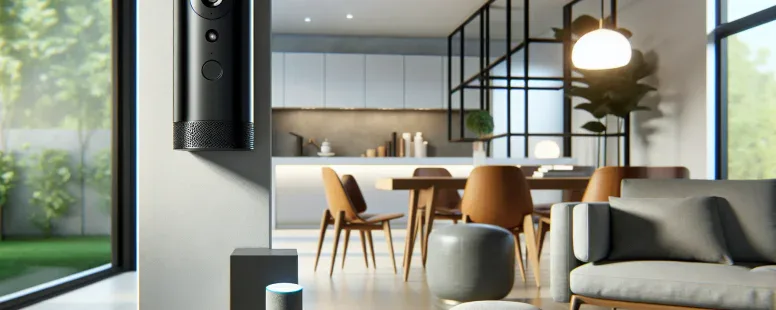
Picture a home where every device syncs seamlessly, creating a symphony of convenience and control at your fingertips. As smart technology continues to evolve, you might wonder if Blink cameras can harmonize with Apple HomeKit to elevate your home automation experience. After all, who wouldn’t want their security system integrated into one cohesive ecosystem?
The compatibility between Blink and Apple HomeKit has sparked curiosity among tech enthusiasts and homeowners alike. If you’re looking for ways to streamline your smart devices without compromising functionality or security, understanding how these two technologies interact could be the game-changer you need. Let’s explore whether this pairing is possible—and what it means for your connected lifestyle.
Overview Of Blink And Apple HomeKit
Blink, a brand known for its affordable and easy-to-use security cameras, offers features like motion detection, HD video quality, and long battery life. These devices appeal to homeowners seeking dependable surveillance solutions. Apple HomeKit, on the other hand, serves as a smart home platform enabling centralized control of compatible devices through the Home app or Siri voice commands. Its emphasis lies in user privacy and seamless integration across Apple’s ecosystem.
While Blink supports integrations with platforms like Alexa and IFTTT (e.g., creating automation routines), it lacks native compatibility with Apple HomeKit. This limitation poses challenges if you’re already invested in Apple’s ecosystem since direct communication between Blink cameras and your HomeKit setup isn’t available without third-party tools. Examples of such tools include HOOBS or Homebridge that act as intermediaries by bridging non-compatible devices with HomeKit environments.
The absence of built-in support for HomeKit may leave you relying on workarounds for complete functionality. For instance, streamlining camera feeds into the Apple ecosystem necessitates additional configuration steps when using these tools. Questions arise about whether investing time into these setups outweighs waiting for official compatibility updates from Blink’s development team.
In evaluating both systems together, understanding their unique purposes helps clarify their interaction potential better: Can a cost-effective security solution coexist seamlessly within an advanced smart-home framework?
Compatibility Between Blink And Apple HomeKit
Blink cameras don’t offer native support for Apple HomeKit. But, third-party solutions enable partial integration to bridge this gap.
Current Integration Status
Blink’s ecosystem integrates with platforms like Alexa and IFTTT but doesn’t natively connect to Apple HomeKit. This limitation restricts direct control of Blink devices through the Home app or Siri commands. For instance, you can’t add a Blink camera as an accessory in your HomeKit setup without using additional tools.
Third-party applications like HOOBS (Homebridge Out of the Box) or standalone Homebridge software make it possible to integrate Blink with Apple’s smart home platform. These tools act as intermediaries, translating communication between incompatible systems. While not officially endorsed by either brand, they provide a workaround for tech-savvy users seeking unified device management within Apple’s ecosystem.
Limitations And Workarounds
The absence of native compatibility introduces challenges for seamless functionality. Setting up third-party integrations involves technical knowledge and time investment and might compromise some features such as firmware updates or advanced security settings specific to Blink’s app.
For example, when using HOOBS or Homebridge, you’ll need plugins configured correctly for each device type. These configurations may require regular maintenance if new updates disrupt compatibility. Also, dependency on unofficial tools could raise concerns about data privacy since these solutions often rely on community-developed plugins rather than proprietary software.
If you’re heavily invested in Apple’s ecosystem but prefer simple setup processes over complex workarounds, consider alternative security cameras that directly support HomeKit, such as Logitech Circle View or EufyCam 2C Pro.
Benefits Of Using Blink With Apple HomeKit
Integrating Blink cameras with Apple HomeKit offers multiple advantages for enhancing your smart home experience. While native compatibility isn’t available, leveraging third-party tools can still bring notable benefits.
Enhanced Home Automation
Automation becomes more dynamic when you use Blink with Apple’s HomeKit ecosystem. Through integration, you could set up automations like triggering your smart lights to turn on when motion is detected by a Blink camera. For example, if someone approaches your front door at night, the system can simultaneously activate outdoor lighting and send an alert.
Using HOOBS or Homebridge as intermediaries enables this functionality but requires technical configuration. These platforms create a bridge between Blink’s system and HomeKit’s interface. Even though it’s not native, it brings flexibility to customize actions across devices from different ecosystems.
Unified Control And Management
Centralized control simplifies managing all connected devices in one place. By integrating Blink into Apple’s Home app via third-party solutions, you gain the ability to monitor and control security cameras alongside other smart gadgets like thermostats or locks.
For instance, instead of juggling multiple apps for device management, you can check live feeds from your cameras while adjusting room temperatures through Siri commands or within the same app interface. This streamlined access improves user convenience—especially beneficial for those deeply invested in Apple’s ecosystem.
While achieving this requires additional effort due to lack of direct support from Blink, the improved organization and ease-of-use might outweigh these initial challenges for tech-savvy users seeking comprehensive smart-home automation options.
Challenges And Drawbacks
Using Blink cameras with Apple HomeKit presents specific obstacles that impact functionality and user experience. These challenges may influence your decision to pursue integration.
Lack Of Native Support
Blink cameras don’t offer native support for Apple HomeKit, limiting direct interaction between the two systems. Unlike devices designed specifically for HomeKit, such as Logitech Circle View, Blink lacks built-in compatibility features like seamless pairing or Siri voice commands. This absence forces you to seek alternative methods to bridge the gap if you’re committed to using both platforms together.
The lack of official support also means you can’t access firmware updates or troubleshooting assistance tailored for HomeKit users directly from Blink. As a result, relying on unofficial methods might leave gaps in security or reduce long-term reliability.
Dependency On Third-Party Solutions
Integrating Blink with Apple HomeKit relies heavily on third-party tools like HOOBS or Homebridge. While these solutions work as intermediaries by creating virtual connections between incompatible devices, they introduce additional complexity into your smart home setup.
Third-party tools require technical knowledge during installation and ongoing maintenance to ensure smooth operation. For example, configuring HOOBS involves downloading plugins, adjusting settings manually, and monitoring updates regularly—steps that can feel overwhelming if you’re not tech-savvy. Also, improper configurations may cause intermittent device communication issues.
Privacy concerns arise due to data passing through external platforms when using third-party integrations. Since these intermediaries aren’t officially endorsed by Blink or Apple, there’s no guarantee about how securely they handle sensitive information like video feeds or account credentials.
Even though their potential benefits in enabling partial functionality between Blink and HomeKit ecosystems, third-party solutions might not justify the effort compared against alternatives offering native support out-of-the-box without additional dependencies.
Alternative Options For Homekit-Compatible Cameras
If Blink’s lack of native support for Apple HomeKit presents challenges, several alternatives offer seamless integration and advanced features.
Logitech Circle View
Designed exclusively for Apple HomeKit, Logitech Circle View provides HD video resolution, secure storage with iCloud, and robust privacy controls. Its compatibility ensures easy setup through the Home app and supports Siri commands without additional configurations.
EufyCam 2C Pro
This camera combines 2K resolution with local storage options while integrating natively with HomeKit Secure Video. EufyCam’s battery life extends up to six months per charge under standard usage conditions, offering convenience alongside smart detection capabilities like person or motion alerts.
Arlo Ultra 2
Arlo Ultra 2 delivers sharp 4K HDR video quality paired with a wide field of view (180°) and advanced two-way audio. Its direct support for HomeKit makes it a premium choice for users seeking high-end security solutions in their smart home ecosystem.
Netatmo Smart Indoor Camera
Featuring facial recognition technology and full HD recording, Netatmo integrates directly into Apple’s ecosystem, providing real-time notifications through the Home app. It also prioritizes user data privacy by avoiding cloud storage dependency unless chosen otherwise.
Aqara G3 Camera Hub
Functioning as both a security camera and a Zigbee hub, Aqara G3 supports gesture control alongside its seamless integration with HomeKit devices. With AI-powered face tracking included, it’s ideal for those looking to enhance automation possibilities within an Apple-centric framework.
These cameras simplify installation processes while maintaining privacy standards aligned with Apple’s policies compared to third-party workarounds like HOOBS or Homebridge required by Blink cameras.
Conclusion
Deciding whether to integrate Blink cameras with Apple HomeKit depends on your priorities and technical comfort level. While third-party tools can bridge the gap, they come with added complexity and potential privacy concerns. If you’re deeply invested in Apple’s ecosystem and prefer a hassle-free setup, exploring alternatives with native HomeKit support might be more practical. Balancing convenience, security, and compatibility ensures your smart home functions exactly how you need it to.
To provide the best experiences, we use technologies like cookies to store and/or access device information. Consenting to these technologies will allow us to process data such as browsing behaviour or unique IDs on this site. Not consenting or withdrawing consent, may adversely affect certain features and functions.
Functional
Always active
The technical storage or access is strictly necessary for the legitimate purpose of enabling the use of a specific service explicitly requested by the subscriber or user, or for the sole purpose of carrying out the transmission of a communication over an electronic communications network.
Preferences
The technical storage or access is necessary for the legitimate purpose of storing preferences that are not requested by the subscriber or user.
Statistics
The technical storage or access that is used exclusively for statistical purposes.The technical storage or access that is used exclusively for anonymous statistical purposes. Without a subpoena, voluntary compliance on the part of your Internet Service Provider, or additional records from a third party, information stored or retrieved for this purpose alone cannot usually be used to identify you.
Marketing
The technical storage or access is required to create user profiles to send advertising, or to track the user on a website or across several websites for similar marketing purposes.