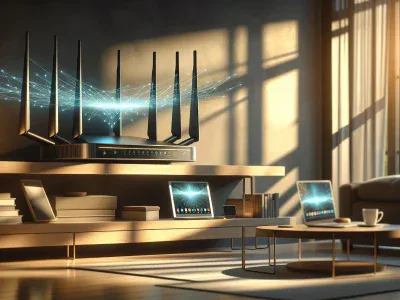
Picture this: you’re streaming your favorite show, the picture crisp and vibrant, when suddenly the dreaded buffering wheel appears. Your Wi-Fi is working, but is it working for you? The answer might lie in the invisible waves swirling through your space—2.4GHz and 5GHz Wi-Fi. These two frequencies shape your online experience in ways you might not expect.
Choosing between them isn’t just about speed. It’s about how your signal slips through walls, dances around interference, and keeps every device in your home connected. Unlocking the secrets behind these frequencies could mean smoother video calls, lightning-fast downloads, and fewer connection headaches. Ready to discover which Wi-Fi band truly fits your digital life?
What Is 2.4GHz Wi‑Fi?
2.4GHz Wi‑Fi forms the backbone of many wireless networks, connecting households and businesses around the world. This frequency band, widely adopted since the late 1990s, supports devices ranging from smart thermostats and printers to older laptops and gaming consoles. Picture a crowded highway where slower cars, like older devices, travel alongside newer ones—2.4GHz acts as that open, accessible route.
Interference, but, often becomes a challenge on the 2.4GHz band. Nearby microwave ovens, baby monitors, and cordless phones create radio noise that jams your connection, the way a bustling market makes conversations hard to follow. Ever seen your video call freeze in a quiet corner of the house, but work in the kitchen? That’s typically 2.4GHz grappling with signal congestion.
Yet, range remains the 2.4GHz band’s superpower. These signals penetrate thick walls and obstacles, giving you a connection where 5GHz might falter. In homes with many rooms or concrete walls, people rely on 2.4GHz so Wi‑Fi reaches the attic, garage, or backyard. You also notice this when a friend’s old smart speaker still streams music in the basement while your latest phone prefers switching to 5GHz up close.
With a finite set of channels (14 in most regions, according to the Federal Communications Commission), 2.4GHz easily gets crowded, especially in apartment complexes with dozens of neighbors. Choosing this frequency sometimes means trading blazing speed for more reliable coverage.
Think about what matters most: do you walk around with your device, needing signal in every corner? 2.4GHz can help, though it’s a bit like inviting every device in the neighborhood to a block party—everyone’s welcome, but it can get noisy and a bit slow. When performance dips, check for physical obstacles or competing gadgets, as these have the strongest effect on 2.4GHz reliability (source: Cisco Networking Academy). why your old wireless mouse never loses connection, but your latest phone jumps to another network? The answer usually lives in this resilient, sometimes crowded, but ever-accessible 2.4GHz band.
What Is 5GHz Wi‑Fi?
5GHz Wi-Fi connects you to the digital world with speed, agility, and focus. When you walk into a modern office or coffee shop, you may notice your phone automatically snap onto the “Fast-5G” network. That’s not a marketing gimmick—it is the gateway to less crowded airwaves. Fewer obstacles stand between you and your favorite 4K movie streaming on Netflix compared to the clunky signals of 2.4GHz. If you’ve ever wondered why your video call suddenly gets crisp while everyone else’s freezes, you probably hopped onto a 5GHz connection without realizing it.
5GHz signals travel shorter distances than 2.4GHz, but, they carry more data. Like a high-speed train shooting through a city, this band races past interference from baby monitors, Bluetooth speakers, and microwaves. Interference causes lags and buffering and 5GHz doesn’t hesitate much. IEEE 802.11ac and 802.11ax standards, according to Cisco, deliver potential wireless speeds over 1Gbps (source: Cisco). For smart TVs or gaming PCs clustered close to your router, 5GHz opens up multiple channels—23 non-overlapping ones as opposed to 3 in 2.4GHz. This means less fighting for bandwidth when everyone at home starts bingeing YouTube at the same time.
Picture hosting a party with each guest (device) wanting to tell a story at once; in the 2.4GHz living room everyone speaks over each other, but in the 5GHz lounge, discussions flow peacefully. Still, walls and floors act as linguistic barriers. That’s why your signal drops suddenly when you carry a laptop to the basement, puzzled why “faster” Wi-Fi is now silent. Did it ever cross your mind that distance is sometimes the enemy of technology? People in big homes or old buildings learn this quickly.
Choosing 5GHz Wi-Fi sometimes feels like choosing express lanes on a highway. The fastest journeys happen if you stay nearby—your router and devices sharing line-of-sight. Year after year, new gadgets—like Wi-Fi 6E smartphones and mesh routers—push this band’s abilities further, promising greater stability and future-proofing for advanced households. Yet, older devices, built on legacy 2.4GHz hardware, simply won’t see this new lane.
Which network would you trust for sensitive work, like telemedicine consults or managing smart security feeds? 5GHz reduces the risks of eavesdropping or data drops due to overcrowded frequencies, but, it’s not always available everywhere. Next time you choose a Wi-Fi network, ask yourself: are you seeking speed, or range? Modern lives depend on understanding this simple, invisible split—one choice grants you freedom, the other, reach.
Key Differences Between 2.4GHz and 5GHz Wi‑Fi
The distinction between 2.4GHz and 5GHz Wi-Fi shapes your experience with speed, coverage, and how your devices connect to the internet. Your choice of frequency impacts streaming, downloads, consistency, and even how many gadgets can join the party on your network.
Speed and Performance
Speed and performance found their battleground in frequency. 5GHz Wi-Fi delivers higher data rates—up to 1300 Mbps in Wi-Fi 5 (802.11ac)—allowing you to stream UHD movies or download gigabyte-sized files in minutes instead of hours. Netflix recommends at least 25 Mbps for 4K streaming; connect to 5GHz, and buffering almost vanishes. 2.4GHz, with theoretical speeds usually capped at 450 Mbps or 600 Mbps in Wi-Fi 4/5, can’t match the pace, but some old gaming consoles and smart bulbs only recognize this slower lane. If you juggle multiple video calls and cloud backups on different floors, 2.4GHz’s slower speed might feel like rush hour.
Range and Coverage
Range and coverage form the real backbone of your wireless landscape. 2.4GHz signals stretch farther and slip through walls and furniture, blanketing multi-story houses or large basements with ease. In an apartment tucked behind brick walls or a backyard sipping coffee, 2.4GHz rarely lets go. In contrast, 5GHz signals, like a sprinter, travel shorter distances—typically 30–50 feet indoors—stumbling against concrete or steel beams. Large homes or offices see dead zones crop up on 5GHz. Coverage for 5GHz gets powerful in wide-open spaces with minimal interference, but obstacles cut its reach dramatically.
Interference and Stability
Interference and stability dictate how reliable your Netflix binge or Zoom call stays. 2.4GHz shares crowded airwaves with baby monitors, microwaves, and neighboring Wi-Fi routers, often resulting in packet loss or reduced speeds—especially in apartment complexes. The Federal Communications Commission notes that 2.4GHz bands include only three non-overlapping channels, making cross-talk common. 5GHz, offering up to 24 non-overlapping channels under many standards, dodges much of this clamor, so your smart TV’s HD stream doesn’t suddenly sputter when someone nukes popcorn. In a high-density condo or office, switching to 5GHz stabilizes connections during peak hours.
Device Compatibility
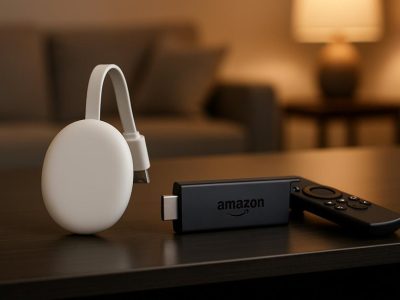
Device compatibility controls when your gadgets play nice with your Wi-Fi. Older smart home gear—think Nest thermostats built before 2016 or earlier Roche remote sensors—stick rigidly to 2.4GHz. Newer laptops, phones, and streaming sticks, like iPhones from the 8 series onward or Google Chromecast Ultra, discover and use 5GHz for faster connections. Dual-band routers such as the TP-Link Archer series let you assign devices by frequency, so your legacy gadgets enjoy consistent service while high-demand tech feasts on 5GHz bandwidth. If you’re setting up a smart home or deploying wireless cameras all around, checking for dual-band compatibility reduces disappointment.
Here’s a quick comparison:
Feature
2.4GHz Wi-Fi
5GHz Wi-Fi
Max Speed
450–600 Mbps (Wi-Fi 4/5)
Up to 1300 Mbps (Wi-Fi 5)
Range
Longer (through walls, up to 150 feet)
Shorter (about 30–50 feet indoors)
Interference
High (3 non-overlapping channels)
Low (up to 24 non-overlapping channels)
Device Support
Universal, incl. older and smart devices
Modern laptops, phones, and streaming devices
Choosing between 2.4GHz and 5GHz Wi-Fi is really like picking shortcuts and scenic routes, each offering unique trade-offs, optimized by your connections and household layout.
Which Frequency Should You Use?
Choosing between 2.4GHz and 5GHz Wi-Fi shapes your daily connection quality. Device type, space layout, and network demand all play roles in that decision.
Home Use Cases
Streaming 4K movies in your living room and controlling smart plugs in your basement demand different Wi-Fi bands. You get stronger wall penetration and wide coverage from 2.4GHz Wi-Fi; this suits older homes with thick walls and multi-floor layouts. If your family’s using tablets, smart speakers, or thermostats scattered across bedrooms, the 2.4GHz band keeps everyone connected, even through brick or concrete. For example, a Google Nest Thermostat or a Ring camera on a distant garage often rely on the extended range and compatibility of 2.4GHz (CNET).
Speed-hungry devices—like a gaming laptop, smart TV, or VR headset in the same room as your router—benefit from 5GHz Wi-Fi. For uninterrupted Fortnite sessions, smooth Zoom calls, or binge-watching Disney+, place devices close to the router and switch them to 5GHz. The band faces less interference from microwaves, baby monitors, or Bluetooth headphones. “My son’s PS5 lagged upstairs until we switched to 5GHz downstairs,” shares Lisa, a Salt Lake City tech reviewer. Ask yourself: Am I prioritizing speed for intensive tasks, or do I need strong signals on far-off devices?
Many routers broadcast both bands at once—use each device’s network settings to connect to the optimal band. Mixed-use setups—think kids on Netflix in the bedroom and parents uploading large files—work best when each device matches its ideal frequency.
Office and Commercial Scenarios
Conference calls breaking up and file downloads crawling affect modern office productivity. In open-plan offices or coworking spaces, the 5GHz band supports dozens of laptops, tablets, and smartphones with reduced interference and lots of available channels. Network admins segment video calls and high-speed transfers onto 5GHz, keeping lag and dropped connections low (Cisco).
Retail stores and warehouses with wireless barcode scanners or IoT devices spanning large spaces still lean on 2.4GHz for reliable signal through aisles and stockrooms. For example, a point-of-sale tablet at the front desk may connect to 5GHz for speed, while a smart inventory tag in the back storage relies on 2.4GHz range. IT teams sometimes separate networks: “We split employee devices to 5GHz and leave smart lights on 2.4—less slowdowns for both,” notes a network technician from a New York logistics firm.
Ask: Do you want maximum coverage for IoT and legacy gadgets, or are you optimizing for speed and density during team meetings? Map your workspace, test both bands, and revisit as device needs evolve.
Wi-Fi Frequency
Best For
Coverage
Speed
Device Compatibility
Interference Level
2.4GHz
Range, IoT, legacy
Larger areas
450-600 Mbps
Wider (older/newer)
Higher (crowded)
5GHz
Speed, low latency
Smaller area
Up to 1300 Mbps
Newer devices
Lower (less crowded)
Evaluate your needs, physical environment, and type of devices to tailor the ideal Wi-Fi strategy.
Pros and Cons of 2.4GHz and 5GHz Wi‑Fi
Range and Coverage
You get greater coverage with 2.4GHz Wi‑Fi, its signals glide through walls and reach distant rooms. Picture setting up a backyard movie night: your device stays connected while 2.4GHz dances around trees and fences. In comparison, 5GHz Wi‑Fi, like a sprinter who tires quickly, drops off before reaching upstairs bedrooms. Physics governs this—the longer waves of 2.4GHz penetrate obstacles, but, when the walls gets thick or metal’s involved, even these stumble.
Speed and Performance
You experience speed as a rush on 5GHz Wi‑Fi, streaming 4K videos and downloading large game files in seconds. Picture a crowded mall food court where 2.4GHz can struggle—that’s channel interference from microwaves, smart TVs, or Bluetooth gadgets jostling for space. In contrast, 5GHz Wi‑Fi often feels like you’ve got your own express lane. Its performance shines when no walls stand between you and your router, confirmed by network benchmarking reports (PCMag, 2024). But, your older devices might tap their brakes—they sometimes don’t recognize the 5GHz band.
Device Compatibility
Your grandparents’ smart thermostat and that decade-old Wi‑Fi printer connect solely on 2.4GHz, anchoring you to it. Newer phones, tablets, and laptops usually roam both bands, but not always. People trying to set up “smart” home devices often find themselves confused by compatibility; Smart bulbs, for example, frequently ignore 5GHz invitations.
Interference and Congestion
You notice your Wi‑Fi works poorly during holiday gatherings. Neighbors’ routers, baby monitors, and even wireless cameras—most of these crowd the 2.4GHz spectrum. Picture radio static or overlapping highways. 5GHz, with extra non-overlapping channels, acts like a backroad, offering peace—for now. But, as device demand grows, even these lanes gets busy.
Band
Max Speed (Mbps)
Range (ft)
Key Example Uses
Typical Interference Sources
Device Compatibility
2.4GHz
450–600
150 (indoors)
Smart thermostats, Wi‑Fi cameras
Microwaves, Bluetooth, neighbors
Older gadgets, IoT devices
5GHz
1300
50–100
4K streaming, cloud gaming
Walls, floors, household barriers
New devices, modern laptops
You probably wonder: is speed or stability more important? Sometimes, switching between bands feels like choosing between a scenic route or razor-sharp freeway. What stories do your own devices tell—where do they falter or flourish? Consider trying both, maybe let your smartwatch roam 2.4GHz while your gaming console relishes 5GHz—experimentation brings surprising clarity.
Picture future smart homes flooded with devices, all demanding seamless connection. Wi-Fi standards keep evolving to resolve these battles, but awareness now saves headaches later.
Conclusion
Choosing between 2.4GHz and 5GHz Wi-Fi isn’t a one-size-fits-all decision. Your home’s layout device types and daily internet habits all play a role in finding the right balance. By understanding the unique strengths of each frequency you’ll be better equipped to create a smoother faster and more reliable online experience.
Take the time to test both bands with your devices and see which delivers the best performance in your space. As your needs evolve you can always adjust your setup to keep your connection strong and future-ready.
To provide the best experiences, we use technologies like cookies to store and/or access device information. Consenting to these technologies will allow us to process data such as browsing behaviour or unique IDs on this site. Not consenting or withdrawing consent, may adversely affect certain features and functions.
Functional
Always active
The technical storage or access is strictly necessary for the legitimate purpose of enabling the use of a specific service explicitly requested by the subscriber or user, or for the sole purpose of carrying out the transmission of a communication over an electronic communications network.
Preferences
The technical storage or access is necessary for the legitimate purpose of storing preferences that are not requested by the subscriber or user.
Statistics
The technical storage or access that is used exclusively for statistical purposes.The technical storage or access that is used exclusively for anonymous statistical purposes. Without a subpoena, voluntary compliance on the part of your Internet Service Provider, or additional records from a third party, information stored or retrieved for this purpose alone cannot usually be used to identify you.
Marketing
The technical storage or access is required to create user profiles to send advertising, or to track the user on a website or across several websites for similar marketing purposes.