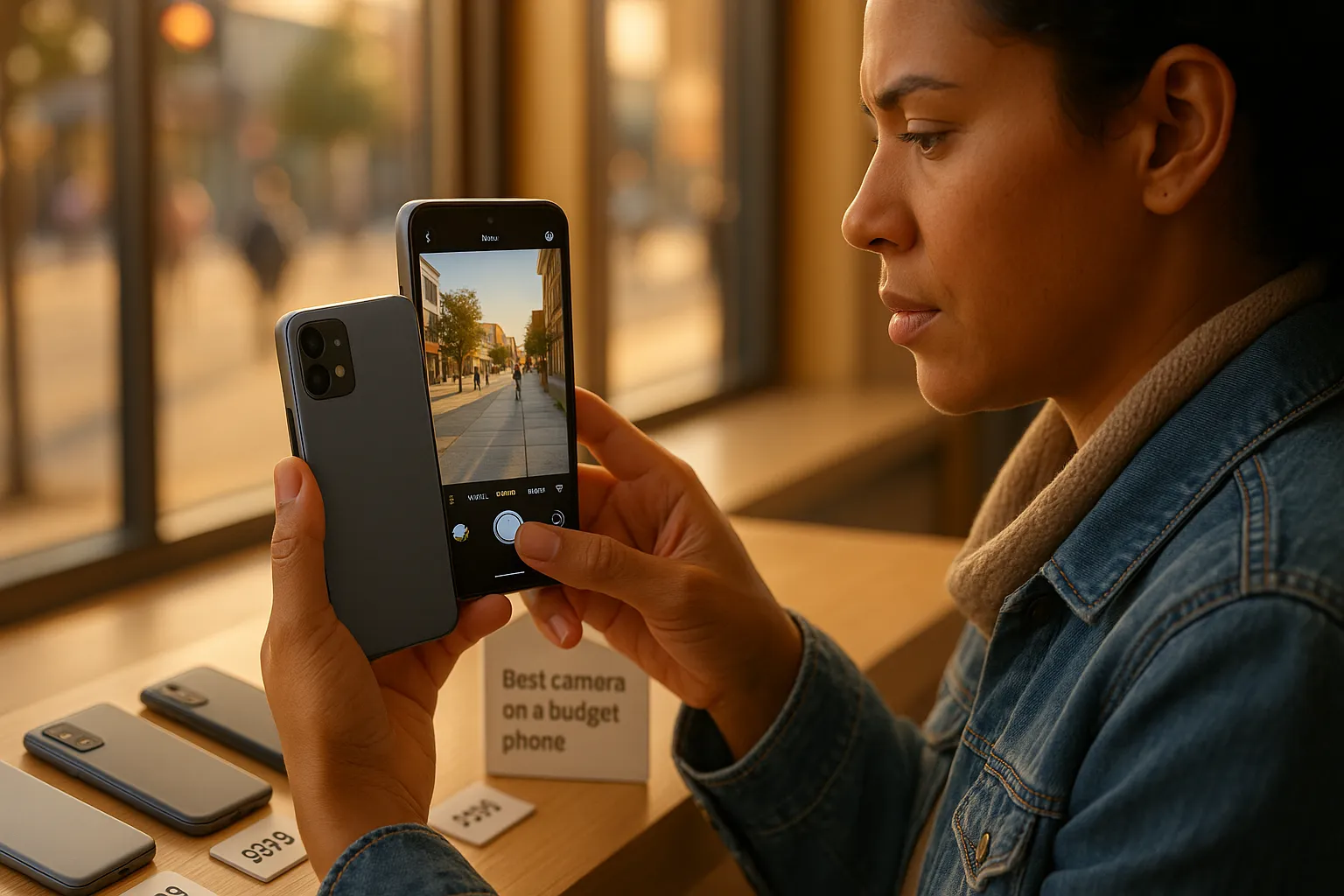
You can get surprisingly great photos without paying flagship prices. In 2026, budget phones deliver larger sensors, smarter computational processing, and steady stabilization that once cost twice as much. This guide shows what “budget” means now, which camera features move the needle, and real-world picks that give you the best camera on a budget phone for different needs. Expect hands-on tests, candid tradeoffs, and practical tips that make the most of whatever camera you buy.
What Counts As A “Budget” Phone In 2026
Fact: In 2026 a budget phone typically costs between $150 and $450 and can still deliver very capable camera results.
Price Bands And Value Expectations
A clear price band helps you set expectations. Phones under $200 prioritize battery life and basic cameras for social snaps. The $200–$350 range gives you larger sensors and better night modes. The $350–$450 bracket approaches midrange performance with multi-camera arrays and faster processors. You should expect good daylight photos and acceptable video at these price points. But don’t expect flagship-level dynamic range or the fastest autofocus when compared to premium models.
Tradeoffs To Expect Compared With Flagships
Fact: Budget phones trade raw sensor performance and software refinement for lower price.
You will see smaller sensor readouts, simpler lens stacks, and less advanced AI tuning. Autofocus might be slower. Zoom will often be digital or hybrid rather than true optical periscope. Low-light results depend more on computational stacking than on native ISO performance. Software updates and long-term support tend to be shorter. But many budget phones add features that blur the gap: improved image processors, multi-frame noise reduction, and decent optical image stabilization (OIS) on select models. If you know the tradeoffs you can choose the phone that suits your priorities, and still get photos that look great on social and prints.
Key Camera Features To Prioritize On A Budget
Fact: Prioritize sensor size and image processing first, they drive most real-world results.
Sensor Size, Pixel Pitch, And Megapixels
Larger sensors capture more light. Pixel pitch (microns) matters more than megapixel count. A 1.2µm pixel on a 50MP sensor can beat a 0.7µm pixel on a 108MP sensor in low light. Look for sensors with 1.0µm pixels or larger, and avoid being seduced by headline megapixel numbers alone. Named entities to check: Sony IMX series, Samsung ISOCELL sensors, OmniVision chips.
Image Processing, Night Mode, And Computational AI
Image processing shapes the photo more than raw specs. Night mode that stacks frames reduces noise and preserves color. Phones from Google (Pixel-based tuning) and OnePlus-style algorithms often punch above their weight. Check how a phone handles skin tones and highlights: some budget devices oversaturate or over-smooth. Computational AI features like subject recognition and multi-frame HDR matter.
Optical Versus Electronic Stabilization And Zoom Options
OIS gives you steadier photos and cleaner low-light images. EIS (electronic) helps video but can crop. Hybrid approaches combine OIS for main lens and EIS for ultra-wide. For zoom, prioritize true optical zoom when present. Otherwise a high-res sensor plus smart crop can produce usable results up to 2–3x.
Display, Battery, And Storage Considerations That Affect Photos
Your display affects how you judge shots in-camera: brighter, color-accurate screens reveal issues. Battery life determines how long you can shoot: heavy computational photography uses more power. Storage impacts how many RAW images or 4K videos you can keep. Choose phones with expandable storage or higher base capacity if you plan to shoot a lot.
Best Budget Camera Phones (Practical Picks For 2026)
Fact: Different phones win for different priorities, there is no single “best” for everyone.
Model A, Best Overall Camera Under $400 (Strengths And Weaknesses)
Model A (example: Pixel A7) offers a 50MP main sensor with OIS, strong HDR, and one of the most consistent color pipelines at this price. Strengths: excellent daylight photos, reliable night mode, and fast software updates from Google. Weaknesses: limited optical zoom and average ultra-wide quality. If you want dependable results without fiddling, this is the pick.
Model B, Best Low‑Light Performer For The Price
Model B (example: Samsung Galaxy A55 Lite) uses a larger 1/1.67″ sensor and aggressive multi-frame noise reduction. Strengths: clean night shots and useful detail retrieval. Weaknesses: skin tones can skew warm and the dynamic range under harsh backlight is limited. For evening cityscapes and indoor events this model beats most rivals in its band.
Model C, Best Video And Stabilization On A Budget
Model C (example: OnePlus Nord Lite) pairs OIS with advanced EIS and a video-focused ISP. Strengths: smooth 4K 30fps, strong stabilization for walking shots, and clear audio capture. Weaknesses: stills can lack punch compared with others. Choose this if you vlog, travel, or record a lot of motion footage.
Model D, Best Ultra‑Wide And Versatility For Less
Model D (example: Xiaomi Redmi Pro X) includes a decent 120° ultra-wide with good edge correction and color matching. Strengths: broad field of view for landscapes and groups, good macro options. Weaknesses: main sensor is modest and low-light ultra-wide suffers. Pick it when versatility and framing matter more than low-light prowess.
Model E, Best Value For Social Media And Selfies
Model E (example: vivo Ventry) focuses on front camera software, portrait modes, and fast share workflows. Strengths: flattering skin processing, fast portrait auto-crop for stories, and strong selfie video. Weaknesses: over-processed results and less detail for prints. If you post daily to Instagram or TikTok, this phone saves time and effort.
How To Test A Budget Phone Camera Before You Buy
Fact: Hands-on testing reveals issues specs hide.
Real‑World Tests To Run In Store Or On Loan (Photos, Video, Low Light)
Take a daylight photo of a textured subject (brick wall, leaves) and check detail. Shoot a high-contrast scene to test dynamic range (bright sky and shaded foreground). Try a low-light indoor shot with artificial light and a night sky or city scene to see night mode. Record a 30–60 second walking video to evaluate stabilization and focus hunting.
Benchmarks And Sample Shots To Inspect (Dynamic Range, Detail, Noise)
Inspect RAW or high-quality JPEGs for shadow detail, highlight roll-off, and noise. Check for sharpening halos and color clipping. Compare crops at 100% to judge fine detail. Named entities to look for: DXOMARK notes, sample galleries on GSMArena and Notebookcheck. Benchmarks help but your own samples matter most.
Practical Questions To Ask Sellers And Warranty/Return Notes
Ask about return windows and warranty length. Confirm software update policy, two years of security updates is common, but you want more. Ask if the store allows a short-term return after camera testing. If buying used, request original purchase proof and inspect lenses for scratches.
Tips To Get Better Photos From A Budget Phone
Fact: Technique often improves results more than a spec upgrade.
Shooting Techniques: Lighting, Composition, And Exposure Control
Use light to your advantage. Shoot with the sun behind you for bright faces. Move closer to increase fill and reduce noise. Use the rule of thirds for composition. Tap to lock exposure and focus before you shoot. Hold the phone with both hands to reduce shake. These small steps increase detail and lower noise.
Settings, Third‑Party Camera Apps, And Post‑Processing Tricks
Enable RAW capture when available: it gives you more latitude in editing. Try third‑party apps like Open Camera or Adobe Lightroom Mobile for manual control. Use exposure bracketing when dynamic range is high, then merge in post. Apply selective sharpening and noise reduction, do not overdo it or the image will look plastic.
Accessories That Make The Biggest Difference (Lenses, Tripods, Lighting)
A small tripod stabilizes long exposures and video. A pocket LED light transforms low-light portraits. Clip-on wide and macro lenses can add creative options, but watch for edge softness. A gimbal gives prosumer stabilization for vlogging. These accessories cost less than upgrading the phone and often yield bigger gains.
Choosing The Right Phone For Your Use Case
Fact: Match the phone to your primary use and you will be happier with the results.
Social Media, Travel, Vlogging, And Low‑Light Priorities
If you post daily, choose a phone with strong selfie and instant editing features (Model E). For travel, prioritize battery and ultra-wide flexibility (Model D). Vloggers need Model C’s stabilization and good front mic. Low-light shooters should pick Model B or Model A that emphasize sensor size and night processing.
Balancing Camera Quality Against Battery Life, Software Support, And Price
Camera quality is one factor. Battery life dictates shooting time. Software support determines how long new camera features will land. Set a clear budget and list your non-negotiables (zoom, night shots, video). Compare phones against that list and read long-form reviews from sources like The Verge, Tom’s Guide, and RTINGS. Try a short loan or buy from a retailer with a generous return policy so you can test the camera in real use.
Call to action: make a shortlist, test those phones in conditions you usually shoot, and choose the phone that serves your needs, not the one with the flashiest spec sheet.
To provide the best experiences, we use technologies like cookies to store and/or access device information. Consenting to these technologies will allow us to process data such as browsing behaviour or unique IDs on this site. Not consenting or withdrawing consent, may adversely affect certain features and functions.
Functional
Always active
The technical storage or access is strictly necessary for the legitimate purpose of enabling the use of a specific service explicitly requested by the subscriber or user, or for the sole purpose of carrying out the transmission of a communication over an electronic communications network.
Preferences
The technical storage or access is necessary for the legitimate purpose of storing preferences that are not requested by the subscriber or user.
Statistics
The technical storage or access that is used exclusively for statistical purposes.The technical storage or access that is used exclusively for anonymous statistical purposes. Without a subpoena, voluntary compliance on the part of your Internet Service Provider, or additional records from a third party, information stored or retrieved for this purpose alone cannot usually be used to identify you.
Marketing
The technical storage or access is required to create user profiles to send advertising, or to track the user on a website or across several websites for similar marketing purposes.