Alternatives To Basecamp
managing projects, your choices can feel overwhelming, especially in a landscape flooded with tools that promise to make your life easier. Picture a world where your team’s goals are not just boxes to check off, but vibrant, living entities that evolve and grow with your project. The right project management tool can transform chaos into clarity, fueling productivity in ways you might not even expect. But what if Basecamp isn’t quite the right fit for you? Who are the hidden gem alternatives that could not only meet your needs but propel your team to new heights? As we explore the expansive universe of project management tools, prepare to uncover the surprising benefits of alternatives that may offer features you never thought you needed.
Understanding Project Management Tools
In the digital age, efficient project management tools are your secret weapon for seamless collaboration and organization. These platforms typically combine task management, communication, and file sharing, streamlining workflows within teams of all sizes. But why are these tools essential? Project management tools help in breaking down your projects into manageable tasks, assign responsibility, and monitor progress in real time. This not only keeps everyone on the same page but also enhances accountability, a key element for any successful project. Whether you’re a freelancer juggling multiple clients or part of a vast organization with diverse teams, understanding the landscape of project management tools is crucial. Some tools excel in simplicity, while others thrive in versatility, making it vital to identify what resonates with your unique workflow.
Key Features to Look For in Alternatives
As you hunt for alternatives to Basecamp, consider what features matter most to you and your team. Here are some crucial functionalities to examine:
- Task Assignments: You’ll want a tool that allows you to dedicate tasks to team members, ensuring transparency and accountability.
- Deadline Management: A visual calendar or timeline can significantly enhance your ability to keep track of due dates and milestones.
- File Sharing: The ability to easily share documents within your project management tool fosters collaboration and reduces the risk of lost emails.
- Integration Options: The best tools play well with others, look for options that integrate seamlessly with your existing software ecosystem.
- User Experience: An intuitive interface can make a world of difference in adoption rates among your team members. If it’s too complicated, people might shy away from using it.
Top Alternatives to Basecamp
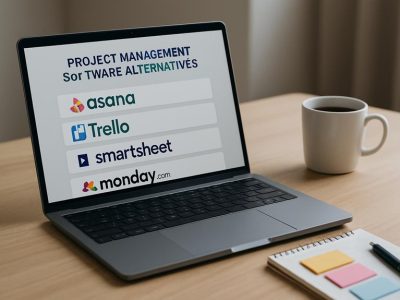
Now, let’s jump into some of the top alternatives to Basecamp. Each of these tools offers unique features that cater to various project management styles and needs.
1. Trello: Visual Organization and Flexibility
Trello is all about simplicity and visual appeal. Integrating a board-and-card system allows you to visualize your tasks as to-do lists. You can drag and drop cards across columns as tasks progress from ‘To Do’ to ‘Done’, offering a highly flexible method for organization. What’s more, Trello allows automations through Butler, helping you cut down on repetitive tasks.
2. Asana: Comprehensive Task Management
Asana empowers you with robust task management capabilities that rival Basecamp. With features like timeline views, task dependencies, and project milestones, it gives you a comprehensive overview of your projects. Plus, Asana’s reporting features allow for measurable outcomes and clear communication amongst your team, making it easier to stay aligned.
3. Monday.com: Customizable Workflows
Monday.com stands apart thanks to its customizable workflows. Whether you’re running a marketing campaign or managing an engineering project, you can tailor the platform to meet your specific needs. With colorful boards and a broad range of integrations, Monday.com makes project visibility a breeze.
4. ClickUp: All-in-One Productivity Platform
ClickUp is like a Swiss Army knife for productivity. Combining task management, docs, goals, and inbox features all under one roof, this tool is perfect for teams seeking versatility. It allows you to manage everything from project tracking to documentation, reducing the need for multiple apps.
5. Notion: Versatile Notes and Collaboration
Notion brings together note-taking and project management in a unique way. This tool is especially appealing for teams that thrive on collaboration. Notion’s databases allow for creative project organization while its rich text editing features make documentation seamless.
Comparison of Features and Pricing
To make an well-informed choice, it’s essential to compare the features and pricing of these tools.
| Tool | Key Features | Pricing Models |
|---|---|---|
| Trello | Board-based task management | Free tier: Business Class from $12.50/user/month |
| Asana | Task dependencies, reporting, timelines | Free tier: Premium from $10.99/user/month |
| Monday.com | Customizable workflows, various views | From $8/seat/month |
| ClickUp | All-in-one view, goals tracking | Free tier: Unlimited from $5/user/month |
| Notion | Pages, databases, collaborative editing | Free for personal use: Team from $8/user/month |
The pricing structures vary significantly, so consider not only your current needs, but also future growth as you evaluate options. With a wealth of features packed into various price points, you’ll find something that fits your budget and project scope.

- Kia Seltos Competitors: Top Compact SUVs - October 14, 2026
- Free to Use Photoshop Alternatives - October 14, 2026
- Ajax Alternatives Mtg Reddit - October 13, 2026
by Ellie B, Site Owner / Publisher