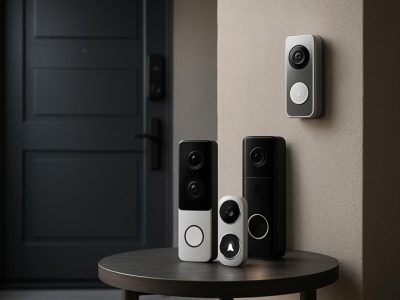
Picture this: you’re sipping coffee in your kitchen when a soft chime alerts you—someone’s at your door. You glance at your phone and see a crisp video feed, feeling a wave of reassurance. But which device made that possible: Blink or Ring? The world of smart home security is buzzing and choosing the right system can feel like navigating a maze of features, prices, and promises.
You want peace of mind, but you also crave simplicity, reliability, and maybe a few hidden perks. Some cameras blend seamlessly into your décor, while others boast advanced motion detection that spots even the slyest porch pirate. As you weigh your options, you’ll discover surprising differences that could tip the scales in ways you never expected. So which will earn a place at your front door?
Overview of Blink and Ring
Blink and Ring deliver home security through unique ecosystems, but each system crafts its own experience within Amazon’s smart home landscape. Blink, designed for simplicity, centers on battery-powered cameras. If you walk into a house equipped with Blink, you’ll probably spot compact devices perched above doors or windows. These units typically run on AA batteries for up to two years (source: Blink FAQ), making maintenance rare. Picture managing a busy household where quick-grab battery launches keep your devices running even during a power outage.
Ring, on the other hand, pushes for integrated solutions. When you see a Ring doorbell mounted on someone’s front porch, you’re witnessing real-time surveillance paired with extensive device compatibility. Ring connects with lights, locks, and security systems, creating automated routines that switch on at sundown or sound an alarm if a window sensor triggers. After Amazon acquired Ring in 2018, its ability to interact with Alexa-enabled devices intensified (see smart home statistics, Statista 2023).
Both Blink and Ring offer flexible video storage—you may opt for subscription or local storage options. Blink’s local solutions appeal if you’re privacy-focused or wary of monthly fees. Ring’s cloud-based plans allow instant video retrieval from any device, as is evidenced by the viral porch piracy videos shared across social media.
When deciding which ecosystem feels seamless, consider ease versus expandability. Blink favors users seeking a hands-off system with minimal setup. Ring attracts those who enjoy tinkering with home automation or want to monitor several zones of a property. “Do you value low-maintenance, or do you crave deeper integration?” If your answer leans toward simplicity, Blink’s minimalist design fits the bill, but if you own multiple smart devices, Ring’s versatility becomes undeniable.
If you’ve ever wondered why one neighborhood bristles with sleek video doorbells while another relies only on small, black modules above garages, it could be because families prioritize distinct features. Both companies advertise security and peace of mind, but your preferences shape your choice—think about what matters more: staying off the cloud or weaving video feeds into a bustling smart home network.
Key Features Compared
Comparing Blink and Ring reveals important differences across resolution, smart integrations, cost, and usability. Each system shapes your home security experience in distinct ways.
Camera Quality and Resolution
Blink cameras capture video at 1080p resolution, producing clear images for most outdoor and indoor settings. Ring Video Doorbells, including the popular Ring Video Doorbell Pro 2 and Elite models, also record in 1080p and some, like the Ring Pro 2, offer 1536p resolution for extra detail. Both brands use infrared night vision but Ring’s color night vision on newer devices, like the Floodlight Cam Wired Pro, gives you more visual context after dark. If crisp video of faces or license plates matters to you, the higher-end Ring models might tip the scale. For basic entryway monitoring, Blink’s clarity usually suffices.
Smart Home Integration
Ring natively integrates with Amazon Alexa, SmartThings, and selected third-party smart devices, so you can automate routines or control devices by voice. Blink, also owned by Amazon, connects easily with Alexa, letting you view camera feeds on Echo Show displays. But, Ring’s wider compatibility gives you more flexibility in building connected home workflows or creating automations—such as triggering lights or locks when motion is detected. If you’re building a home full of IoT devices, Ring’s ecosystem might be the more adaptable choice.
Subscription Plans and Costs
Reviewing ongoing costs, Blink offers a Basic subscription at $3/month per device and a Plus plan at $10/month covering unlimited devices, enabling cloud storage and some advanced features. Unlike Ring, Blink optionally supports local storage with the Blink Sync Module 2, so you can skip monthly fees if you prefer. Ring’s Protect Basic plan mirrors Blink at $3.99/month for each device; its Plus plan runs $10/month for the whole household, covering extended features, device warranties, and emergency support in select Ring Alarm bundles. Those looking for minimal ongoing expenses might like Blink’s skip-the-fee local storage, while those who value extensive cloud options and incident features may lean toward Ring.
Feature
Blink
Ring
Subscription Basic (per month)
$3
$3.99
Subscription Plus (per month)
$10 (unlimited devices)
$10 (unlimited devices)
Optional Local Storage
Yes, Sync Module 2
No
Cloud Storage
Yes, paid plans only
Yes, paid plans only
Ease of Installation and Use
Blink runs battery-powered cameras, making DIY setup fast—most users need only a screwdriver. You can mount a Blink Outdoor camera in 10 minutes, with the system’s simple app guiding you. Ring’s wired options, like the Floodlight Cam, bring extra steps, sometimes needing electrical work, but many Ring cameras also offer battery-powered variants for tool-free installation. In daily use, both brands rely on mobile apps for live views, alerts, and settings; Ring’s app delivers real-time notifications more consistently according to CNET and Tom’s Guide. If quick, effortless setup matters, Blink’s battery setup keeps things simple—if you’re comfortable with more advanced gear, Ring brings richer features but may take a bit more effort.
Security and Privacy Considerations
Picture you’re sipping coffee at dawn, fog blurring your window, and you get a chime—someone passes your porch. For many, that story feels familiar. But with Blink or Ring security cameras, what’s really watching out for you, and who else might also watching along?
Blink leans on simplicity, but privacy gets tangled with trade-offs. Most Blink models process video locally, storing clips on a Sync Module 2 or in the cloud, depending what you choose. Local storage means your footage lives in your house—if you got a USB drive plugged in—so no third-party servers needed. You get peace of mind, unless, , the USB drive goes missing or crooks cut the power. Cloud storage, on the other hand, brings convenience, but it also opens up your home’s eyes to Amazon’s servers. Blink says they encrypt data, but breaches happen (Statista, 2023, shows over 1800 security breaches reported in the US just last year).
Ring, owned by Amazon too, marches deeper into your digital space. Every doorbell press or motion alert rockets to the cloud—much more by default than Blink. Got Ring’s Neighbors app? Now you can join a digital neighborhood watch, trading doorbell videos with others nearby, but some privacy advocates, like the Electronic Frontier Foundation, warn this ecosystem flirts with surveillance culture. You might want to report a package thief, but does your neighbor want their stroll captured at 7 AM?
End-to-end encryption, a privacy gold standard, appears for Ring videos but not always by default—it’s a maze of settings. You must enable it yourself, and, surprising many, this locks out certain features, like preview thumbnails. Blink encrypts streams in transit, but you can’t enable end-to-end encryption even if you’d like.
Want to cut through jargon? Think, who controls your peace of mind? With Blink, you can unplug and hold your data close; with Ring, data management blends with networked community watch. Is convenience worth sharing more, or is privacy holding the true weight for you? If you ever found a news story of police requesting video from Ring users (The Guardian, 2022), you probably wondered—where does your footage really end up?
Ask yourself, would you trade a seamless smart home for the quiet certainty that no one else peek’s at yesterday’s delivery? The answers, as personal as the settings in each camera app, shape your sense of security. Both Blink and Ring, wrapped in Amazon’s ecosystem, invite you to weigh ease, privacy, and control in a world where even your porch light leaves a digital trace.
Pros and Cons of Blink
Blink offers something like a set-and-forget security solution: once the cameras are up, you could probably ignore ’em for months—unless, , the batteries run out at the wrong time. The company claims these AA-powered cameras last up to two years (Blink, 2023), but if you live somewhere with a parade of package thieves or a legion of squirrels triggering motion alerts, you’re gonna discover that number shrink fast. if swapping batteries on the porch at midnight is any less stressful than a break-in itself? With Blink, that’s an adventure you may face.
Pros of Blink
Low maintenance design: You pop the camera up—a breezy 15-minute install—and forget until the app nudges you. When comparing with other options like Ring relying on hardwiring for some models, Blink’s simplicity appeals to renters or those who despise drilling holes.
Affordable subscription: Blink’s video storage subscription starts at about $3/month per device (Amazon, 2024), much less than Ring’s entry-level plan. Some users, like Amy from Ohio, said online forums let her store a year of clips without breaking $20.
Local storage control: Connecting a Sync Module 2, you join the subset of users storing all their clips locally on a USB flash drive, eliminating monthly recurring fees. Do you ever feel like cloud companies peek at everything? Local storage gives a sense of privacy, at least until the cat yanks out your USB stick.
Simple mobile app: The Blink app focuses on core functions—viewing clips, scheduling, motion detection. Have you noticed how some security apps bloat with updates until you can’t find the video feed? Blink’s interface keeps decisions clear and direct, which appeals to digital minimalists.
Battery-powered flexibility: Dragging a ladder into the rain to move a camera? Blink’s wire-free design lets you reposition devices in under five minutes, broadening coverage for yards, garages, or even treehouses. It isn’t chained by outlets.
Cons of Blink
Limited smart home integration: Blink connects best with Alexa, lagging behind Ring, which taps into broader ecosystems like SmartThings or Google Home. For home automation fans, this creates a bottleneck—picture asking Alexa to arm the system, then apologizing to your Google routines.
No continuous recording: Blink records motion events rather than 24/7 video. Sometimes this means you get half a story, like the package dropped off but not the culprit who grabbed it. News reports (CNET, 2023) noted that event-based capture left gaps for some homeowners, especially in high-traffic zones.
Video quality ceiling: Even though Blink provides a dependable 1080p feed, night vision can turn faces into mysterious blobs. Compared with Ring’s Color Night Vision and up to 1536p on Pro models, there’s less clarity after dusk or in harsh lighting. Security experts (Wirecutter, 2023) suggest this diminishes usefulness as evidence.
Battery anxiety: If you forget to check battery status, surprise outages can leave blind spots. Several users on Reddit, one named “HomeNoMore,” recounted missing a critical delivery because batteries died within six months due to cold snaps or frequent alerts.
Local storage vulnerability: While local video gives data-privacy advantages, there’s the risk of loss: if the camera is stolen, or the power fails, you could lose records of incidents entirely. You control your data, but also its fate.
Would you trade hands-off operation and lower costs for less brawny features? Blink’s design caters to those longing for simplicity, but if you’re an automation lover or want top-notch evidence, you might notice where it falls shy. Security’s never just a checklist—what matters most is how each tool fits inside your daily routines and unexpected stories.
Pros and Cons of Ring
Exploring Ring’s strengths, picture you’re sipping your morning coffee and suddenly Alexa asks if you want to see the front door—no hands, just voice. This smart ecosystem forms the backbone of Ring’s platform, integrating with Amazon devices and SmartThings, enabling actions like turning on hallway lights when motion triggers outside. Picture chaining a series of home defenses, like dominoes, where one trigger sets off a series of responses; that’s the automation Ring’s smart security system enables.
Pros of Ring
Advanced Integration: Ring connects with smart lights, smart locks, and Echo devices, so your home responds automatically when you can’t.
High-Resolution Footage: Certain Ring Doorbell Pro models deliver up to 1536p video with color night vision. For example, you’ll spot every detail of a late-night visitor’s face, even if they’re wearing a hoodie.
Real-Time Communication: Two-way talk and live-view features lets you deter porch pirates by speaking directly to them while watching them in real-time. Think of it as a digital intercom at every entry point.
Extensive Cloud Storage: Ring Protect plans retain up to 180 days of video in the cloud, providing you with evidence if something happens while you’re away. Data stays accessible even after devices are offline.
Neighborhood Sharing: Using the Neighbors app, you can share clips and alerts with local community, instantly creating a web of neighborhood awareness when suspicious activity occurs.
Cons of Ring
Privacy Concerns: Storing sensitive video solely in the cloud can raise concerns, with the Center for Strategic and International Studies warning that video sharing features sometimes invite unwanted surveillance and law enforcement requests (https://www.csis.org/analysis/privacy-digital-age). Would you feel comfortable knowing your front porch could feature in local crime watch feeds, sometimes without your clear consent?
Subscription Costs: Ring’s ongoing subscription fees for extended recordings or person detection features, reaching $10 monthly per home for Ring Protect Plus, exceed what’s required by Blink or some rivals.
False Alerts: Multiple users report constant notifications triggered by passing cars, pets, or wind-blown branches. You might find yourself muting alerts, then missing something important when it matters most.
Initial Setup Complexity: Compared to Blink’s “mount-and-go” approach, Ring’s connectivity options and device pairing flow can frustrate less tech-savvy users. For instance, if your Wi-Fi drops or the app configuration fails, restarting the process sometimes wastes your precious time.
How secure is convenient cloud storage when weighed against the risks of over-sharing or accidental footage leaks? Could high-definition footage and seamless automation really justify more complex privacy negotiations? Balancing Ring’s powerful, integrated experiences with its privacy trade-offs and higher ongoing costs could shape your concept of “peace of mind”—is it in the device’s capacity, the platform’s intelligence, or the control you keep?
Feature
Ring Advantage Example
Ring Limitation Example
Integration
Alexa commands trigger live views
Pairing difficulties with legacy devices
Video Quality
1536p resolution with color night vision
Bandwidth spikes can lower stream quality
Storage
180 days of cloud retention unaffected by power issues
No local storage for power outages
Communication
Two-way audio on all models
Audio delays on congested Wi-Fi networks
Community Engagement
Neighbors app creates instant local response
Potential over-exposure of private moments
Would you value the city’s omniscient gaze, or does the idea of neighbors with eyes on your doorstep unsettle you? Ring invites you to weigh these nuances—and decide what security really means, right at your own door.
Which Is Better Blink or Ring: Our Verdict
Sifting through the Blink versus Ring debate, you stand at a crossroads—do you crave absolute ease, or do you desire a home that buzzes with connectivity? Picture: you’re tiptoeing in after midnight, and a neighbor spots your entry on their Ring Neighbors feed. It feels like living in a digital “small town,” where everyone shares and watches, sometimes a bit too closely. Ring threads this digital village together with tight Amazon Alexa integration, high-res video, and a constellation of smart home routines. In 2023, Ring’s color night vision caught porch pirates red-handed in dozens of widely reported incidents (source: USA Today). That sense of digital community—does it comfort you, or does it keep you glancing over your shoulder?
Not every home hums with Ring’s tech-loving energy. Blink, by contrast, is the minimalist’s safe haven. The dependency here is clear: less connection means more privacy. No crowdsourcing, no sprawling networks—just you and your quiet backyard camera, powered for up to 2 years on AA batteries (source: Blink FAQ). If your scenario is a remote cabin or you want to avoid cloud storage, Blink guards your moments like a silent sentry, even if it don’t dazzle with integrations.
Count the dollars too—Blink’s local storage sidesteps monthly bills. A friend ditched Ring for Blink last summer, after realizing she didn’t even use the Alexa integration, let alone the Neighbors app. Her experience isn’t rare: those prioritizing simplicity often find Blink’s “set-and-forget” system a better fit. Others will glance at Ring’s $39/year Basic Plan and say, “That’s the cost of certainty, of extra features, of talking to my delivery driver in real time.”
Have you noticed how Ring’s dependency on the cloud makes it susceptible to outages? Blink, on the other hand, “disconnects” gracefully—when the Wi-Fi flees or the grid falters, your videos may stay safe on the local dongle. Still, if a thief grabs your USB stick, your evidence leaves with them, a risk often overlooked until it’s too late.
You might wonder, “Which trade-off do I accept?” If smart home orchestration thrills you, Ring’s worth the privacy risk—but If quiet security and control over footage drives your decision, Blink’s minimal design reigns supreme. In both cases, your values map directly onto your choice.
Which neighborhood do you want to live in—a visible, connected network or a tranquil, self-contained refuge? When video security walks hand-in-hand with digital lifestyle, the answer always reflects your comfort. If innovation or privacy stands higher on your dependency tree, the verdict’s in your grasp.
Conclusion
Choosing between Blink and Ring really comes down to what matters most to you. If you value a simple setup and want to keep your data close to home Blink offers a straightforward solution. If you’re looking for a feature-rich system that connects with your other smart devices Ring delivers a more integrated experience.
Think about your comfort with cloud storage privacy and ongoing costs before making your decision. The right home security system is the one that fits your lifestyle and gives you true peace of mind.
To provide the best experiences, we use technologies like cookies to store and/or access device information. Consenting to these technologies will allow us to process data such as browsing behaviour or unique IDs on this site. Not consenting or withdrawing consent, may adversely affect certain features and functions.
Functional
Always active
The technical storage or access is strictly necessary for the legitimate purpose of enabling the use of a specific service explicitly requested by the subscriber or user, or for the sole purpose of carrying out the transmission of a communication over an electronic communications network.
Preferences
The technical storage or access is necessary for the legitimate purpose of storing preferences that are not requested by the subscriber or user.
Statistics
The technical storage or access that is used exclusively for statistical purposes.The technical storage or access that is used exclusively for anonymous statistical purposes. Without a subpoena, voluntary compliance on the part of your Internet Service Provider, or additional records from a third party, information stored or retrieved for this purpose alone cannot usually be used to identify you.
Marketing
The technical storage or access is required to create user profiles to send advertising, or to track the user on a website or across several websites for similar marketing purposes.