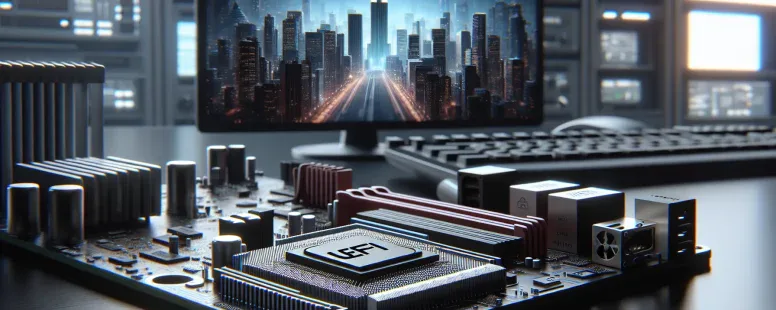
Picture powering up your computer, expecting a seamless start, but behind the scenes, a critical system decides how everything initializes. That decision lies between two key firmware types: UEFI and Legacy. These aren’t just technical buzzwords—they shape how your device boots, performs, and even interacts with modern hardware.
You might wonder why this choice matters or how it impacts you. From faster boot times to advanced security features, UEFI offers capabilities that Legacy simply can’t match. Yet, Legacy still holds its ground in certain scenarios due to its simplicity and widespread compatibility. Understanding these differences isn’t just for tech enthusiasts—it’s essential if you want to optimize your system or troubleshoot effectively.
So what sets them apart? By exploring their unique traits and advantages, you’ll uncover which one suits your needs best while gaining insight into the evolving world of computer technology.
What Is UEFI?
UEFI, or Unified Extensible Firmware Interface, is a modern firmware standard that initializes hardware and software during the booting process. It replaces the traditional BIOS (Basic Input/Output System) to support newer technologies and improved system performance.
Key Features Of UEFI
Graphical User Interface (GUI):
UEFI includes a user-friendly graphical interface, making configuration simpler compared to Legacy BIOS’s text-based interface.
Larger Storage Support:
UEFI supports hard drives over 2 TB by using GPT (GUID Partition Table), unlike Legacy BIOS, which relies on MBR with a limit of 2 TB.
Faster Boot Times:
By optimizing initialization processes, UEFI reduces boot times significantly for systems equipped with SSDs or NVMe drives.
Secure Boot Mechanism:
Secure Boot verifies that only trusted operating systems load during startup, reducing risks from malware like rootkits.
Network Functionality:
Built-in networking capabilities allow remote troubleshooting and firmware updates directly from the interface itself.
Advantages Of UEFI
Enhanced Security Measures:
Features like Secure Boot protect your system from unauthorized software during startup, increasing overall security against cyber threats.
Compatibility With Modern Hardware:
Supporting larger storage devices and advanced components ensures seamless integration with current-generation technology.
Improved User Experience:
The GUI simplifies navigation for both novice users and IT professionals, eliminating complexities associated with traditional setups.
Extensibility And Updates:
Modular architecture in UEFI allows manufacturers to roll out updates or add features without replacing entire firmware builds.
Power Management Optimization:
Efficient power state management in UEFI contributes to energy savings on laptops and other portable devices while maintaining performance levels effectively.
What Is Legacy BIOS?
Legacy BIOS, short for Basic Input/Output System, is the traditional firmware interface used in early computers. It initializes hardware during the booting process and provides runtime services for operating systems. Introduced in 1981 by IBM, it became a standard for decades before UEFI emerged as its modern successor.
Key Features Of Legacy BIOS
Hardware Initialization: Legacy BIOS configures essential hardware components like keyboards, monitors, and storage devices during startup.
Master Boot Record (MBR): It relies on MBR partitioning to locate and load the operating system from storage devices with a maximum capacity of 2 TB.
Compatibility: Designed for older systems, it supports legacy devices such as PS/2 keyboards and VGA connectors.
Text-Based Interface: The firmware features a simple text-only menu that allows users to configure basic settings like boot order or date and time.
Limitations Of Legacy BIOS
Storage Restrictions: Due to its dependence on MBR partitioning, Legacy BIOS cannot handle drives larger than 2 TB or more than four primary partitions per disk.
Slow Boot Times: Its lack of optimization results in slower startup processes compared to modern alternatives like UEFI.
Security Vulnerabilities: Without advanced mechanisms such as Secure Boot, it’s susceptible to rootkits and other malicious attacks targeting the bootloader.
Limited Extensibility: Unlike UEFI’s modular architecture that supports updates and customization, Legacy BIOS offers minimal flexibility for adapting to new technologies.
Key Differences Between UEFI And Legacy
Boot Process
UEFI boots using the GUID Partition Table (GPT), enabling faster initialization and supporting larger drives. It uses a pre-boot environment to load operating systems efficiently. In contrast, Legacy BIOS relies on the Master Boot Record (MBR) and executes boot operations sequentially, which can slow down the process.
For example, with UEFI, you can boot directly into graphical interfaces or advanced diagnostics tools without relying solely on operating system utilities. Meanwhile, Legacy’s simpler boot structure means fewer configuration options during startup.
Performance And Speed
UEFI improves performance by reducing firmware overhead during startup. Its parallel processing capabilities allow quicker hardware initialization compared to Legacy BIOS’ single-threaded approach.
A system running UEFI might cut boot times to seconds, while older setups using Legacy BIOS often take longer due to linear device checks. Faster drive recognition in UEFI also enhances workflows for users managing high-storage environments.
Security Features
UEFI includes Secure Boot functionality that prevents unauthorized code from executing during the boot process. This feature protects against rootkits and other malicious software targeting firmware vulnerabilities.
Legacy BIOS lacks these advanced mechanisms; it doesn’t validate digital signatures of loaded software. Without such safeguards, systems using Legacy are more susceptible to attacks compromising user data or operational integrity.
Compatibility
Legacy ensures compatibility with older hardware and operating systems like DOS-based platforms or early Windows versions before GPT adoption became standard. It’s ideal for legacy applications where modern firmware isn’t necessary.
But, UEFI supports backward compatibility while catering to newer technologies like NVMe drives and 64-bit processors. If your workflow involves transitioning between old and new devices seamlessly, UEFI provides broader adaptability than Legacy configurations offer.
Pros And Cons Of UEFI And Legacy
UEFI and Legacy BIOS each offer distinct advantages and limitations. Understanding these helps you select the firmware that aligns with your system’s requirements.
Pros Of UEFI
Enhanced Security Features
UEFI includes Secure Boot, which blocks unauthorized code execution during startup. This adds a significant layer of protection against malware attacks.
Support For Modern Hardware
Systems running UEFI can handle drives larger than 2 TB using GUID Partition Table (GPT). This makes it ideal for modern computing needs.
Faster Boot Times
Parallel processing capabilities in UEFI reduce boot times compared to Legacy BIOS, which uses sequential processes.
User-Friendly Interface
The graphical interface in UEFI simplifies navigation and configuration, unlike the text-based interface of Legacy BIOS.
Remote Troubleshooting Capabilities
Built-in networking features allow remote diagnostics, making IT support more efficient in enterprise environments.
Cons Of UEFI
Complex Setup Process
Configuring UEFI involves more technical expertise than setting up Legacy BIOS due to its advanced options and features.
Limited Compatibility With Older Systems
Older hardware or software may not fully support UEFI, causing compatibility issues during installation or operation.
Potential Secure Boot Restrictions
While Secure Boot enhances security, it might block certain legitimate applications or OS installations if they’re unsigned or outdated.
Higher Resource Requirements
Compared to Legacy BIOS, running UEFI requires more storage space and memory resources from your system firmware chip.
Pros Of Legacy BIOS
Compatibility With Older Hardware And Software
Legacy BIOS ensures smooth operation for older operating systems like Windows XP and non-UEFI-supported devices such as pre-2010 motherboards.
Simpler Configuration Process
Its straightforward text-based interface is easier for users unfamiliar with advanced settings found in modern firmware interfaces like those of UEFI systems.
Lower System Overhead Needs
The minimalistic design of Legacy BIOS consumes fewer resources compared to the relatively complex structure of UEFI firmware setups.
Cons Of Legacy BIOS
Storage Limitations
Conclusion
Choosing between UEFI and Legacy BIOS depends on your system’s requirements and goals. If you’re working with modern hardware or need advanced features like faster boot times, improved security, and support for larger drives, UEFI is the way to go. But, if you’re dealing with older devices or prefer simplicity and compatibility, Legacy BIOS remains a reliable option.
Understanding the strengths and limitations of each firmware helps you make informed decisions that optimize performance and ensure compatibility. By aligning your choice with your specific needs, you can create a more efficient and secure computing environment.
Published: September 30, 2024 at 11:50 pm by Ellie B, Site owner & Publisher
To provide the best experiences, we use technologies like cookies to store and/or access device information. Consenting to these technologies will allow us to process data such as browsing behaviour or unique IDs on this site. Not consenting or withdrawing consent, may adversely affect certain features and functions.
Functional
Always active
The technical storage or access is strictly necessary for the legitimate purpose of enabling the use of a specific service explicitly requested by the subscriber or user, or for the sole purpose of carrying out the transmission of a communication over an electronic communications network.
Preferences
The technical storage or access is necessary for the legitimate purpose of storing preferences that are not requested by the subscriber or user.
Statistics
The technical storage or access that is used exclusively for statistical purposes.The technical storage or access that is used exclusively for anonymous statistical purposes. Without a subpoena, voluntary compliance on the part of your Internet Service Provider, or additional records from a third party, information stored or retrieved for this purpose alone cannot usually be used to identify you.
Marketing
The technical storage or access is required to create user profiles to send advertising, or to track the user on a website or across several websites for similar marketing purposes.