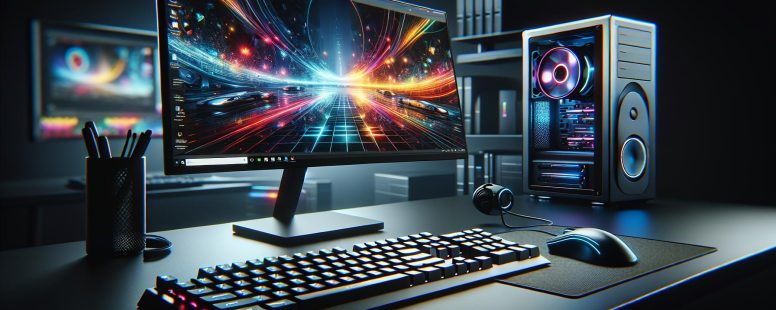
Picture trying to communicate with your computer, but it doesn’t understand what you want or how to respond. That’s where input and output devices step in—they’re the bridge between you and your machine. Whether you’re typing on a keyboard, clicking a mouse, or watching a video on your monitor, these devices are constantly working together to create seamless interactions.
But have you ever stopped to think about what sets them apart? Input devices are like messengers delivering your commands, while output devices translate those commands into something tangible for you—be it sound, visuals, or printed text. Understanding their differences isn’t just tech jargon; it’s essential for making informed choices when setting up or upgrading your gadgets. Ready to dive deeper? Let’s unravel how these two types of devices shape the way you experience technology every day.
Understanding Input Devices
Input devices enable you to interact with computers by sending commands or data. These tools serve as the first step in processing, bridging the gap between users and machines.
Definition And Characteristics
Input devices are hardware components designed to capture user actions or physical signals and translate them into digital data for a computer to process. Their primary features include precision, responsiveness, and compatibility with various systems. Unlike output devices, input tools initiate communication rather than receive it.
For instance, keyboards detect keystrokes and convert them into characters on your screen. Similarly, mice track movements and clicks to control on-screen elements. These devices often rely on sensors or switches to perform their functions efficiently.
Examples Of Input Devices
Common examples include keyboards, mice, scanners, microphones, touchscreens, game controllers, and webcams.
Keyboards: Translate typed text or commands using keys.
Mice: Detect motion for cursor navigation.
Scanners: Digitize printed documents or images.
Microphones: Capture audio signals for recording or communication.
Webcams: Provide video input for live streams or video calls.
Advanced options like styluses allow detailed handwriting recognition on tablets. Barcode readers support retail operations by scanning product codes quickly.
Common Uses Of Input Devices
You use input devices daily across tasks like typing emails (keyboards), browsing websites (mice), conducting online meetings (microphones/webcams), and playing games (controllers). Businesses often employ specialized equipment—such as card readers—to streamline transactions.
In education settings, interactive whiteboards enhance teaching experiences by capturing real-time interactions. Medical professionals use imaging equipment like ultrasound machines for detailed diagnostics.
By integrating these tools effectively into workflows, you can increase efficiency while enhancing user experiences across industries.
Understanding Output Devices
Output devices are hardware components that present processed data from your computer into readable, audible, or visual formats. These devices transform digital signals into forms you can perceive.
Definition And Characteristics
Output devices convert machine-processed information into user-friendly outputs such as images on a monitor or sound through speakers. Key characteristics include resolution for display devices, clarity for audio systems, and speed in printers. Effective output devices ensure accuracy in rendering outputs while being compatible with multiple operating systems.
Examples Of Output Devices
Common examples of output devices include monitors (LED and LCD), which display visuals like videos or documents; printers (inkjet and laser), used for producing physical copies of text or images; speakers, responsible for delivering audio content; projectors, which enlarge screen content onto surfaces; and headphones for private listening experiences.
Output Device
Primary Function
Monitor
Displays text, images, and videos
Printer
Produces hard copies of documents
Speaker
Outputs sound
Projector
Enlarges visual presentations
Headphones
Provides personal audio
Common Uses Of Output Devices
You rely on output devices daily to interact with digital systems. Monitors aid tasks like browsing websites or editing documents. Printers support business operations by creating invoices or reports. Speakers enhance entertainment via music playback. In education settings, projectors help deliver lectures visually to larger audiences. Gaming setups often integrate advanced headphones to heighten immersive experiences.
Key Differences Between Output And Input Devices
Understanding the distinctions between output and input devices enhances your grasp of how computers interact with users. These differences are rooted in their functionality, data flow direction, and hardware types.
Functionality
Input devices capture user actions or signals for processing. For instance, a keyboard translates typed letters into digital data, while a microphone converts sound waves into audio signals. In contrast, output devices take processed data from the computer and present it to you in usable formats. A monitor displays visuals like documents or movies, while speakers produce audible outputs such as music or notifications.
The primary role of an input device is to help communication from you to the computer. Meanwhile, output devices ensure that processed information reaches you effectively.
Data Flow Direction
Data flows to the computer through input devices but moves from the computer to you via output devices. When using a mouse to navigate a webpage, movement data travels inward toward processing units. But, when viewing results on a screen after clicking a link, processed data flows outward through an output device.
This directional difference defines their core purpose: inputs serve upstream processes (data collection), whereas outputs handle downstream delivery (data presentation).
Hardware Types
Input devices include peripherals like keyboards, mice, webcams, game controllers, and barcode scanners—each designed for specific tasks such as capturing text or images. Output hardware covers monitors for visual display; printers for tangible content; speakers for auditory feedback; projectors for large-scale presentations; and headphones for personal audio experiences.
These categories highlight their physical diversity and unique functionalities within computing systems. Both are crucial yet complementary components facilitating smooth human-computer interaction across various applications.
Significance Of Both Devices Working Together
Input and output devices form a cohesive system that enables seamless interaction with technology. Input devices, like keyboards and mice, capture your commands, while output devices, such as monitors and printers, display or present processed results back to you. This synergy ensures efficient communication between users and computers.
Data flow is a critical aspect of this collaboration. Input devices send raw data to the computer for processing; once analyzed, output devices convert it into readable formats. For instance, when you type an email on a keyboard (input), the monitor displays your text (output). Without their combined functionality, completing tasks would be inefficient or even impossible.
In creative industries like graphic design or video editing input-output coordination is essential. A stylus tablet allows precise drawing (input) while high-resolution monitors showcase real-time edits (output). This interdependence lets professionals achieve accuracy and quality in their work.
Everyday applications also rely on this tandem operation. Scanning documents with a scanner involves capturing images (input) that are later viewed as digital files on screens (output). Similarly headphones deliver audio outputs from microphones’ recorded inputs during online meetings—ensuring smooth communication.
Understanding how these components interact helps optimize workflows across personal and professional setups.
Conclusion
Understanding the distinction between input and output devices empowers you to make smarter choices when interacting with technology. These devices are essential for seamless communication, ensuring your commands are effectively captured and processed data is delivered in usable formats.
By recognizing how input and output devices work together as a cohesive system, you can optimize your workflows, whether you’re working on creative projects or managing everyday tasks. This knowledge enhances not only your efficiency but also your overall digital experience.
To provide the best experiences, we use technologies like cookies to store and/or access device information. Consenting to these technologies will allow us to process data such as browsing behaviour or unique IDs on this site. Not consenting or withdrawing consent, may adversely affect certain features and functions.
Functional
Always active
The technical storage or access is strictly necessary for the legitimate purpose of enabling the use of a specific service explicitly requested by the subscriber or user, or for the sole purpose of carrying out the transmission of a communication over an electronic communications network.
Preferences
The technical storage or access is necessary for the legitimate purpose of storing preferences that are not requested by the subscriber or user.
Statistics
The technical storage or access that is used exclusively for statistical purposes.The technical storage or access that is used exclusively for anonymous statistical purposes. Without a subpoena, voluntary compliance on the part of your Internet Service Provider, or additional records from a third party, information stored or retrieved for this purpose alone cannot usually be used to identify you.
Marketing
The technical storage or access is required to create user profiles to send advertising, or to track the user on a website or across several websites for similar marketing purposes.