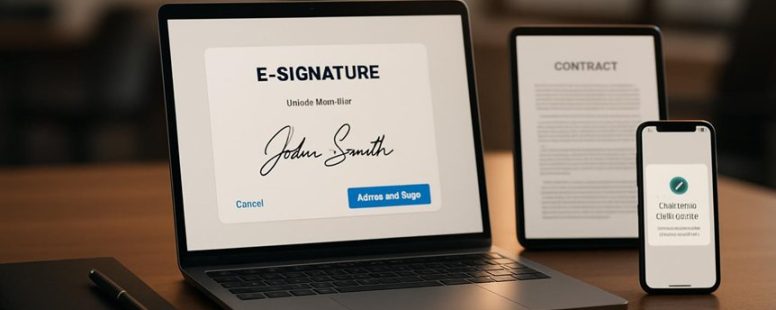
Best DocuSign Alternatives: Secure E-Signature Tools for Small Business and Teams
Imagine sealing a document with a click, feeling the crisp digital handshake that locks in your agreements instantly. While DocuSign shines as a household name, many small businesses are uncovering hidden gems—affordable, tailored alternatives that blend security with seamless workflow.
These tools don’t just sign; they transform your entire document process into a smooth, stress-free dance. Surprisingly, some options offer advanced compliance features that often go unnoticed, giving your team an extra layer of confidence.
Navigating this landscape can feel overwhelming, but finding the perfect fit is like discovering a secret shortcut—saving time, money, and headaches along the way.
How to Choose the Best E-Signature Tool for Small Business
Choosing the best e-signature tool for your small business means knowing what to look for. The most important things are security, ease of use, and how well it works with your current systems.
First, security is key. You want your contracts to stay safe from people who shouldn’t see them. Look for tools like DocuSign or Adobe Sign that offer encryption, secure storage, and audit trails. These features help you track who signed and when, keeping your documents protected. If your business handles sensitive info, these security features are a must.
Second, ease of use matters. A good e-signature tool should make signing simple for you and your clients. Tools like PandaDoc or HelloSign have clear, friendly interfaces. Think about how fast your team can learn to use it. The easier it is, the faster you can get contracts signed and move on.
Third, check if the tool works well with your other software. For example, if you use Google Workspace or Microsoft 365, pick a tool that connects easily. This saves time and avoids mistakes. Some tools, like SignNow, work great with many platforms.
Some people compare tools by price. While cheaper options may save money, they might lack important features. On the other hand, pricier tools like Adobe Sign or DocuSign often have more security and integrations but may be more than small businesses need. So, think about what features are must-haves for your business.
There are two ways to look at choosing an e-signature tool. Some say you should pick the most secure and feature-rich option, even if it costs a bit more. Others believe a simple, inexpensive tool can do the job just fine. Just remember, choosing a tool that doesn’t fit your needs can slow you down later.
Key Criteria for Picking a DocuSign Alternative
When choosing an alternative to DocuSign, it’s helpful to know what to look for. First, pick a tool that provides a digital signature process that is reliable and legally binding. You want to make sure your signatures are accepted in court and easy to use for everyone. For example, Adobe Sign and HelloSign are popular options that meet these criteria.
Next, check if the service works well with your current cloud storage, like Google Drive, Dropbox, or OneDrive. This makes it easier to find and manage your documents without switching between apps. Some platforms, like PandaDoc or SignNow, offer good integration with these storage options.
Another point to think about is how simple the platform is. If your team is small, you need a tool with a clear, user-friendly interface and simple steps to get documents signed. Platforms like SignEasy are known for being straightforward and easy to learn.
Finally, see if the tool allows you to customize templates and signing processes. This can save you time when you need to send many contracts or forms. Some tools, like Adobe Sign, let you set up templates that can be reused, which makes signing faster.
Are These Solutions Secure and Legally Compliant?
Yes, digital signature solutions can be secure and legally compliant if you choose the right tools. The key is to look for options that follow laws like ESIGN and eIDAS. These laws make sure that electronic signatures are legally valid and can be used in court. For example, DocuSign and Adobe Sign both follow these standards.
Security is also very important. Your chosen tool should use encryption to protect your data, store documents safely, and do regular security checks. These steps help stop hackers from stealing sensitive information. Some solutions even give you audit trails, which are reports showing how a document was signed and verified. These are useful if you need to prove a signature is legit later on.
However, not all solutions are equally secure or compliant. Some may claim to follow the rules but lack proper security features. Always check for clear details on compliance and security measures before picking a product. For example, a small business might start with a free version of a trusted tool but should upgrade to a paid plan with full security features as they grow.
Top Secure E-Signature Tools for Small Businesses in 2023
In 2023, the best secure e-signature tools for small businesses are those that are affordable, easy to use, and keep your documents safe. When choosing a tool, look for options that balance cost, security, and user-friendliness. For example, tools like DocuSign, Adobe Sign, and HelloSign are popular because they offer strong security features without costing too much.
These tools are good because they let you sign documents quickly online, saving you time. But some tools might have fewer features or higher prices. For example, DocuSign is very well-known and trusted, but it can be expensive for small businesses just starting out. HelloSign is cheaper and simple to use, making it a good choice for small teams.
It’s also smart to check if the tool uses encryption to protect your signed documents. Some tools have extra security options, like two-factor authentication, which makes sure only you and your team can access important files.
Some people prefer free options like SignRequest or PandaDoc because they are budget-friendly. However, these free tools might have limits on how many documents you can sign each month or fewer security features.
In short, the right e-signature tool depends on your business needs. Think about what’s most important—cost, security, or ease of use. Trying a few options with free trials can help you decide which one works best for you.
Cost-Effective Options
Affordable e-signature solutions are a good choice for small businesses that want to stay safe without spending too much money. These options usually have the basic features you need to sign documents online, and they cost less than the big names. For example, HelloSign, SignNow, and PandaDoc are popular because they are affordable and easy to use. They often have free plans or low-cost options, so startups and small teams can try them out without breaking the bank.
Using these tools helps your business save time. Instead of printing, signing, and scanning papers, you can get documents signed in minutes. But be careful — some cheaper options may not have all the security features bigger companies offer. Make sure they protect your data well, or you risk losing important information.
Some people might worry that low-cost e-signature tools aren’t secure enough. The truth is, many affordable options do meet security standards, but it’s always good to check if they are compliant with laws like eIDAS or ESIGN. Also, free plans might have limits, like fewer documents or less storage. So, if your business grows, you might need to upgrade.
In the end, choosing the right e-signature tool depends on your needs and budget. If you want to save money and stay safe, these budget-friendly options can be a good fit. Just make sure to compare their features and security before making your choice. That way, you get the right tools to keep your business running smoothly without overspending.
User-Friendly Interfaces
Choosing an e-signature tool is not just about security or cost. How easy it is to use matters a lot too. A simple, user-friendly interface helps team members start signing documents quickly without getting frustrated. Look for tools like DocuSign or Adobe Sign that are easy to understand. They have clear menus and simple steps so everyone can use them right away.
An intuitive layout makes the process faster. For example, some tools let you drag and drop pages or change layouts easily. This saves time and reduces mistakes. Also, consider if the tool allows you to customize the workspace. This means you can set it up in a way that fits your team’s way of working, making signing even smoother.
But beware—some platforms might look simple but lack advanced features you need later. Make sure the tool balances ease of use with the functions you want. If it’s too basic, you might have to switch later, costing you more time.
In short, choosing a platform like HelloSign or PandaDoc that focuses on simplicity can help your team sign documents faster. It makes the process less frustrating and more productive. Remember, the easier the tool is to use, the less time you spend explaining and training. This keeps your business running smoothly every day.
How Do Pricing Plans Compare for E-Signature Tools?
When comparing pricing plans for e-signature tools like DocuSign, Adobe Sign, or HelloSign, the main thing to look at is which plan gives you the most value for your money. The best plan should balance cost with the features your team needs. For example, a small team might want unlimited signatures, easy sharing, and good security, but not need advanced options like custom branding or API access.
Some plans are cheaper but come with limits on how many documents you can send each month. Others cost more but offer extra features that might be helpful as your team grows. It’s a good idea to compare what each plan includes at different price points. For instance, DocuSign’s Standard plan is good for small teams with basic needs, while their Business Pro plan adds features like branding and advanced authentication.
Be aware that not all features are worth paying extra for. If you only send a few documents a month, a basic plan might be enough. But if you need to send hundreds or want to automate signing processes, a more expensive plan could save you time and trouble.
Some people find it useful to list what they need most—like ease of use, security, or integrations—and then compare plans based on those. Remember, sometimes a cheaper plan might seem good but could lack key features you’ll need later.
In the end, the best choice depends on your team’s specific needs. Always check the details of each plan to see what’s included and what costs extra. That way, you get the most value without overspending.
Cost-Effectiveness Analysis
Cost-effectiveness is a key factor when choosing e-signature tools for small businesses. The best way to find the right plan is to compare costs and features carefully. For example, many tools like DocuSign and HelloSign offer different plans. Basic plans are usually cheaper and good if you only need simple signing features. Premium plans cost more but include extras like advanced workflows and integrations with other apps.
To make a smart choice, look at what you really need. If you only sign a few documents each month, pay-as-you-go options might save you money. But if your business signs many documents regularly, a fixed monthly plan could be better. Some providers, like Adobe Sign, offer free trials or money-back guarantees, so you can test before you buy.
However, there are some warnings. Cheaper plans might lack features that your business needs later. Also, paying for options you don’t use can waste money. It’s a good idea to list what features are essential and compare plans side by side. This way, you can find a plan that fits your budget and helps your business stay secure and efficient.
Value for Small Teams
For small teams, the best e-signature plan is one that is affordable and has the features you need. It should help your team work together easily without costing too much. When choosing, look for plans that let multiple people sign and check on documents quickly. Some plans offer automation tools that save time by making signing faster and fewer mistakes.
Many providers, like DocuSign or HelloSign, have different prices based on the number of users. For example, a small team might only need basic features like signing and status updates, which are usually included in lower-cost plans. Flexible plans that allow adding more users later can be a good choice as your team grows.
However, there are some things to watch out for. Cheaper plans might lack advanced features like bulk signing or integrations with tools like Google Drive or Salesforce. These features can make your work much easier but might cost extra. Also, check if the plan allows enough users and offers good support.
What Features Matter Most for Small Business E-Signatures?
What Features Matter Most for Small Business E-Signatures?
The most important features in an e-signature tool for small businesses are those that make signing easy, secure, and legal. Here’s what to look for:
- Legal and Secure Digital Signatures: The signature must be accepted by law and protect your documents. A good example is DocuSign, which is widely trusted and meets legal standards. If a tool’s signatures aren’t legally binding, you risk problems if a dispute happens. So, always check if the e-signature solution guarantees legal validity.
- Contract Management Tools: These help you keep all your signed documents in one place. Features like organizing files, tracking signing status, and managing versions make your work faster. Small businesses often handle many agreements, so easy management saves time and avoids mistakes.
- Simple and Easy to Use: An intuitive interface means your team can sign documents without confusion. If a tool is complicated, it can cause errors or delays. For example, HelloSign is known for its straightforward process, which can be a big help for small teams with limited tech support.
Some small businesses prefer tools like Adobe Sign because it integrates with other Adobe products they already use. Others choose SignNow for its affordability and ease. Remember, no matter which you pick, make sure it covers your main needs: legality, organization, and ease of use.
How Easy Is It to Integrate E-Signature Tools Into Your Workflow?
Integrating an e-signature tool is usually quick and easy. It should fit smoothly into your current work flow so you don’t waste time. Look for tools like DocuSign or Adobe Sign that work well with your existing software, like email or cloud storage. These tools often have simple setup steps, so you can start signing documents right away.
Some people worry that it might be hard or take too long, but many options are designed to be user-friendly. For example, you might just upload a file, click where you want to sign, and send it. It’s like stamping a paper, but faster and digital.
However, there are a couple of things to keep in mind. Some tools might not work with every app or device, which could cause delays. Also, if your company has strict security rules, you might need extra steps to approve new tools.
In the end, choosing a popular e-signature tool that matches your needs can save you time and make signing documents simple. Just remember to check compatibility and ease of use before you get started.
Seamless Software Compatibility
Seamless software compatibility means your e-signature tool works well with your current apps and devices. This is key because it helps your team sign and send documents easily without tech problems. When choosing a tool, look for one that works across different platforms, like Windows, Mac, iOS, or Android. For example, if your team uses Dropbox or Salesforce, pick a tool that connects with these apps.
Some tools are better at fitting into your workflow. For example, DocuSign can integrate with many popular apps, making signing contracts faster. Others might only work on one device or system, creating delays or confusion. So, consider how your team works — do they use multiple devices? Do they need to sign on a phone, tablet, or computer?
There are two sides to the story. Some tools promise smooth compatibility, but they might not support every app you use. This can cause extra work or frustration. On the other hand, choosing a widely compatible tool like Adobe Sign or HelloSign can save time and prevent errors. Just be careful to check if it works with your specific apps and systems before making a decision.
In the end, picking a tool that plays nicely with your existing software helps your team work faster and reduces mistakes. It’s like choosing a puzzle piece that fits perfectly — everything clicks into place smoothly.
User-Friendly Integration Process
A simple setup is key to making digital signatures work well in your workflow. When choosing an e-signature tool, look for one that’s easy to get started with. Easy-to-use options often have clear setup guides, drag-and-drop features, or direct links to your cloud security providers like Dropbox or Google Drive. This way, you can add digital signatures to your documents fast and with less hassle.
Some tools offer quick API connections, which means your team can start signing documents without learning complicated tech. For example, DocuSign and Adobe Sign are popular because they integrate smoothly with many other apps. This saves time and keeps your documents safe, all while making the signing process simple.
However, there are two sides to this. While easy setups are great, some simple tools may not have all the features larger companies need. Also, a very straightforward system might lack advanced security options. So, think about what’s most important for your team—speed or security—and choose the tool that fits best.
In the end, an easy-to-integrate e-signature tool helps keep your work flowing smoothly. It saves time, protects your documents, and keeps you from dealing with complicated tech.
Is the User Experience Signer-Friendly?
Is the signer experience easy and friendly?
The answer is yes, and it matters a lot when choosing a digital signing tool. A good platform should make signing simple and clear for everyone. If signing feels confusing or frustrating, people might delay or avoid it.
Here are key things to look for:
- Clear, step-by-step guides that show signers what to do next.
- Easy to use, with no need for special tech skills.
- Clear instructions and quick feedback to help fix mistakes right away.
For example, imagine signing a document for your bank. If the process is straightforward, you can sign quickly without stress. But if it’s complicated, you might get confused or give up.
Some platforms like Adobe Sign and HelloSign focus on making signing easy. Others might be harder to use, especially for people who aren’t tech-savvy.
What About Customer Support and Service Quality?
Good customer support is key when choosing an alternative to DocuSign. If support is quick and helpful, it makes your experience much better. When technical problems happen or you have questions, fast responses can save you time and frustration. Some providers, like Adobe Sign or HelloSign, offer support through chat, email, and phone. This makes it easier to get help when you need it most.
However, not all services respond the same way. Some may take days to reply or only offer limited support options. This can slow down your signing process and cause stress. If you rely on e-signatures for important documents, having a company that cares about customer service is a big plus.
Keep in mind, good support isn’t just about quick replies. It also means clear communication and helpful answers. For example, if you get stuck on how to send a document, a helpful support team can guide you step-by-step.
Two sides to consider: Some cheaper options might have limited support, which could be risky if you need urgent help. On the other hand, premium services like DocuSign or Adobe Sign tend to have more reliable customer service but come at a higher cost.
In short, choosing a company with good support makes your signing process smoother. It’s like having a helpful friend nearby who can fix things quickly when they go wrong. So, check how well they support their users before making your choice.
Addressing Common Small Business Challenges With E-Signatures
E-signatures are a simple way for small businesses to handle contracts faster and save money. They are digital tools that let you sign documents online instead of printing, mailing, or faxing. This makes getting agreements done quicker and easier.
Here’s how e-signatures help small businesses:
- Speed: Digital signatures let you sign contracts in minutes. No more waiting days for paper documents to arrive by mail. For example, a local bakery can confirm a big catering order instantly instead of waiting for paper signatures. This helps meet deadlines and keeps business running smoothly.
- Security: E-signatures make sure the document is real and hasn’t been changed. They use encryption to protect your information. This reduces the chances of fraud and keeps your contracts safe. Some popular e-signature tools like DocuSign and Adobe Sign use these security features.
- Cost savings: Using e-signatures cuts down on printing, paper, and postage costs. You don’t need to buy ink or send physical mail anymore. Small businesses can save hundreds of dollars each year with this simple switch.
Some people worry that digital signatures aren’t as safe as handwritten ones. While e-signatures are generally secure, they might not be accepted for certain legal documents, like wills or court papers. It’s good to check local laws before using them for critical documents.

- Olive Oil Alternatives: When Olive Oil Is the Wrong Tool, and What to Use Instead - March 23, 2026
- The Difference Between Bridge and Whist: How to Tell Them Apart Fast for Parents - March 23, 2026
- Best Substitute for Sherry Vinegar - March 23, 2026
by Ellie B, Site Owner / Publisher